blog

BYD Sealion 7 Accessories: Unlock CarPlay, Android & More

BYD Sealion 7 Accessories: Unlock CarPlay, Android & More | Carlinkit Factory AU
BYD Sealion 7 · 2025 Guide

BYD Sealion 7 Accessories:
Unlock CarPlay, Android & More

From day-one protection picks to the one tech upgrade that genuinely changes how you drive — the complete owner's guide.
🗓 Updated May 2025 ⏱ 8 min read 🇦🇺 Australia
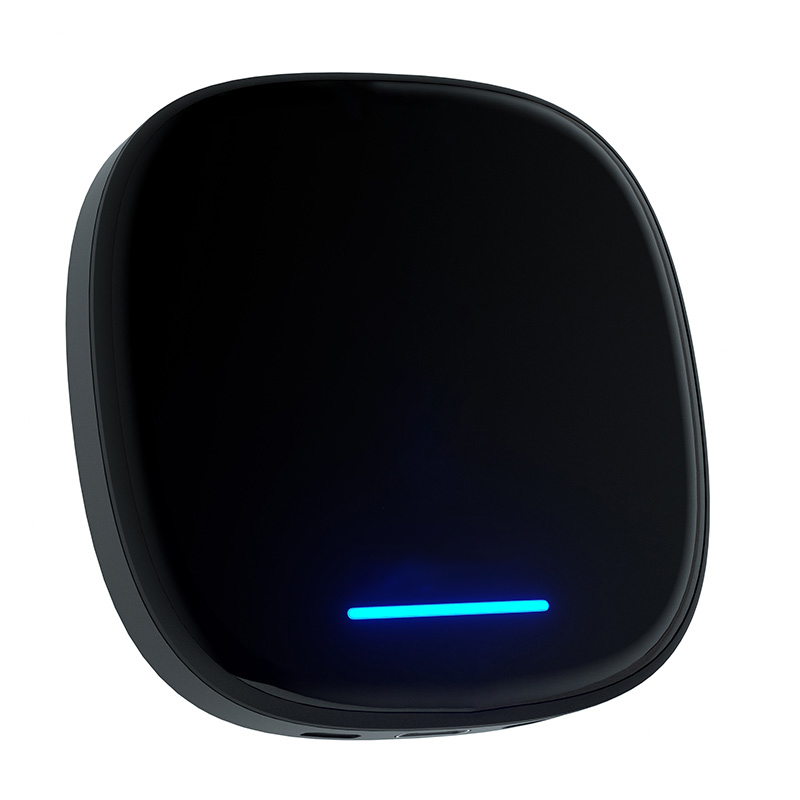
Carlinkit BYD Wireless CarPlay Android Box for Sealion 7
✦ Top Pick · BYD Sealion 7

Carlinkit BYD Wireless CarPlay & Android Box

Plug-and-play Android 13 upgrade compatible with all Australian BYD Sealion 7 models with factory wireless CarPlay.

$368.99 $429.00 Save $60
✓ 2-Year Warranty ✓ 30-Day Returns ✓ AU Tech Support ✓ Free Shipping
Buy Now — $368.99 AUD Check My Compatibility →
  • Android 13 · Qualcomm 8-core · 8GB + 128GB
  • Wireless CarPlay + Wireless Android Auto
  • 4G LTE SIM slot + full Google Play Store
  • Rotating screen supported (DPI adjustable)
  • Original DiLink system fully preserved
  • 5-min install · no modifications needed
  • Lifetime OTA firmware updates

The BYD Sealion 7 has earned its place as one of Australia's best-selling electric SUVs — and honestly, it's not hard to see why. The rotating touchscreen alone stops people in their tracks at every car park.

But here's what most owners discover after a few weeks: the factory DiLink system, while capable, is just the beginning. The right BYD Sealion 7 accessories — especially on the tech side — unlock what that big screen was always capable of.

This guide covers the most popular upgrade categories Sealion 7 owners ask about, and finishes with the one tech upgrade our customers keep coming back to rave about.


Why Upgrade Your BYD Sealion 7 With Accessories?

Have you ever pulled up to a beach carpark and watched your pristine interior slowly fill with sand? Or sat through a 40-minute EV charging stop with nothing to do but scroll your phone?

Australia's driving conditions are tough — red dirt roads, coastal salt air, scorching UV, long highway stretches between cities. The Sealion 7 handles all of it well. But the right accessories make the experience genuinely smarter:

  • Protection against daily wear, spills, and UV damage before it happens
  • Practicality upgrades that keep your cabin organised and intentional
  • Technology enhancements that unlock what that 15.6" screen was always capable of

Essential Protective Accessories for BYD Sealion 7

Note: The protective and interior accessories in this section are popular aftermarket picks available from Australian EV accessory retailers. Carlinkit Factory specialises in the tech upgrade covered later in this guide — the Wireless CarPlay & Android Box.

All-Weather Floor Mats

This is the first thing I'd tell any new Sealion 7 owner to buy — full stop.

A set of custom-fit TPE floor mats creates a barrier between your carpet and everything Australian roads throw at it. Sand, muddy boots, a spilled flat white — mats handle all of it. The key is getting laser-cut mats made specifically for the Sealion 7 floor plan. Generic mats shift and miss the edges; properly fitted ones stay locked in every corner.

Pro tip: Press firmly into the heel area first, then smooth toward the front edge — this stops buckling and keeps the mat flush against the centre console base.

Screen Protector for the 15.6" Rotating Display

That enormous rotating touchscreen is the first thing every passenger comments on. It also picks up fingerprints within about 30 seconds.

A 9H tempered glass screen protector — laser-cut for the Sealion 7's exact dimensions — keeps the display scratch-free without affecting touch sensitivity. Look for kits with an alignment frame to get a bubble-free install every time.

Watch out for: generic protectors that don't account for the rotating bezel gap. Always confirm the listing says Sealion 7's 15.6" rotating screen specifically.

Cargo & Frunk Mats

The Sealion 7 has storage at both ends — rear boot and front frunk. Both deserve protection. Custom TPE cargo mats are waterproof and wipe clean in seconds. A customer we'll call James (Sydney, 2024 Sealion 7) told us his frunk mat paid for itself the first time he transported a leaking cooler bag on a road trip.

Key Fob Cover

Small detail. Real difference. The stock key fob scratches easily against coins and keys in your pocket. An alloy or leather key fob cover costs $10–$30 AUD and adds a premium feel you notice every single day.


Practical Interior Accessories Worth Having

Centre Console Organiser

You'd be surprised how fast the Sealion 7's console turns into a catch-all for receipts, cables, and coins. A custom TPE armrest tray organiser — moulded to the exact console shape — adds defined compartments for your phone, keys, and cables instantly.

Cup Holder Protector

Unglamorous but genuinely useful. A silicone cup holder liner stops coffee ring stains building up in the console. Pull it out, rinse it, done. Without it, you're eventually scrubbing dried oat milk from a textured plastic recess.

Seat Covers

Do you have kids, a dog, or a habit of eating lunch in the car? Custom-fit seat covers for the Sealion 7 come in breathable fabric or leather-look wipe-clean options — both tailored to the seat contours so they don't shift or bunch up.

Wireless Charging Pad Cover

The Sealion 7's wireless charging pad shows every fingerprint. A fitted non-slip silicone cover keeps your phone steady during cornering and protects the surface at the same time.


The #1 Tech Upgrade for BYD Sealion 7: Wireless CarPlay & Android Box

Everything above protects and organises your Sealion 7. This next upgrade does something different — it completely changes how you use the car.

Carlinkit BYD AI Box
Featured Product
Carlinkit BYD Wireless CarPlay & Android Box

Plug-and-play Android 13 for all BYD · $368.99 AUD

What Is the BYD Sealion 7 CarPlay Android Box?

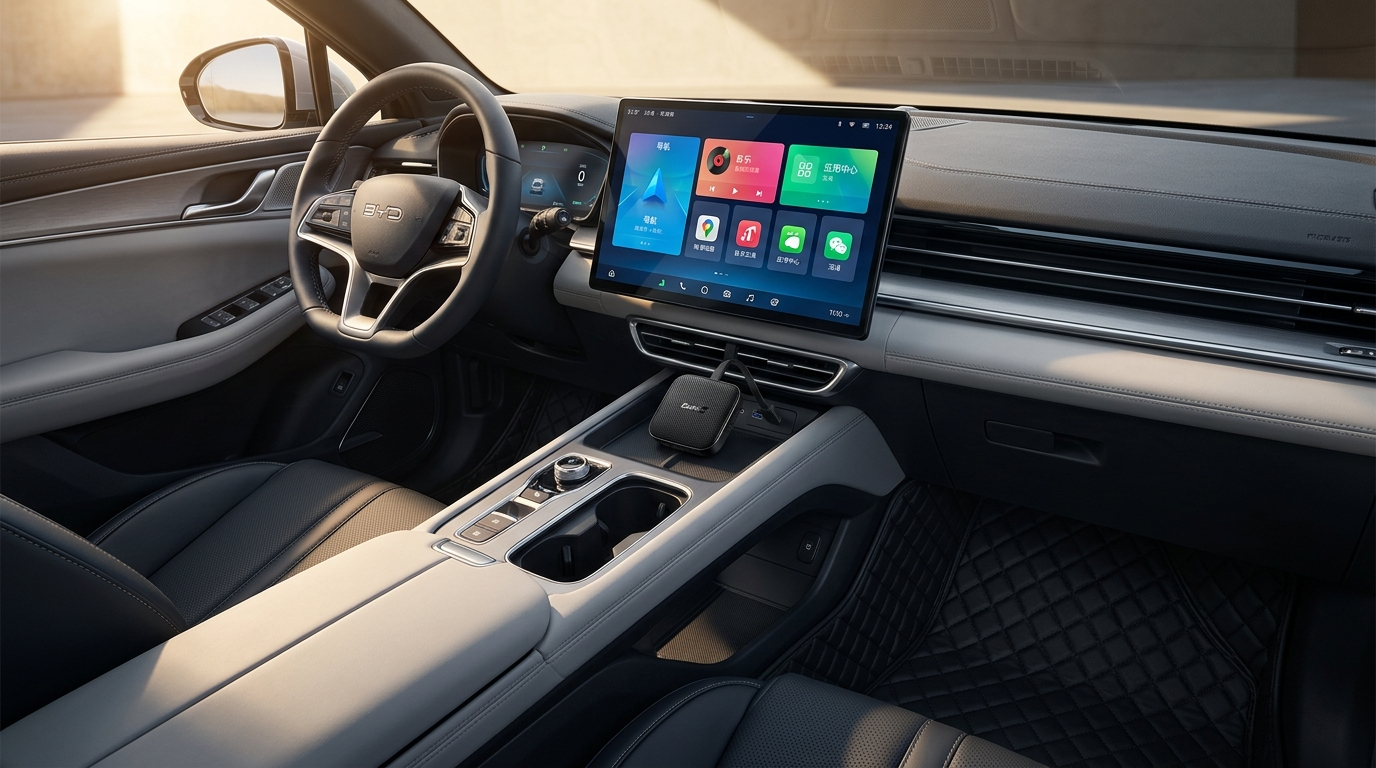
It's a plug-and-play multimedia AI box that slots into your factory CarPlay USB port. No dashboard removal, no permanent changes, no warranty risk whatsoever.

Once connected, it runs a full Android 13 operating system alongside your existing DiLink interface — switch between them with a tap or voice command.

Think of it as giving your Sealion 7's screen a second brain. One that runs Google Play, Netflix, YouTube, Waze, Spotify, and thousands more — completely independently.

Key Features

  • Wireless Apple CarPlay & Android Auto — both work simultaneously
  • Android 13 · Qualcomm 8-core · 8GB RAM + 128GB storage
  • 4G LTE SIM slot — fully independent internet, no phone needed
  • Google Play Store — every Android app available
  • 4K video output for the full impact of that 15.6" rotating screen
  • Original DiLink preserved — switch back with one tap or voice command
  • Under 5 minutes to install, no tools required

How to Install the CarPlay Box on Your Sealion 7

  1. Start your Sealion 7 and wait for DiLink to finish loading
  2. Plug the AI Box into the factory USB port used for CarPlay (centre console, below the wireless charging pad)
  3. When the Wi-Fi prompt appears, connect your phone to the AI Box network
  4. Complete the one-time pairing — it reconnects automatically every drive from here
  5. Open settings → select Landscape mode → set DPI to 280–300 for crisp icons on the rotating display
Common mistake to avoid: Skipping DPI makes the interface look oversized and "chunky." Open TBox settings → Display/DPI slider → drag to 290. Takes 30 seconds and makes an immediate difference.

Is It Compatible With My BYD Sealion 7?

The box works with any Sealion 7 with factory wireless Apple CarPlay — all Australian-market models from 2023 onwards after the free OTA 1.8 update.

Quick check: DiLink home screen → tap CarPlay → does your iPhone connect without a cable? If yes, you're good to go.

Still unsure? Email support@carlinkitfactory.com with your model year — the team responds within 12 hours. For more detail: Does BYD Have CarPlay? Wired, Wireless & Upgrades →

Why This Is the Best BYD Sealion 7 Tech Accessory in 2025

A customer we'll call Michelle (Brisbane, late 2024) described her first charging stop after installing the box: "I plugged in at Chargefox, opened Netflix on the Sealion 7's screen, and watched half an episode while the car charged to 80%. I didn't touch my phone once." That's the version of EV ownership this screen was always meant to enable.

  • Long drives — Waze and Spotify running natively, no phone mount or cable
  • Charging stops — Netflix, YouTube, Disney+ on the 15.6" display
  • No phone drain — apps run independently on the box's own hardware
  • Lifetime OTA updates keep the system current and improving
  • 2-year warranty + 30-day money-back guarantee

Frequently Asked Questions

No. Floor mats, protectors, and organisers have no interaction with the vehicle systems. The Carlinkit AI Box is a USB peripheral — unplug it and there's zero trace it was ever there. BYD Australia's warranty is fully intact.

Yes — for all Australian models on OTA v1.8 or higher. Check via Settings → System → Software Update on DiLink. The update is free and takes ~15 minutes. Full guide here →

Not through the factory DiLink system. With the Carlinkit AI Box installed, Netflix, YouTube, Disney+, and any Google Play app stream directly on the 15.6" screen — no phone mirroring, no mobile data drain.

A wireless adapter converts wired CarPlay to wireless — nothing more. An Android Box is a standalone Android 13 computer with its own processor, RAM, storage, and app ecosystem. The capability gap is enormous.

Completely. One USB port. No tools. No dashboard work. Factory interior untouched. Most owners finish the full setup — DPI adjustment included — within 5 minutes.

Start with floor mats and a screen protector — cheap, permanent protection, immediate peace of mind. For a genuine experience upgrade: the Carlinkit AI Box delivers more per dollar than anything else on this list.

Build Your Perfect BYD Sealion 7 Setup

Protect first. Organise second. Then upgrade the technology — and transform every drive.

Shop the Carlinkit BYD AI Box →
Carlinkit BYD AI Box
Carlinkit BYD AI Box $368.99 AUD · Free Shipping
Buy Now

Leave a Reply