
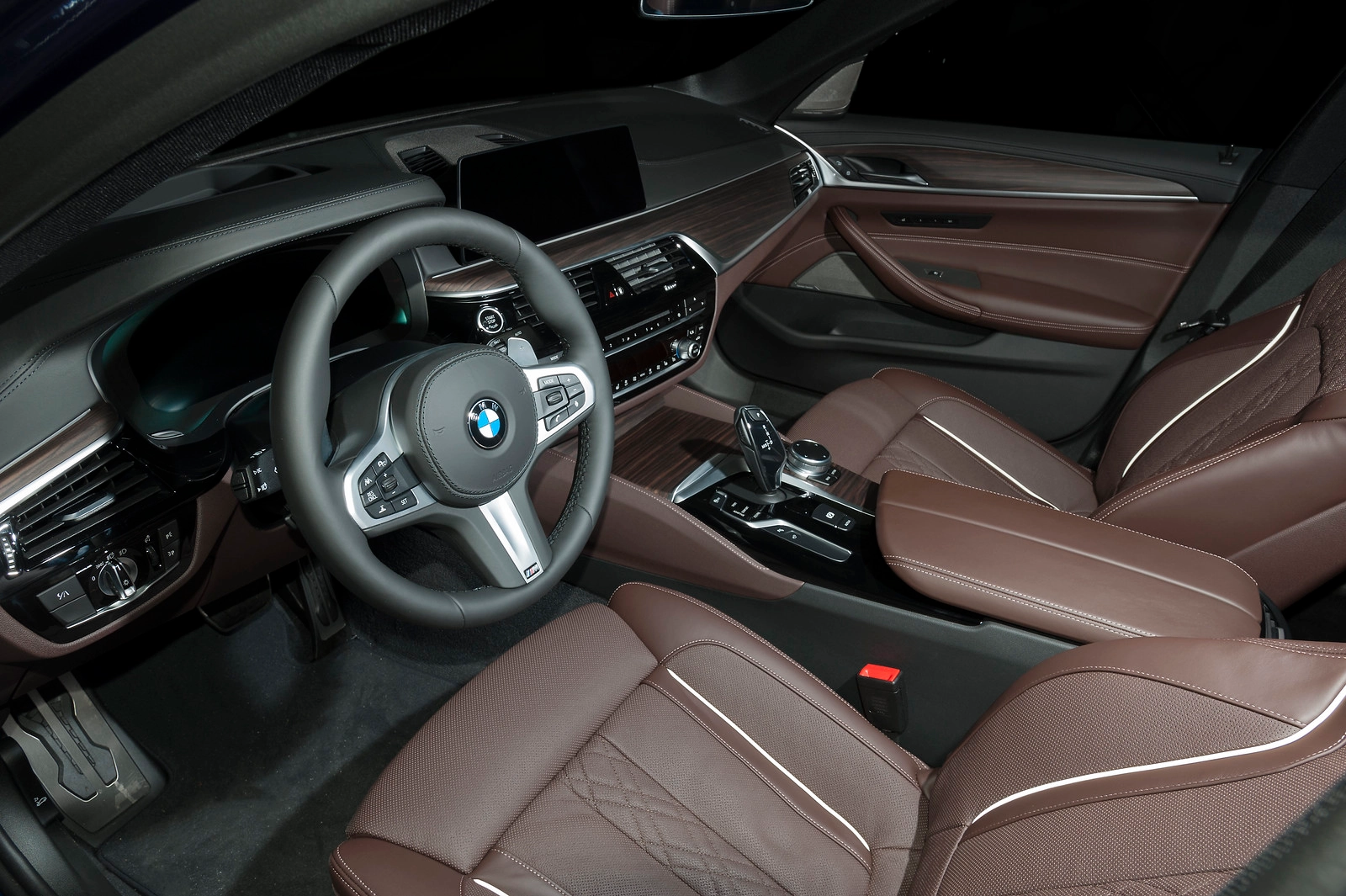
BMW G30 Android Auto: Stop Settling for a Locked Screen (2026)
Transform your 5 Series cockpit into a full Android powerhouse without touching a single wire.
1. Why BMW G30 Android Auto Feels Broken
The BMW G30 5 Series remains a masterpiece of interior design, yet its software feels like a beautiful cage. If you are an Android user, the frustration is real. You're staring at a high-resolution display that refuses to show Google Maps natively in older models, or restricts your entertainment to basic radio while parked. Worse, even if you have the newer iDrive 7, your connection is tethered to your phone's battery life — one long drive with GPS running and your phone is a brick by the time you reach your destination. It's a premium car delivering a compromised digital experience.
2. BMW G30 iDrive Software Limitations Explained
To fix the G30, we first have to understand the specific "flavor" of iDrive you are running. The hardware is capable, but the software limitations vary by year:
- Navigation: The factory BMW maps lack the real-time crowd-sourced data of Waze. While newer models have Android Auto, it's a "mirrored" version that eats phone resources rather than a standalone system.
- The Entertainment Lockdown: BMW blocks YouTube and Netflix for "safety," but this applies even when you're waiting in the car for 20 minutes to pick up the kids or charging a PHEV.
- 2017–2019 Models (NBT EVO): These cars were built in an era where BMW ignored Android users entirely. No native Android Auto exists here, leaving you stuck with a phone mount.
- 2020–2023 Models (iDrive 7): Android Auto is present, but it's a battery-drainer. If your phone loses signal or dies, your dashboard goes dark.
3. Android Auto Options for BMW G30 Owners
| Solution | Installation | Cost | Factory Look |
|---|---|---|---|
| Phone Mount + Bluetooth | None | $20 | ❌ Messy cables |
| Head Unit Replacement | Complex / 4–6 Hours | $600+ | ⚠️ Non-original |
| Carlinkit MMB Box ★ | Plug & Play / 15 min | $200–$270 | ✅ 100% Original |
4. How to Add Android Auto to BMW G30 — Pick Your Situation
FIND YOUR SOLUTION
Which Situation Describes Your BMW?
The right upgrade depends entirely on your car's CarPlay setup.
Pick your situation below — each leads to the correct solution.
See "Wireless"? You're in Group A or B. See "Wired"? You're in Group C. Nothing there? You're in Group D.
My BMW has Wireless CarPlay — I want Android Auto, YouTube & Netflix
Applies to: Most BMW G30 models from 2017 onwards with wireless CarPlay already active.
→ The MMB Box plugs straight into your CarPlay USB port. 15 minutes. No coding. No disassembly.
View BMW MMB Box →My G30 already has Android Auto — but YouTube & Netflix are blocked
Applies to: 2020–2023 BMW G30 with iDrive 7 where Android Auto came standard.
→ Factory Android Auto is phone-dependent and blocks streaming. The MMB Box runs full Android 13 independently — no phone needed.
View BMW MMB Box →My G30 only has Wired CarPlay
Applies to: Some 2017–2018 early G30 models where wireless CarPlay wasn't activated from factory.
→ Wireless CarPlay needs to be activated first.
See our guide: How to Check & Activate BMW CarPlay →
Once done, the MMB Box works on top. Total cost still far less than a screen replacement.
My BMW has no CarPlay at all
Applies to: Rare early G30 base trims, or older E/F-series BMW without CarPlay fitted.
→ A Decoder module adds CarPlay and Android Auto directly to your factory screen. No screen replacement needed.
View Decoder Module →5. How to Install the MMB Box in a BMW G30 — Step by Step
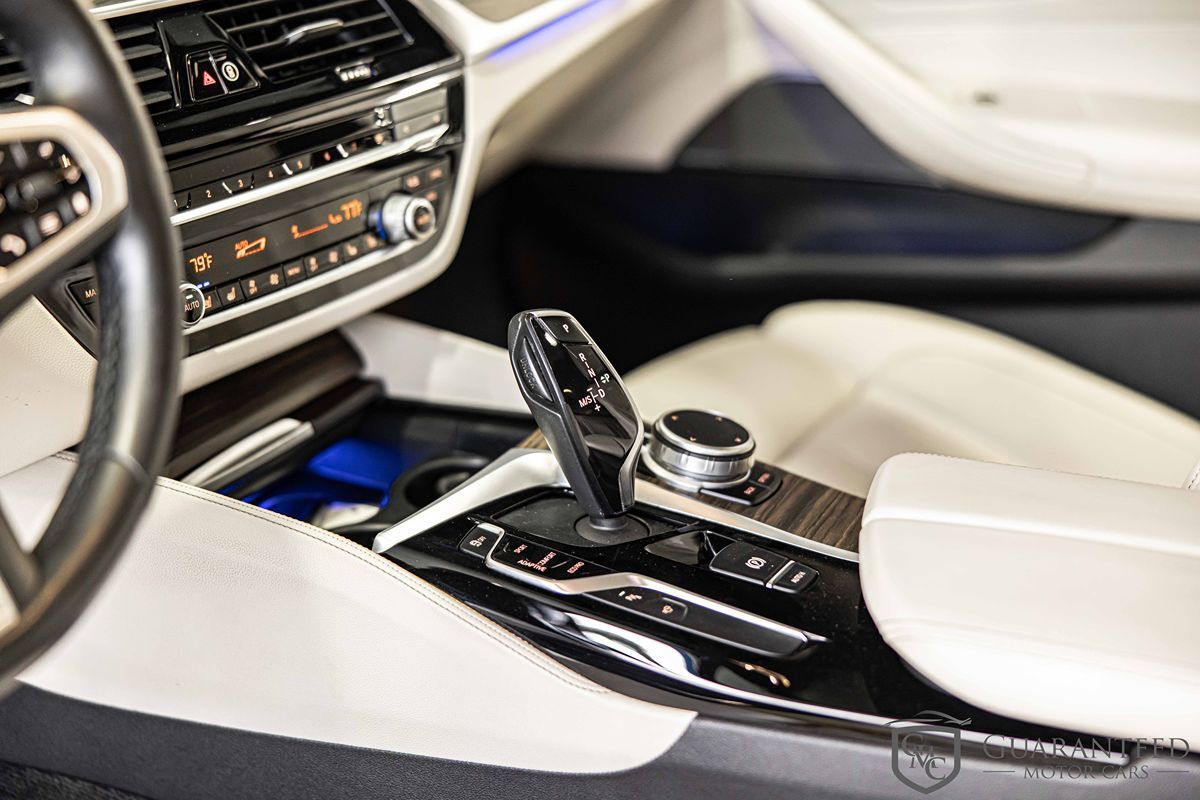
- Locate the main USB data port in your G30 — it sits in the centre console tray, just in front of the cup holders.

BMW G30 centre console — USB data port location for MMB Box installation
- Plug the MMB Box into this port. Important: Do not use a charge-only port — use the data/CarPlay port only.

Carlinkit MMB Box plugged into BMW G30 CarPlay USB port — plug-and-play, no tools needed
- Wait for the iDrive screen to recognise the device as a CarPlay connection.
- Select the "Apple CarPlay" icon on your BMW screen — the MMB Android 13 interface boots immediately.
6. Real-World Android Auto Experience on the BMW G30
Once installed, the experience is transformative. You no longer "launch" Android Auto — the car is an Android device. You can download apps directly from the Play Store. Spotify plays with the full fidelity of the Harman Kardon system, and Google Maps feels like it was built into the car from the factory.
"I used to dread long road trips because the BMW nav was so clunky and my phone would overheat using wireless AA. Now, I have a dedicated SIM in the MMB Box, and I can watch Netflix while waiting at the EV charger. It's the upgrade the G30 deserved from the factory."— David S. · Munich · 2021 BMW 530e
7. BMW G30 Android Auto — Frequently Asked Questions
Ready to Upgrade Your G30?
Go to iDrive → Settings → Connections → Apple CarPlay.
If it says "Wireless" — you're ready to order right now.