
A wireless Android auto adapter is a game-changer in case you are a driver who wants to upgrade the infotainment system of your car. No longer do you have to get entangled cords and have to plug and unplug them on a regular basis, wireless adapters mean you can plug in your android phone into your car and access navigation, music and messaging without risking your life on the road. We shall cover the reasons why these adapters are necessary, the essential features to be considered as well as the best models in the market such as the popular Carlinkit 5.0.
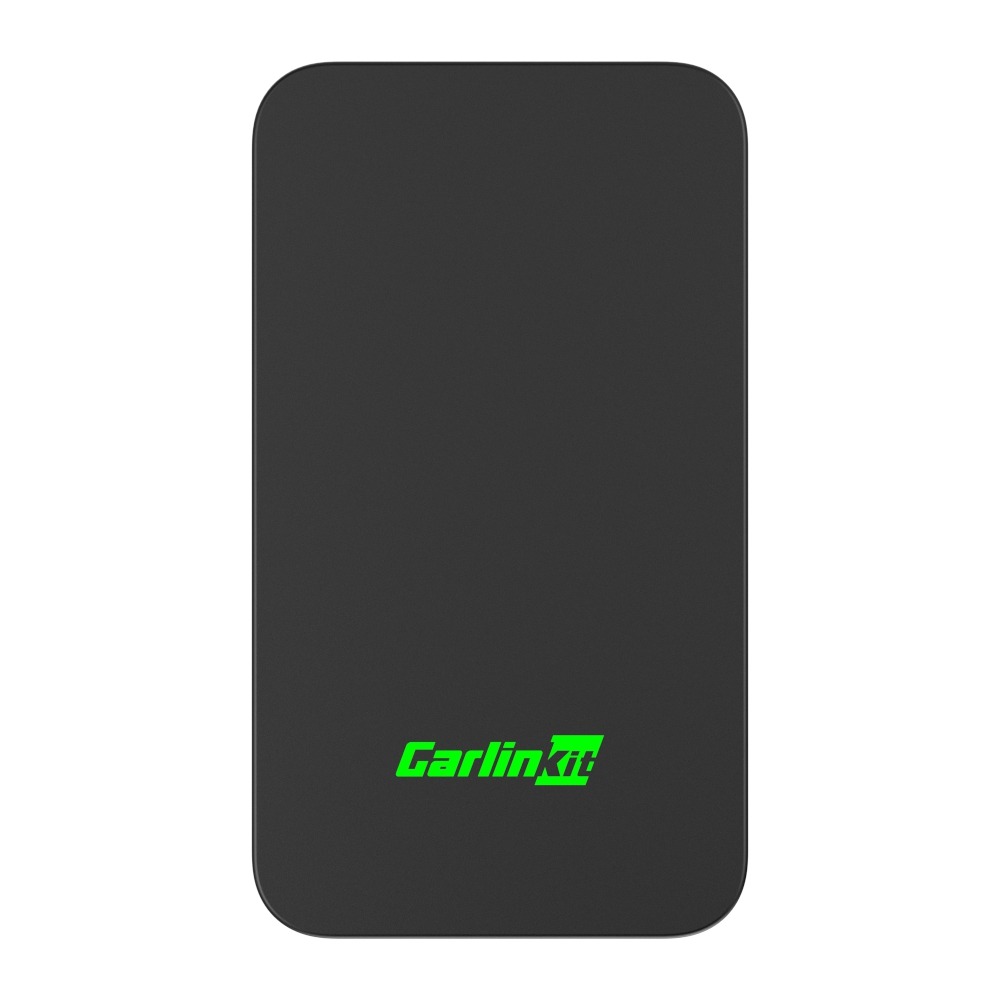
The New Carlinkit 2air, Also Known As Carlinkit 5.0 Adapter. It Is A Wireless Carplay And Wireless Android Auto Adapter In One. The CPC200-2air Wireless Adapter Enables You To Wirelessly Connect Your Car’s Existing Wired Apple CarPlay Or Wired Android Auto Infotainment System, Allowing You To Conveniently Access All Your Preferred Maps, Media, And Messaging Apps On Your Car’s Display Through Bluetooth And WiFi Connectivity.
Find the most up to date adapters and experience driving in a smarter and safer way.
The Reason to use a Wireless Android Auto Adapter?
It is understandable why the demand of wireless Android Auto adapters has skyrocketed:
- Convenience
Wireless adapters to plug your phone in and out make it unnecessary to do so. After the connection you will find that you are automatically connected every time you get into the car. - Compatibility
Modern adapters are compatible with a large variety of Android phones and vehicles, which means that the connection with most infotainment systems will be fine. - Safety
Wireless adapters deliver hands-free control and automatic connection to minimize distractions of the driver and keep his or her eyes on the road. - Cost vs Benefit
Although adapters such as the Carlinkit 5.0 are a one-time deal, they offer flexibility and efficacy in the long run and hence it is a prudent investment towards any motorist.
The main aspects that to consider in an Adapter
The features that should be considered when purchasing a wireless Android Auto adapter are as follows:
- Compatibility: Make sure that your car has a factory-installed wired Android Auto.Make sure your vehicle has a compatible infotainment system and phone OS. There are adapters that only fit certain brands of cars or versions of Android.
- Connection Stability: Wi-Fi adapters tend to provide a faster and more reliable connection as compared to Bluetooth adapters.
- Ease of Setup:Search after plug and play features in order to avoid the complex installation.
- Firmware Updates: Adapters updated are guaranteed to be compatible in the future and to fix bugs.
- Additional Features: There are other adapters that provide split-screen display, video playback, or the rapid connection options to provide a better in-car experience.
Best Android Auto Wireless Adapters
These are the top Carlinkit adapters, depending on the features, cost and user reviews.
1. Carlinkit 5.0 (2air)
- Features: Turns wired CarPlay and Android Auto into wireless Carplay and Android Auto, works with various types of phones.
- Pros: fast installation, solid connection, enhanced heat transfer, new firmware.
- Cons: Slightly higher price compared to older models.
- Why it stands out: The latest generation adapter is called Carlinkit 5.0, and it is much more stable and has a wider range of compatibility with the users.
2. Carlinkit 4.0
- Features: Wired factory conversion of CarPlay to wireless CarPlay and Android Auto; plug and play.
- Pros: Reliable connection, mid-range price.
- Cons:It is slightly slower than Carlinkit 5.0.
3. Carlinkit 3.0 (U2W Plus)
- Features: Wirelessifies factory wired CarPlay, most factory systems supported.
- Pros: Affordable, easy installation.
- Cons: Older model, fewer firmware updates.
Comparison Table
| Brand | Model | Compatibility | Special Features |
| Carlinkit | 5.0 (2air) | For most vehicles that support factory wired Android/CarPlay | Fast Wi-Fi, stable connection, firmware updates |
| Carlinkit | 4.0 | Factory Wired CarPlay | Plug-and-play, reliable connection |
| Carlinkit | 3.0 (U2W) | Most factory wired CarPlay cars | Affordable, easy installation |
How to Select the correct adapter to your car
- Infotainment System Check Car Compatibility
Make sure that your car is compatible with either Android Auto or CarPlay and verify whether your model is compatible with the adapter. - Identify Your Priorities
Choose between the stability of connection, other features or price. - Take into consideration Warranty and Support
Purchase at Carlinkit Factory AU for faster customer service and a more reliable warranty.
Note: This adapter does not work with Tesla and BMW cars.
Installation & Setup Tips
- Quick Plug-and-Play Steps: Simply plug the adapter in your car, connect with your phone, and proceed with on-screen instructions.
- Performance Tips: be sure to update the adapter firmware, do not have heavy applications running in the background when connected.
Conclusion
A wireless Android auto converter can change all that and give you convenience, safety, and ease in connecting to your car. The Carlinkit 5.0 is one of the best in terms of speed and its stability as well as its future-proofing design.
To purchase the most, buy at Carlinkit Factory Australia. Modify your car and have wireless Android Auto without compromising.
Bonus: Future Trends in Wireless Android Auto
Android Auto technology on wireless is still developing. Future updates may include:
- Wider range of compatibility with car brands.
- Improved multimedia, such as split-screen driving and entertainment.
Keep up with the most current model adapters so that your car would always be up to date, connected and fun to drive.