
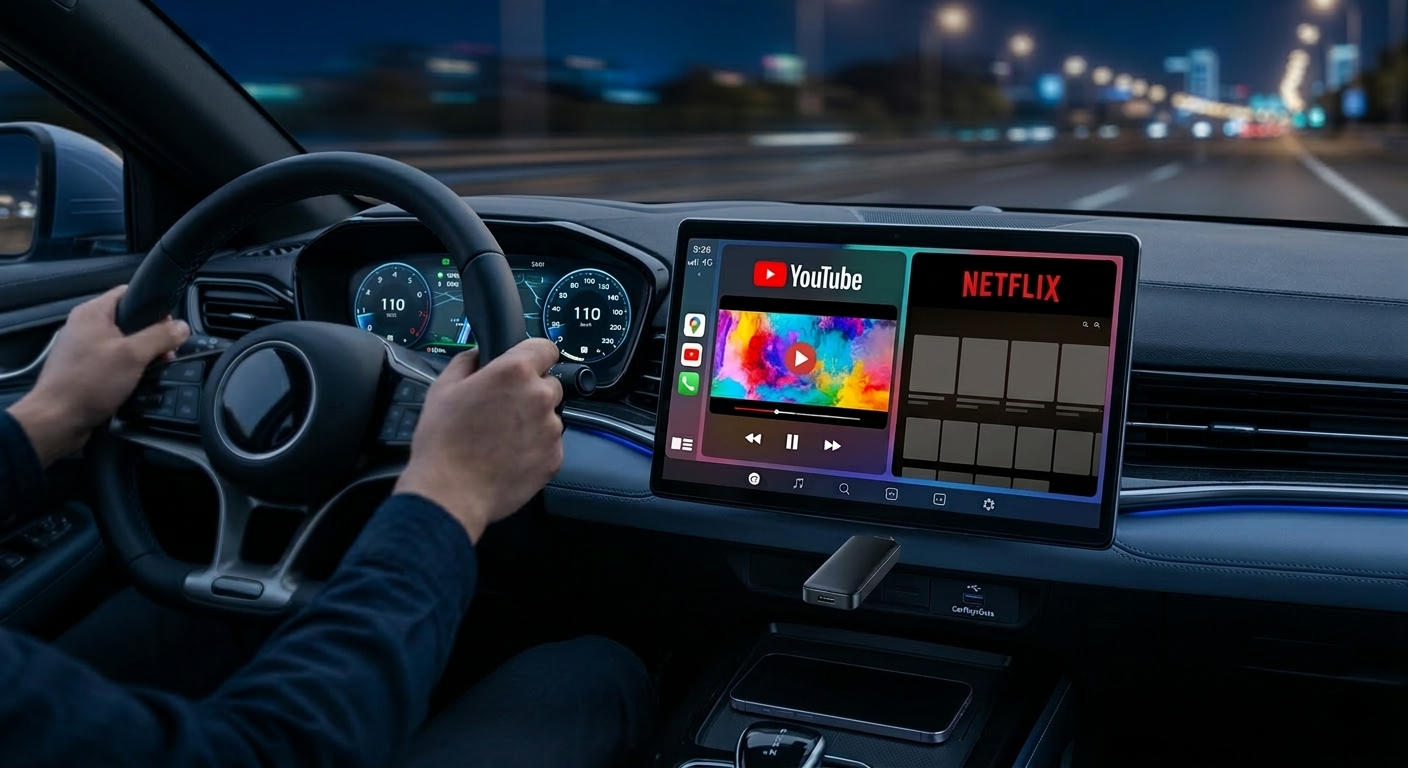
The days of your car screen being a passive mirror of your phone are over. Today, it’s not just about how to connect CarPlay wirelessly, but how to transform your dashboard into a truly intelligent and autonomous entertainment hub.
The T-Box Concept: Unlike standard adapters, this box is an independent Android computer that integrates natively via the original USB port—no hardware modifications required.
What is a T-Box AI Box and Why Do You Need It?
A T-Box AI Box is an advanced multimedia module designed for demanding drivers. This device outperforms basic dongles thanks to its dedicated high-performance components:
- Integrated Android 13 System: A full interface allowing you to install any app from the Google Play Store.
- Hardware Autonomy: The box runs independently, saving your smartphone’s battery and processing power.
- 4G LTE Connectivity: A SIM card slot allows your car to stay online without relying on your phone’s hotspot.
- Storage Expansion: A TF card slot for local storage of hundreds of movies or songs in high resolution.
How to Connect CarPlay Wirelessly with T-Box: A Practical Guide
T-Box technology is built on radical simplicity. The Plug & Play protocol ensures you are up and running in less than 30 seconds.
Pro Configuration Tip: Always use the primary USB port (usually marked with a Smartphone icon). On models like the Ford Ranger or Toyota HiLux, secondary USB ports are often for charging only and will not recognize the AI Box.
- Plug In: Connect the T-Box to the USB port used for wired CarPlay.
- Pairing: Turn on Bluetooth on your smartphone and select “AutoKit”.
- Launch: Once paired, the connection will be automatic every time you start your car.
Enjoy YouTube and Netflix on Your Car Screen
The T-Box provides total freedom by bypassing the native video restrictions imposed by Apple and Google.
- Limitless Streaming: Access Netflix or YouTube during EV charging breaks or road trip stops.
- Split Screen Mode: Keep Waze navigation on the left while passengers choose a video on the right.
- BYD Optimization: For BYD Atto 3 or Seal owners, the interface automatically adapts to the rotating screen.
Why Choose the T-Box Over a Basic Adapter?
Thermal reliability is the deciding factor for long-term performance.
Expert Insight: Unlike cheap dongles that overheat and disconnect after two hours of driving, the T-Box (powered by Qualcomm Octa-Core) maintains a constant response speed even in the harsh Australian heat.
| Feature | Standard Adapter | Carlinkit T-Box AI Box |
|---|---|---|
| Functionality | Wireless Mirroring Only | Autonomous Android System |
| Video Apps | Blocked Natively | YouTube, Netflix, Disney+ |
| Performance | Basic Chipset | Qualcomm Octa-Core |
| Connectivity | Bluetooth / Wi-Fi | 4G LTE & Built-in Wi-Fi |
The Benefits of Carlinkit Factory Expertise
- 2-Year Warranty: Full protection against any technical defects.
- Lifetime Firmware Updates: Ensures compatibility with future iOS and Android versions.
- Dedicated Support: Expert assistance tailored to your specific vehicle model.
FAQ: Frequently Asked Questions about T-Box
Is the T-Box compatible with my car?
If your car already has factory-wired CarPlay, the T-Box is compatible in 98% of cases.
Do I need a SIM card?
It is optional (you can use your phone’s Wi-Fi hotspot), but a dedicated SIM card provides a much smoother and more stable experience.
Conclusion: Redefining Your Driving Experience
Learning how to connect CarPlay wirelessly is just the beginning. The T-Box AI Box radically transforms your relationship with your vehicle, making every journey a premium, connected experience.
Explore our Full Range of T-Box AI Boxes and upgrade your drive with technology built to last.