
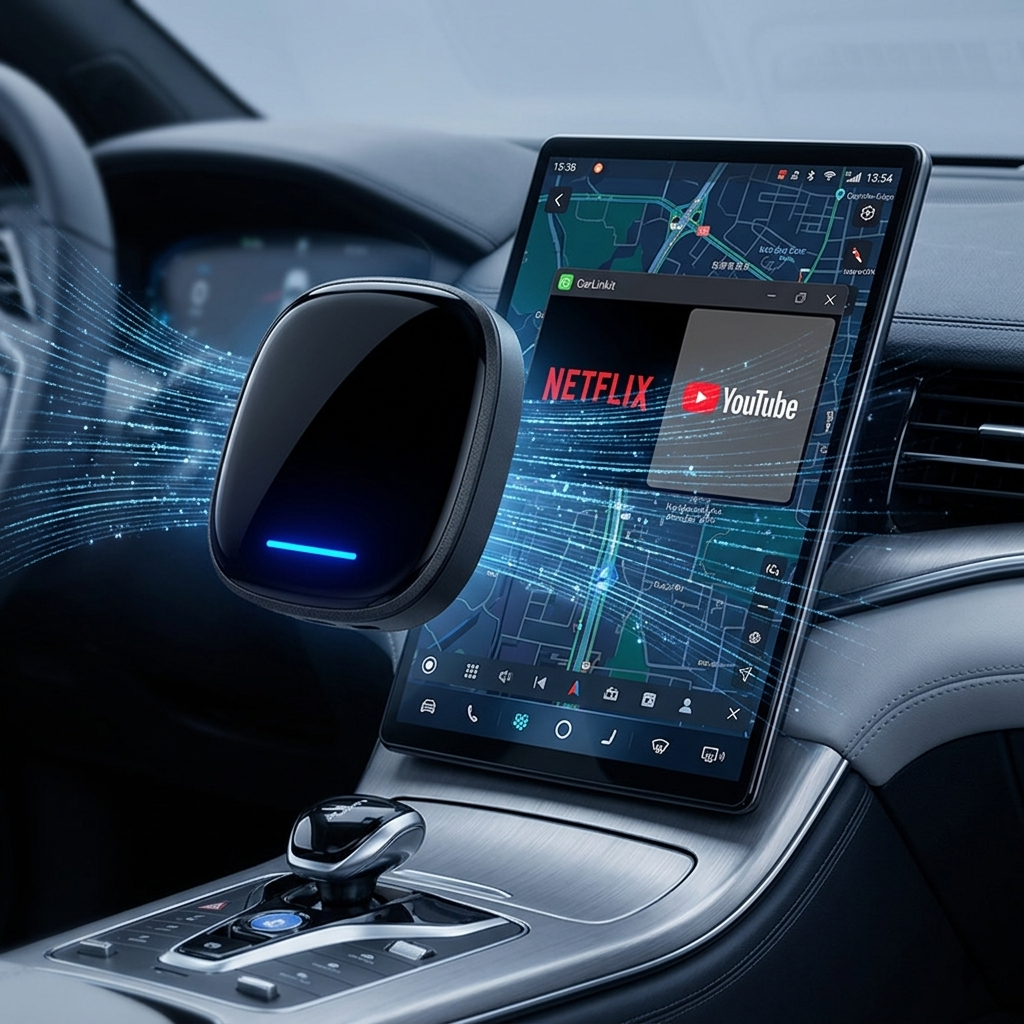
Your BYD Sealion 6 already has a capable DiLink screen and factory wireless CarPlay — but if you've ever wished you could stream Netflix at a charging stop, run Google Maps independently, or access the full Google Play Store on that screen, one small device changes everything.
In this guide I'll walk through why Sealion 6 owners in Australia are upgrading their infotainment, what the CarLinkit BYD Wireless CarPlay Android Box actually does, and how to get it running in under five minutes.
⭐ #1 BYD Multimedia Upgrade in Australia
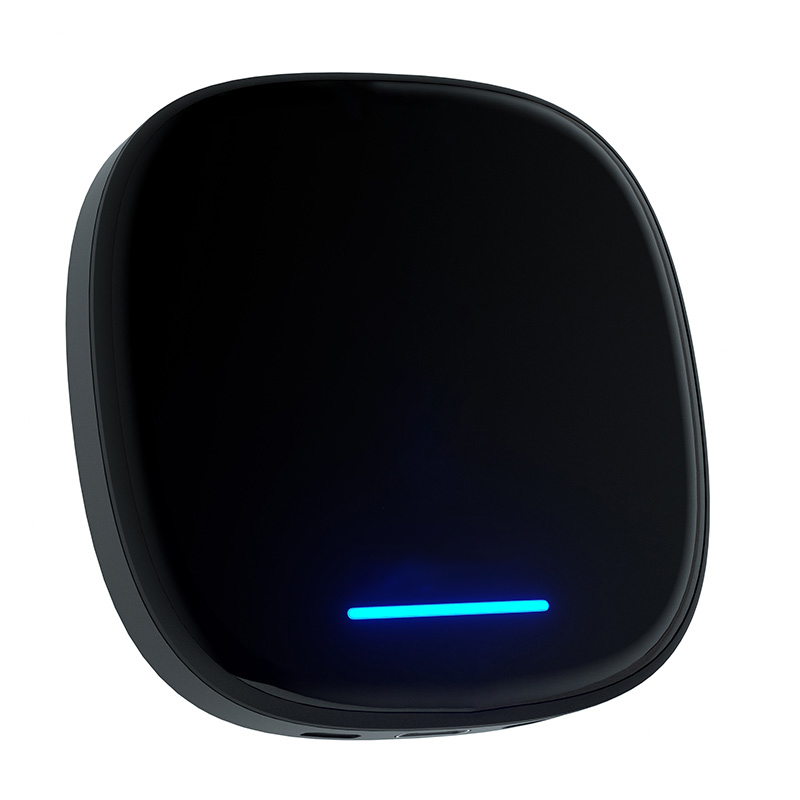
CarLinkit BYD Wireless CarPlay Android Box Multimedia
$368.99 AUD Free Express Shipping
Plug-and-play Android 13 AI Box built specifically for BYD's DiLink system. Keep your factory wireless CarPlay and unlock a full Android ecosystem — no tools, no modifications, no warranty risk.
- Android 13 · 8-core CPU · 8GB RAM · 128GB storage
- Wireless CarPlay & Android Auto
- Netflix, YouTube, Google Play Store
- 4G LTE SIM slot — independent internet
- Rotating screen & steering wheel controls supported
- 2-Year warranty · 30-day money-back · OTA updates
Why the Sealion 6's Factory DiLink Isn't Enough
Don't get me wrong — the Sealion 6's DiLink system is genuinely impressive hardware. That large, responsive touchscreen is one of the best in class. But the factory software has real limits that frustrate owners fast:
- No video apps. Apple's CarPlay policy blocks Netflix, YouTube, and Disney+ entirely. At a 40-minute Chargefox stop, that screen is just a glorified map.
- No Google Play. Want Kayo Sports, Waze, TikTok, or any Android app? Factory DiLink won't let you install them.
- Phone dependency. Standard CarPlay mirrors your phone. If your phone battery dies or your mobile data runs out, so does your navigation.
The CarLinkit AI Box solves all three problems in one plug-in device.
💬 Sound familiar? Most Sealion 6 owners hit these limits within the first month of ownership.
What the CarLinkit AI Box Actually Does
Think of it as a small Android 13 computer that lives in your centre console USB port. It doesn't replace your factory DiLink — it runs alongside it. You tap one button to switch between the full Android experience and your original BYD home screen. Everything factory stays intact.
Wireless CarPlay & Android Auto
You keep the wireless CarPlay you already use for calls and navigation. The box also adds wireless Android Auto for Android phone users. Both connect automatically when you start the car — no cables, no tapping.
Full Android 13 Ecosystem
With the Google Play Store open on your Sealion 6 screen, you can download any Android app. Netflix, YouTube, Disney+, Kayo Sports, Spotify, Waze — all running natively on the car's display, powered by the box's own 8-core processor and 8GB RAM. Your phone battery stays untouched.
Independent 4G Internet
Insert an Australian SIM card (Telstra, Optus, or Vodafone — all bands supported) and the box has its own internet connection. Navigation, streaming, and app updates work even if your phone is dead or on airplane mode.
Built for BYD's DiLink Protocol
This is where generic boxes fail. The CarLinkit box is engineered specifically for BYD's hardware protocol — meaning it recognises DiLink's rotation sensor handshake. When your screen pivots, the Android layout re-scales in under two seconds. No black bars, no crashes, no stretched UI that plagues generic adapters.
Installation: 5 Minutes, Zero Tools
This is genuinely the easiest car upgrade you'll ever do. No dashboard disassembly. No wiring. No coding.
- Step 1: Find the USB-A data port in your Sealion 6's centre console — look for the USB icon, not the lightning bolt (charge-only)
- Step 2: Plug the AI Box in and start the car — the DiLink screen recognises it as a CarPlay device
- Step 3: Connect your phone via Bluetooth once — the box remembers it forever
- Step 4: Tap the CarPlay icon on DiLink to launch the Android interface
- Step 5: Download your apps and enjoy
Quick Troubleshooting
- Nothing on screen after plugging in? Switch to the other USB port — one is charge-only
- Screen stays black after 10 seconds? Unplug and replug — resets the DiLink handshake instantly
- CarPlay drops connection? Turn off your iPhone's Personal Hotspot — it conflicts with the 5GHz Wi-Fi signal
- DPI looks off on rotating screen? Set DPI to 290 in TBox settings — sharp icons, zero lag
Will It Void My BYD Warranty?
No. The AI Box is a USB peripheral — exactly like plugging in a USB drive. It makes zero permanent changes to your vehicle's software or hardware. Unplug it and there is literally zero trace it was ever there. BYD Australia's factory warranty remains completely intact.
CarLinkit also backs the device with a 2-year manufacturer's warranty, a 30-day money-back guarantee, and lifetime OTA firmware updates — all exclusive to orders placed through the official Australian store.
Is the Sealion 6 Compatible?
Quick self-check: Start your Sealion 6 → tap CarPlay on the DiLink screen → does your iPhone connect wirelessly without a cable? If yes, the AI Box will work perfectly.
Not sure? Email support@carlinkitfactory.com with your model and build year — the Australian tech team confirms compatibility within 12 hours, free of charge.
💬 All current Australian Sealion 6 models with factory wireless CarPlay are confirmed compatible.
Frequently Asked Questions
Ready to Unlock Your Sealion 6's Full Potential?
Your Sealion 6 already has one of the best screens of any SUV on Australian roads. The CarLinkit AI Box is the one upgrade that finally lets it live up to that hardware — turning every charging stop into a cinema and every commute into a seamlessly connected experience.
Plug in. Five minutes. Everything changes.
Get the CarLinkit AI Box — $368.99 AUD →