
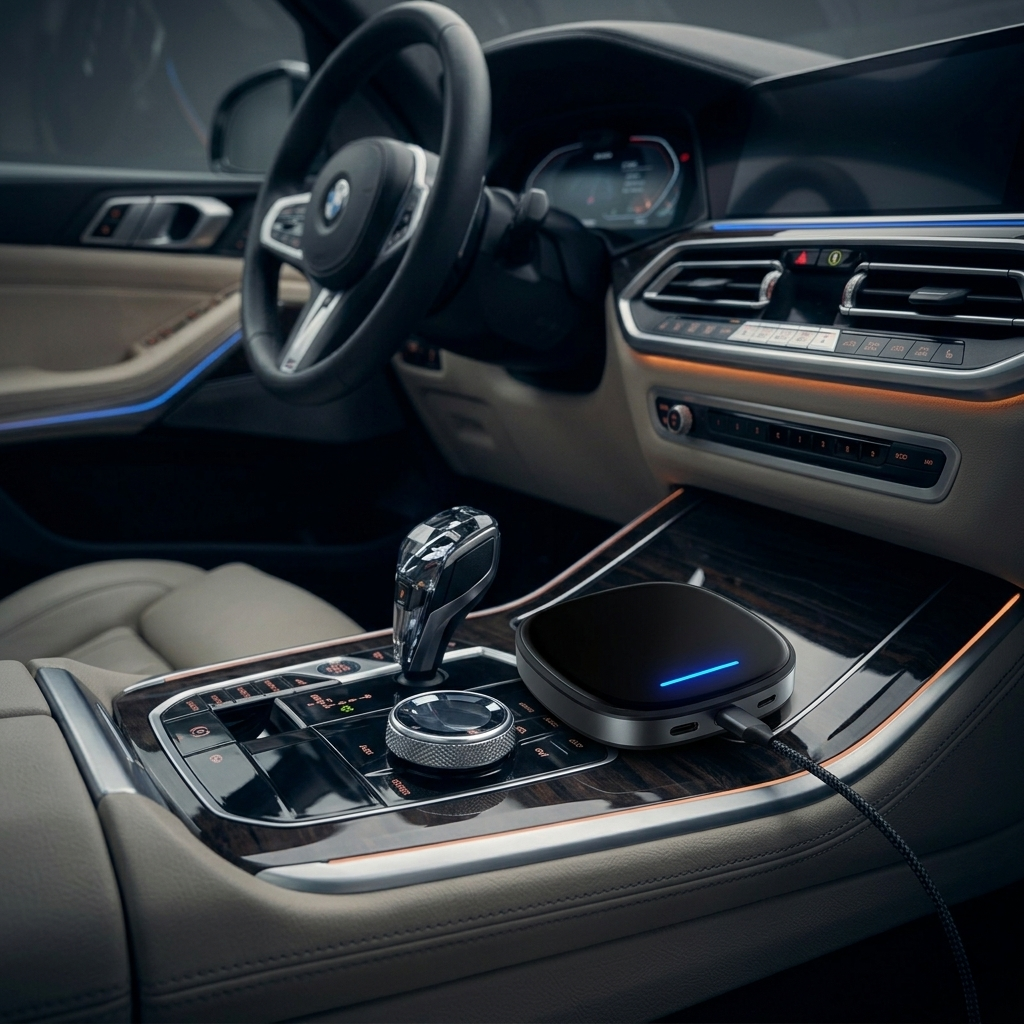
Avoid the BMW Android Auto subscription — with one quiet little box.
Many BMW drivers adore their cars but dread one recurring headache: those Digital Premium fees that arrive after the trial ends. There is a smarter, hardware-based way out — and it takes about fifteen minutes to install.
Why the BMW Android Auto subscription frustrates so many owners.
BMW continues to move popular features behind paywalls. The BMW Digital Premium package, especially on cars running Operating System 9 (iDrive 9), adds enhanced maps, streaming options, and smarter assistant functions.
Even though many recent BMWs support basic wireless Android Auto through factory CarPlay, unlocking smoother performance and extra entertainment often requires an active subscription. Have you ever received that notification asking for payment after just a few months? Owners frequently complain about the feeling of paying again for something their premium vehicle should already deliver fully.
What exactly is BMW Digital Premium and the Android Auto subscription?
BMW Digital Premium upgrades your iDrive experience with richer navigation data, better entertainment integration, and extended features. In Australia and similar markets, it typically runs around $10 USD per month, with yearly plans offering some savings.
Yet even after subscribing, drivers still report occasional connection drops or limited app choices. Over three to five years, those fees stack up quickly. Wouldn't you rather invest once and be done with it?
The Five-Year Math
- Monthly~$10 USD
- Annual~$110 USD
- 5-Year Total~$550+
- App LibraryLimited
- ConnectionVariable
The smart alternative: BMW Multimedia Android iOS Box.
The BMW Multimedia Android iOS Box is built specifically for 2018–2025 BMW models that already have factory wireless CarPlay. It works with iDrive 6, 7, 8, 8.5, and OS9 — including the 2025 X1 (U11).
This compact device turns your original screen into a full Android multimedia hub while keeping every factory BMW function untouched. No coding, no permanent changes, no warranty risk.
Hardware Specifications
- ProcessorSnapdragon SDM6125
- Memory8GB RAM
- Storage128GB + TF 256GB
- OSAndroid 13
- Connectivity4G SIM / Wi-Fi
Five reasons owners are switching to hardware over subscription.
Permanent wireless Android Auto
Rock-solid stability with no random drops. The connection lives in the box, not in your phone's mood.
Full Android entertainment
Install Netflix, YouTube, Prime Video, Spotify, and any Google Play app you actually use.
One-time purchase
Zero monthly fees. Zero expiring trials. The cost stops the day the box arrives.
Dual-system switching
Flip between native iDrive and the new Android interface in a tap — both stay fully intact.
Warranty-friendly install
No coding. No splicing. It connects through the factory CarPlay USB port, and that is the whole job.
Lifetime firmware updates
Software keeps improving long after your factory subscription would have expired.
Subscription vs. Multimedia Box, at a glance.
The recurring path
- Ongoing monthly payments
- Restricted app selection
- Possible connection hiccups
- Locked behind BMW services
- Cost grows every year
The permanent path
- One-time purchase, done
- Full Google Play freedom
- Stable wireless, every drive
- Native iDrive untouched
- Smoother performance overall
Fifteen minutes, five steps, no tools.
Locate the port
Find the factory USB used for CarPlay in your center console.
Plug it in
Connect the Multimedia Box directly into that same USB port.
Start the car
The box powers up automatically — no setup screen wrestling.
Pair your phone
Connect wirelessly, or jump straight into the independent Android system.
Download & drive
Pull apps from Google Play and you are completely set up.
Is it worth skipping the subscription?
I have seen this box transform daily driving for many BMW owners. Here is one recent story.
The Snapdragon processor and 8GB of RAM delivered buttery-smooth Netflix during weekend family trips — something my factory system genuinely struggled with even after I subscribed. The split-screen for maps plus video has been the unexpected favourite.
Subscription vs. hardware box, answered.
How much does BMW Digital Premium actually cost in Australia?
Plans generally start around $10 USD per month, with annual options offering modest discounts. Check your BMW ConnectedDrive Store for exact pricing on your specific model.
Does the BMW Multimedia Box support full wireless Android Auto?
Yes — it offers stable wireless Android Auto alongside a full independent Android 13 system, so you get both worlds without having to choose.
Will installing this box void my BMW warranty?
No. It connects via the original CarPlay USB port with no coding and no permanent changes. Unplug it and your car is exactly as it was.
Is it compatible with my 2024 / 2025 BMW with iDrive 9 / OS9?
Yes. It supports 2018–2025 BMW models equipped with factory CarPlay, including many 2025 OS9 vehicles such as the X1 (U11).
Can I still use original BMW functions after installing the box?
Absolutely. You can switch between the native iDrive and the Android system anytime — both stay fully intact and accessible.
Can I watch Netflix and YouTube while driving?
The system supports smooth video playback. For safety, let passengers handle entertainment or use video features only when parked.
What if I run into connection issues after install?
Most issues are minor. A 30-second press of the volume knob to reboot the head unit usually resolves any glitches. Direct real-time technical support is also available.
Stop paying for what your BMW already deserves to do.
BMW's growing reliance on subscriptions like Digital Premium shows where the industry is heading. Yet hardware options like the Carlinkit BMW Multimedia Box put control back in your hands — offering richer entertainment and real cost savings over time.
Choose the box, and you keep your original system intact while adding modern performance your BMW truly deserves — free from ongoing BMW Android Auto subscription payments, for as long as you own the car.
Upgrade your BMW infotainment once.
Forget subscriptions forever.
Wireless Android Auto, full Android 13, Netflix, YouTube, Spotify, and complete app freedom — installed in fifteen minutes through your factory USB port. Two-year warranty. Lifetime firmware updates.