
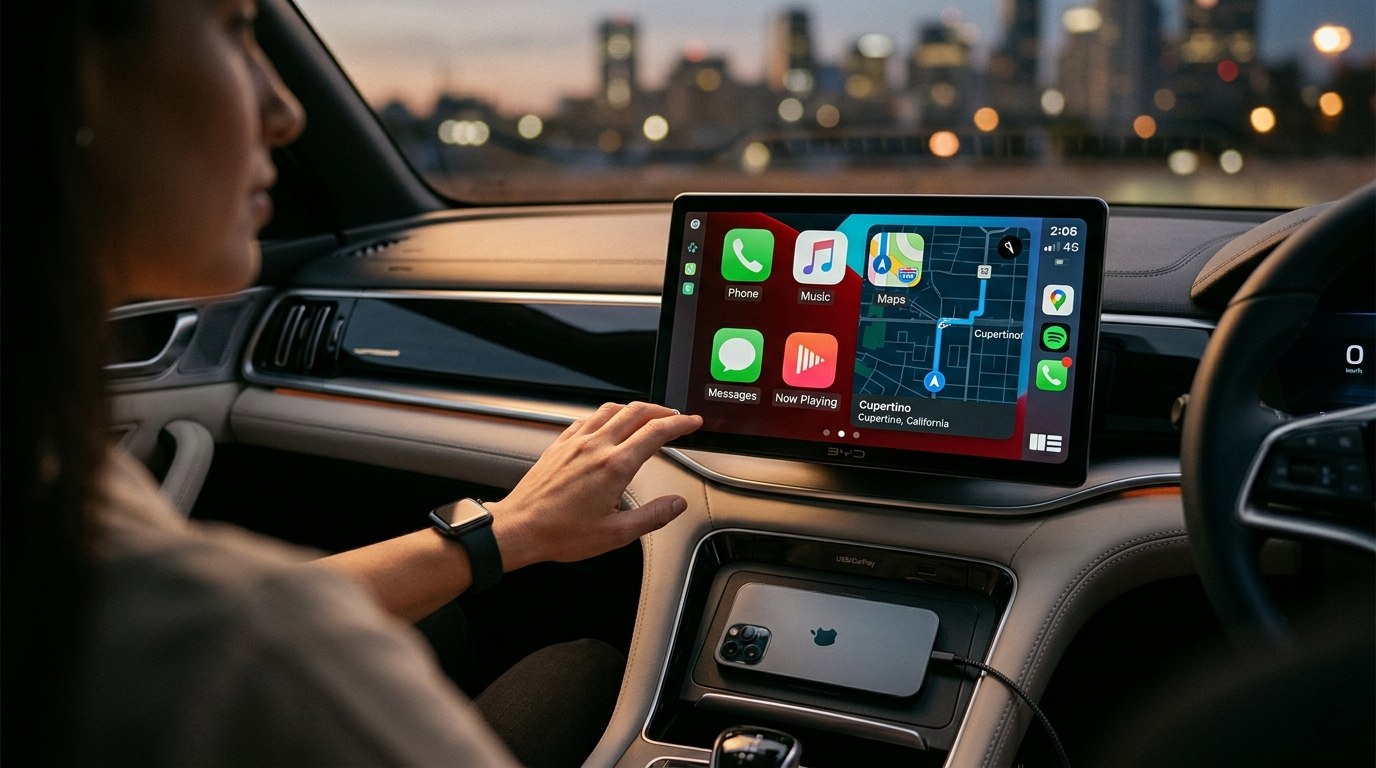
BYD TBox Apple CarPlay:
Does BYD Support It?
Yes — most 2026 BYD models now have wireless CarPlay. But the BYD TBox makes it truly amazing.
Get Yours for $368.99 AUD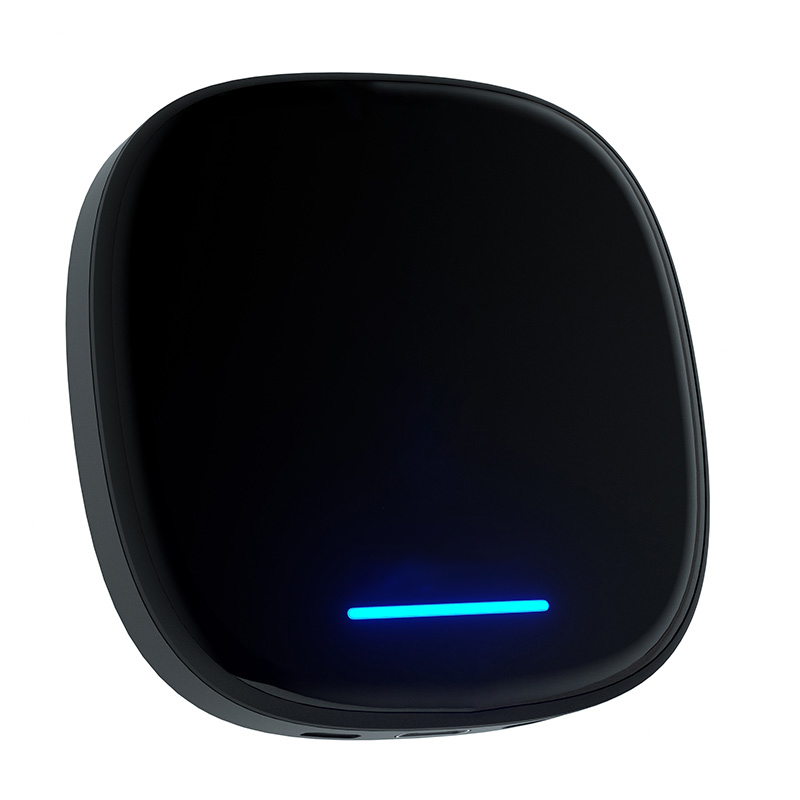
Are you one of the thousands of Australian BYD owners searching BYD TBox Apple CarPlay or "Does BYD Support Apple CarPlay?"
You're in the right place.
Most 2024–2026 BYD models in Australia now offer wireless Apple CarPlay straight from the factory after free OTA updates.
Yet many drivers still crave more — Netflix in full screen while charging, YouTube on long hauls, their own 4G connection, and flawless performance on rotating screens.
That's precisely where the BYD TBox steps in.
What Is BYD TBox?
The BYD TBox is Carlinkit's purpose-built Multimedia Android & iOS AI Box made just for BYD vehicles.
It transforms your factory DiLink system into a full Android 13 powerhouse while keeping your original wireless Apple CarPlay and Android Auto completely intact.
Key Specs You'll Actually Use
- 8-core Qualcomm CPU
- 8 GB RAM + 128 GB storage
- Built-in 4G LTE (SIM slot)
- Android 13 system
- 4K video output
"It feels like the factory finally added everything we wanted." — Carlinkit AU team
Does BYD Support Apple CarPlay? 2026 Australia Reality
Short answer: Yes.
Since the 2024 OTA 1.8 update and the 2025–2026 refreshes, all current Australian BYD models support wireless Apple CarPlay right out of the box.
Last month Sarah from Brisbane told us her 2025 Seal finally got wireless CarPlay after OTA 2.1 — yet she still missed streaming during 40-minute charges until the TBox arrived.
How BYD TBox Upgrades Apple CarPlay
| Feature | Native CarPlay | With BYD TBox |
|---|---|---|
| Wireless connection | Yes | Yes, more stable |
| Netflix / YouTube | No | Full-screen 4K |
| Independent 4G LTE | No | Yes, your own SIM |
| Android apps & Google Play | No | Full Android 13 |
| Rotating screen support | Basic | Perfect DPI & landscape lock |
Step-by-Step Installation Guide (5 Minutes, No Tools)
- 1Park safely and start your BYD.
- 2Plug the TBox straight into the factory USB port used for CarPlay.
- 3Connect your phone to the TBox Wi-Fi when the prompt appears.
- 4Pair once — it remembers everything.
- 5Open TBox settings, pick Landscape mode for rotating screens, and tweak DPI if needed.
Carlinkit BYD TBox
Wireless Apple CarPlay + Full Android 13 Multimedia Box
- Works with all 2023+ Australian BYD models
- 30-day money-back guarantee
- 2-year Australian warranty
- Express shipping to every state
Ships same day • 100% warranty safe • No tools needed
Real-World Benefits You'll Love
Road trips and EV charging stops suddenly become fun again. Mike from Perth installed the TBox in his Shark 6 last month. He now watches YouTube during 45-minute DC fast charges without any phone hotspot drain.
BYD TBox Apple CarPlay FAQ
Do all BYD models work with the TBox?
Yes — provided your BYD has factory wireless CarPlay (most 2023+ Australian models do).
Will it affect my warranty?
No. Pure plug-and-play with zero permanent changes.
How do I fix DPI issues on rotating screens?
Use the built-in DPI slider in TBox settings. Most owners land on 280–300 for perfect icons.
Further Reading
Does BYD Have CarPlay? Wired, Wireless & Upgrades
Full model-by-model breakdown for all Australian BYD vehicles.
BYD Atto 3 Apple CarPlay: Setup Guide & Tips
Step-by-step OTA 1.8 setup and rotating screen tips for Atto 3 owners.
How to Get Wireless CarPlay on BYD Yuan Plus
Firmware versions explained and when you need the AI Box instead.
BYD Rotating Screen CarPlay: Fix DPI, Resolution & Lag
Real-world DPI tuning guide — get the perfect display on BYD's big screen.
BYD Apple CarPlay Ultra Upgrade — Full Review
Hands-on testing of the BYD Multimedia AI Box on Atto 3, Seal & Dolphin.
BYD SHARK 6 Wireless CarPlay AI Box
Dedicated Android 13 multimedia upgrade for the SHARK 6 ute.
Ready to Upgrade Your BYD?
Keep the factory wireless CarPlay you already love, then add a full Android multimedia system built for Australian roads and EV life.