
Which Carlinkit to Buy in 2026: A Plain Buying Guide to CarPlay Adapters and AI Boxes
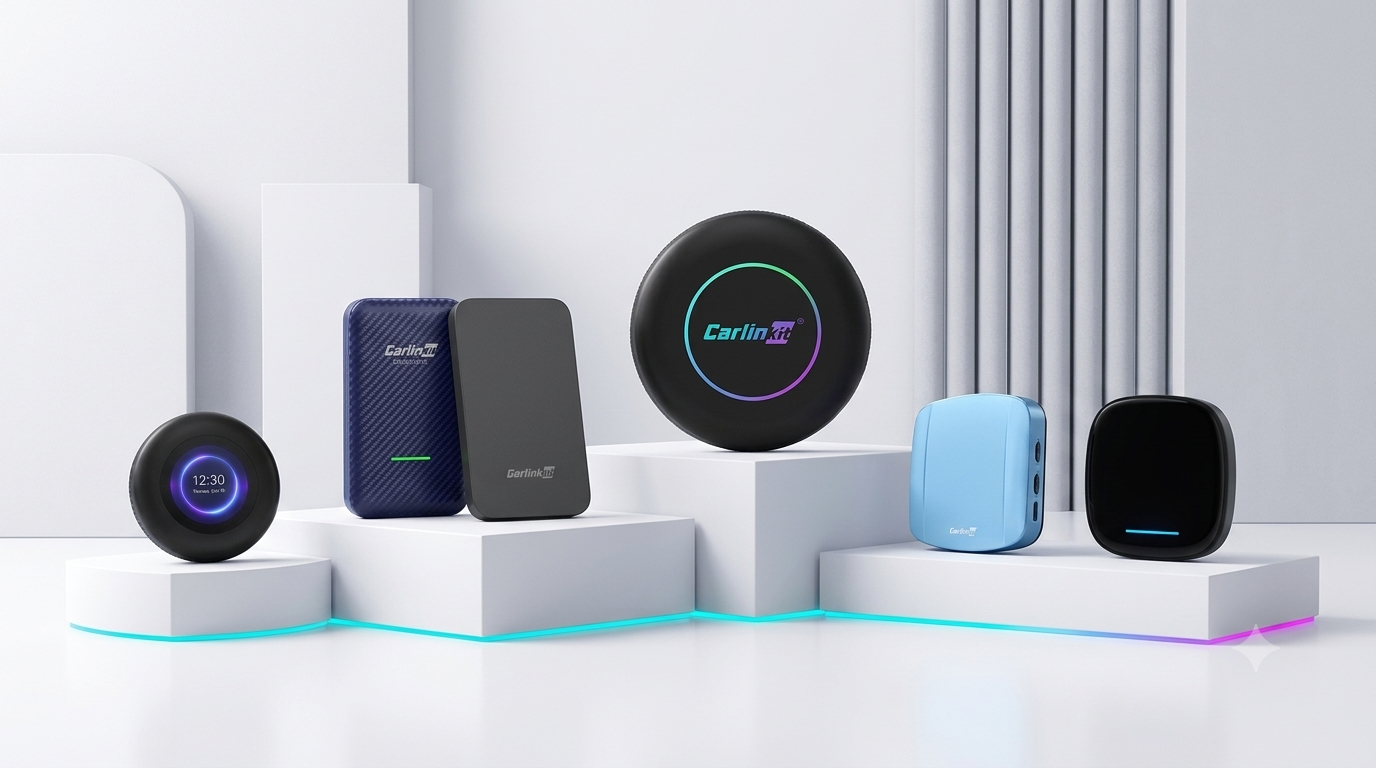
In case you find yourself in a quandary over which Carlinkit to buy from a confusing lineup of models, this buying guide will have you sorted out in no time. You were all set to give your car an upgrade… only to realize the shop had an assortment of the Tbox Ultra, Ultra 2, Ultra 3, a package meant for BMW, the Carlinkit 5.0, and the Carlinkit 4.0.
This is our fault, in all honesty. With so many models, we failed to tell you which product was best suited for whom. So how do you fix this? Just ask these two questions.
Quick picks
In a hurry? Here's the short version, matched to who you are.
- Best if you just want wirelessCarlinkit 5.0 (2air)
- Best for an Android phone in a CarPlay-only carCarlinkit 4.0
- Best smart-screen AI Box for most people (wired CarPlay)Tbox Ultra 2
- Best flagship AI BoxesTbox Ultra 3 (built-in screen and 5G) and the Multimedia AI Box
- Best for wireless-CarPlay cars like BYD, Audi, and MercedesMultimedia AI Box
- Best for a BMW with wireless CarPlayTbox Ultra 3 (faster than the original box)
It comes down to two questions
The choice of the right Carlinkit depends on two things: the type of upgrade you want, and whether your vehicle has wired or wireless CarPlay. Answer both, and the choice comes naturally.
The first one divides everything into two. The second is only relevant if you choose to get a smart screen. Let's take each in turn.
Question 1: do you need to ditch the cable, or get a smart screen?
Think of your car radio as an ordinary television set. An adapter can be likened to a wireless casting dongle: the same picture, the same features, but without the cable. An AI Box is more like installing a new smart TV: it has the same display, but now there's an Android operating system running all sorts of apps.
- Need something wireless? Get an adapter. See the next section.
- Need apps, video, and a smart screen? Choose the AI Box. Skip to the smart-screen part.
Lose the cable only: Carlinkit 5.0 vs. 4.0
There are two adapters to consider if you are perfectly happy with your current car connectivity and just don't like the cable: the Carlinkit 5.0 (2air) and the Carlinkit 4.0.
Two cases cover almost everyone. Check which is yours.
- You know and love your car, but can't stand that cable anymore. Navigation and music work perfectly well; the only thing you dislike is plugging in every time, until the port eventually gets loose.
- You're an Android user in a CarPlay-only car. Your car shipped with Apple CarPlay only, so it can't run Android Auto.
Carlinkit 5.0 (2air): the better wireless upgrade
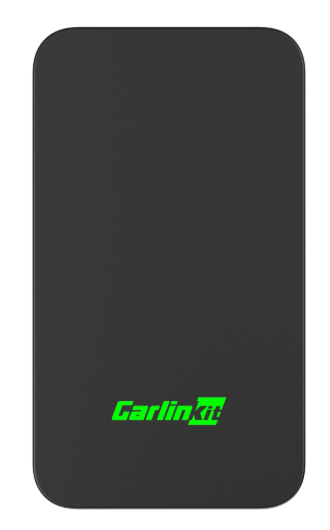
If your car is already compatible with the system you use and you only want to make it wireless, then this is the one for you. This adapter is a straightforward one-to-one upgrade: wired CarPlay becomes wireless CarPlay, and wired Android Auto becomes wireless Android Auto.
It boots up faster, connects much more reliably, and handles interference better than its predecessors, and it is our latest model.
Suitable for: drivers who want to use their existing setup wirelessly, with speed and stability. See the Carlinkit 5.0 (2air) specifications and pricing.
Carlinkit 4.0: wireless Android Auto for a CarPlay-only vehicle
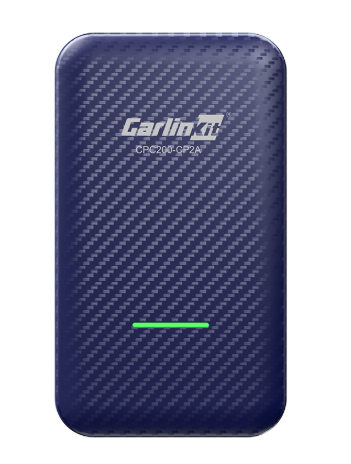
If you have a CarPlay-only vehicle and you'd like to connect your Android phone wirelessly, then the 4.0 is the one to get. Unlike the 5.0, which keeps each input separate, the 4.0 lets you double up: from the same wired CarPlay port, it offers both wireless CarPlay and wireless Android Auto.
This way, you turn your CarPlay-only vehicle into one that supports wireless Android Auto as well. For mixed families with an iPhone and an Android, one 4.0 covers both ends.
Suitable for: Android users driving CarPlay-only vehicles, and mixed-phone households on a limited budget. View the Carlinkit 4.0 product page.
In a single sentence: if your car already supports your phone, choose the 5.0; if you have a CarPlay-only car but want your Android phone wireless too, choose the 4.0.
If you want a smart screen: the Tbox Ultra series and the "BMW" box
If you need apps, video, and an actual Android operating system on your dash, an AI Box is the choice, and the decision comes down to one more thing about your car.
Question 2: is your car's CarPlay wired or wireless?
Settle this first, since it determines which AI Box is right for your vehicle. Think about how CarPlay starts the moment you get in.
- Wired: you connect your phone to the USB port before CarPlay appears on the display.
- Wireless: CarPlay starts automatically, with your phone still in your pocket.
Can't tell which kind it is? A few more ways to check are in the FAQ below.
Wired CarPlay: get a Tbox Ultra
For wired CarPlay, the Tbox Ultra range comes recommended, because it tests the most stable here. It plugs into your car's wired CarPlay or wired Android Auto port, so wired-Android-Auto cars are covered too. There are three models in the range. They all work, but they differ in design, features, and price, so choose by your needs.
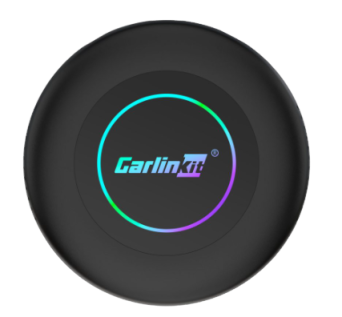
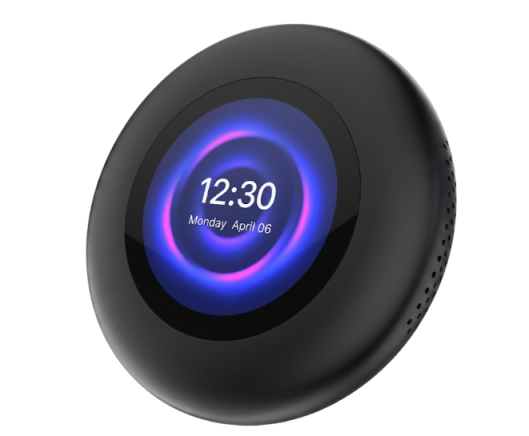
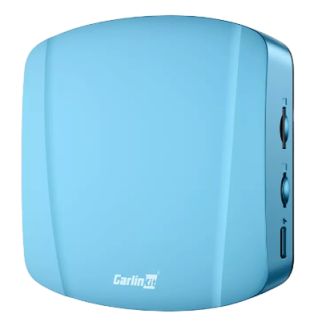
- Tbox Ultra 2, the model for everyone. Unsure? You won't regret it. This is the most versatile of the three and the easiest to use day to day. See the Tbox Ultra 2 specs.
- Tbox Ultra 3, the flagship. It has two features missing from the other two models: a touch LCD screen and 5G support. Worth it if you need them; otherwise the Tbox Ultra 2 is more straightforward. For the real feel, read our Tbox Ultra 3 hands-on, or see the Tbox Ultra 3 specifications.
- Tbox Ultra, the classic. In daily use, it's almost identical to the Ultra 2, and a safe pick if the price suits you better. See the original Tbox Ultra.
Wireless CarPlay: the box marked "BMW"
For those who have factory wireless CarPlay, your AI Box is the one marked "BMW," regardless of the badge on the hood. The box supports both wireless CarPlay and wireless Android Auto. Now here comes the explanation we give out almost daily.
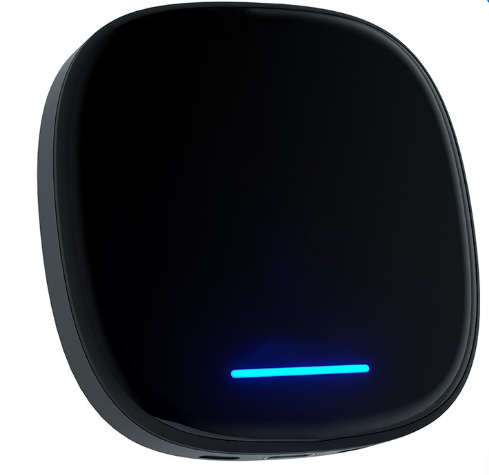
When customers ask which box to choose, the first thing we ask is wired or wireless CarPlay. When someone says wireless, we recommend this box, and then there is usually a moment of surprise: this is the BMW box, and their vehicle isn't a BMW… could they still use it?
Of course they can, since it wasn't made only for BMWs. It is designed for any vehicle with factory wireless CarPlay, so BYD, Audi, Mercedes, and many other newer cars work perfectly fine.
So why is it listed separately under BMW, BYD, and Audi tabs? Only to help you find it and feel more confident in your choice. A BMW driver sees the "BMW box" and knows it's for their car; a BYD driver feels surer buying the page that names their model. Same device, same features. See the Multimedia AI Box for wireless-CarPlay vehicles.
Drive a BMW? You should give the Tbox Ultra 3 a look, since it's faster than the standard BMW device and also supports wireless CarPlay. See the Tbox Ultra 3 page.
Quick summary: find your match
| Your scenario | Go for |
|---|---|
| No more cable, same interface; CarPlay-only car, but you want your Android phone wireless too | Carlinkit 4.0 |
| No more cable; your car already has the capability, and you want a faster, steadier connection | Carlinkit 5.0 (2air) |
| A smart display running apps, and your car has wired CarPlay (or wired Android Auto) | Tbox Ultra 2 (best choice) |
| A smart display, plus a built-in screen and 5G, and your car has wired CarPlay | Tbox Ultra 3 |
| A smart display, and your car has wireless CarPlay (BYD, Audi, Mercedes, and more) | Multimedia AI Box |
| A smart display, and you drive a BMW with wireless CarPlay | Tbox Ultra 3 (faster) or Multimedia AI Box |
FAQ: questions you might still have
A few questions that tend to come up while you make up your mind.
How can I tell whether my car has wired or wireless CarPlay?
The quickest test is whether you need a cable. A couple of ways to figure it out:
- Check whether you need a cable. If you have to plug your phone into the USB port for CarPlay to work, it's wired. If not, it's wireless.
- Look in the head unit settings. In the connection or Bluetooth menu, an option like "Wireless CarPlay" means your car supports it.
- Check your documentation. Your owner's manual, or Apple's list of CarPlay vehicles by model and year, will confirm it.
Many modern cars (from around 2017 onward) support both. If you're still unsure, send us your model and year of production and we'll confirm.
Can an AI Box run CarPlay and Android at the same time?
Yes. After installing an AI Box, you can use wireless CarPlay or wireless Android Auto, and you can also open a full Android system to install apps. An adapter makes the connection wireless but doesn't provide an Android system.
What is the difference between the Tbox Ultra 2 and Ultra 3?
The Ultra 3 adds two features: a built-in touch LCD screen and 5G. Daily performance is almost identical, so without a specific need for those two, the Ultra 2 is plenty.
Will my original car features still work with an AI Box?
Yes. An AI Box adds a layer on top of your car's original system. Your steering wheel controls, reverse camera, and factory radio stay unaffected, and you can switch back to the original interface anytime.
Are these difficult to install? Do I need a professional?
No, installation is simple. In most cases you plug the device into your car's USB port and it's plug and play, with no dismantling and no installer needed. The first time, you just pair your phone as prompted.
Can I install apps such as YouTube and Netflix?
Yes, but that's an AI Box ability. An AI Box is an Android system, so you download apps from the app store just like on a tablet. The 4.0 and 5.0 adapters can't do this; they only cast your phone onto the car display wirelessly.
Still stuck between them?
Send us your car's make, model, and year, and whether you want to be cable-free or have a smart screen, and we'll point you straight to the right one.
So, which Carlinkit should you buy?
It comes down to the same two questions. Decide whether you want to lose the cable or want a full smart screen, then check whether your car has wired or wireless CarPlay, and the right model is clear. If you're still weighing it up, send us your car's make, model, and year, and we'll point you straight to the one that fits.