
If you find that your BMW X1 repeatedly drops its connection to Android Auto in the middle of your trip, don't worry, you're not the only one experiencing this and you're not at fault. The disconnects come down to a combination of three factors in 2026: a March update to the Android Auto app that broke WiFi Direct permissions on Android 16 phones, quirks in how BMW iDrive handles its network connection, and radio interference along your route. Software fixes help, but most of them are only temporary. The long-term solution is bypassing the wireless handshake altogether with a dedicated adapter that handles Android Auto locally.
Which BMW X1 Are You Actually Working With?
The right fix depends on the generation and configuration of your car, because factory wireless Android Auto isn't a standard feature across every BMW X1.
- 2016 to 2022 (F48 generation): Runs iDrive 6 NBT EVO. BMW's 2020 wireless Android Auto over-the-air update was rolled out only to iDrive 7 vehicles, so the F48 X1 never received factory wireless Android Auto from BMW. Most F48 owners use wired Android Auto through the USB port, or add wireless Android Auto through an aftermarket adapter.
- 2023 onwards (U11 generation): Runs iDrive 8 or iDrive 9. Wireless Android Auto is factory-fitted, and drops are usually caused by phone-side settings or the Android 16 permission bug.
If you own a 2021 X1, you're on the F48 with iDrive 6 NBT EVO. Your "Android Auto keeps dropping" problem will fall into one of three scenarios ninety-nine per cent of the time: wired Android Auto losing connection over USB, an aftermarket wireless adapter failing to hold the WiFi Direct link, or a dealer-enabled retrofit dropping the wireless handshake. The fixes below apply to all three scenarios unless we call out otherwise.
Quick Symptom to Fix Lookup
Match what you're actually seeing to the most likely cause before running through every fix in the guide.
| Symptom | Root Cause | Take Action |
|---|---|---|
| Drops every time you turn on the car | Old Bluetooth profile conflict | Fix 2 |
| Drops after a recent phone update | Android Auto app WiFi Direct bug | Fix 1 and Fix 6 |
| Drops in the same physical spots | 5GHz interference or dead zone | Fix 5 |
| Random drops, no clear pattern | iDrive cache or battery optimisation | Fix 1 and Fix 4 |
| Drops after you switched phones | Ghost profiles in iDrive memory | Fix 2 |
| Persistent drops after every fix | Factory wireless module limit | Upgrade Permanently |
Fix 1: Disable Battery Optimisation for Android Auto
Aggressive battery optimisation is the single most common reason for Android Auto disconnects, and it's usually invisible to the driver. Modern Android phones deactivate wireless activity in the background to save energy, and Android Auto is a frequent target. This is the fix most owners on r/AndroidAuto land on first.
- Open Settings > Apps > Android Auto > Battery on your phone.
- Change the setting from Optimised to Unrestricted.
- Go to Settings > Battery > Adaptive Battery and turn it off.
- Repeat the Unrestricted step for Google Play services, Google Maps, and any streaming app you use in the car.
On Samsung phones, also check Device care > Battery > Background usage limits and confirm Android Auto isn't listed under "Sleeping apps" or "Deep sleeping apps". Once done, restart your phone and reconnect to the X1.
Fix 2: Forget and Re-pair Both Sides
Outdated Bluetooth profiles are the second most common cause of X1 disconnects, especially if you've ever paired another phone, a family member's device, or replaced your phone. iDrive can retain multiple paired phones in its memory, and it can get confused about which one to talk to, which shows up as endless connection cycling.
- On your BMW iDrive, navigate to Communication > Mobile devices and remove every phone listed, including yours.
- On your phone, head to Settings > Bluetooth, tap the gear icon (or the info icon on some phones) next to your BMW, and select Forget this device.
- Restart both the phone and the car. On the X1, turn the ignition completely off and lock the car for two minutes to force iDrive to sleep.
- Pair the phone fresh through iDrive's setup flow and let Android Auto configure from scratch.
This one fix resolves more "keeps dropping" complaints than you'd expect, because the underlying issue was never dropping. It was iDrive cycling between two profiles it shouldn't have kept.
Fix 3: Turn Off Intelligent WiFi on Your Phone
Android's Intelligent WiFi feature is a hidden killer for BMW wireless Android Auto. It's designed to jump your phone between the strongest available WiFi networks or fall back to mobile data when WiFi weakens. In a moving car, that hopping breaks the WiFi Direct link Android Auto depends on. This is the fix that surfaced in a widely referenced BMW i4 Forum thread on iDrive Android Auto connectivity, and it applies just as much to iDrive 6 as to newer systems.
- Go to Settings > WiFi on your phone.
- Tap WiFi preferences or the gear icon.
- Turn off Intelligently select the best WiFi. Depending on your phone, this setting may be called Auto-connect to open networks, Switch to mobile data, or Smart Network Switch.
- Also turn off Adaptive connectivity or Turn on WiFi automatically if you see them.
- Reconnect to your X1.
Fix 4: Reset Your BMW iDrive
If the phone-side fixes don't stick, an iDrive glitch is likely holding an old faulty session in memory. There are three levels of reset, and none of them erase your paired devices, favourites, or personalised settings.
The 30-Second Restart
Turn the car on, then press and hold the volume knob on the iDrive controller for around 20 to 30 seconds, until the screen goes completely black and the BMW logo reappears. This restarts the head unit and clears most temporary session faults, including a stuck wireless Android Auto handshake. This is the reset step demonstrated in the walk-through video most X1 owners refer to.
The Extended Reboot
If the 30-second reset doesn't hold, hold the volume knob for around 70 seconds. Some owners report the screen cycles twice before returning. This deeper reboot refreshes more of the communication modules, including the wireless handshake handler.
Factory Reset from the Dealer
If disconnects keep coming back after both reboots, ask your local BMW service centre for a factory reset of iDrive. It wipes all paired devices and returns iDrive to its factory state. It's free during warranty, takes around 20 minutes at the service desk, and is often bundled with a check for pending firmware updates.
Fix 5: Check for 5GHz WiFi Interference and Dead Zones
Wireless Android Auto runs on a 5GHz WiFi link, and 5GHz is more directional and easier to interrupt than 2.4GHz. If drops happen in the same physical spots, radio interference is the culprit. You can't remove the source, but you can work around it.
- Note the exact spots where Android Auto drops. If it's always near an airport, a radio or TV tower, a dense apartment tower, or a shopping centre car park, that's your interference source.
- If you use an aftermarket wireless adapter, its WiFi channel is often user-adjustable. Try channels 36, 40, 44, or 48 in the 5GHz band before moving to higher DFS channels.
- Keep your phone on the front seat or in a phone cradle rather than in a jacket pocket, a bag, or a metal cup holder. Even soft shielding weakens the WiFi Direct signal enough to cause drops at the edge of coverage.
Fix 6: The 2026 Android Auto App Update Bug on Android 16 Phones
A March 2026 update to the Android Auto app introduced a WiFi Direct permission bug on phones running Android 16. Android 16 itself launched in June 2025, but this particular Android Auto app patch changed how the "Nearby devices" permission is handled at runtime, which caused wireless Android Auto to drop repeatedly for many BMW owners. The issue is documented in a long-running Google Support thread on wireless Android Auto disconnects.
The workaround takes about two minutes.
- Open Settings > Apps > All apps, tap Android Auto, then Permissions.
- Grant Nearby devices permission if it's marked "Not allowed" or "Ask every time".
- Tap Mobile data usage and make sure Background data is on.
- Restart the phone, then reconnect to the X1.
Some owners report this workaround doesn't stick past the next Android Auto update, which is why software fixes alone often become an ongoing cycle rather than a real solution.
When These Fixes Don't Hold: The Ultimate Upgrade
If you've worked through everything above and disconnects still come back within a week or two, the problem isn't your phone. It's the factory wireless handling in the F48 X1's iDrive 6 NBT EVO. This system wasn't designed for the density of wireless signals or the aggressive power management modern Android phones use. Every new Android or iOS update can break what worked yesterday, and that's why so many BMW owners eventually stop chasing software fixes and switch to a purpose-built adapter.
The permanent solution is bypassing the factory wireless handling entirely. A dedicated aftermarket AI Box plugs into your X1's factory USB port and handles Android Auto and CarPlay locally, without depending on your phone's WiFi Direct stack or iDrive's wireless handler.
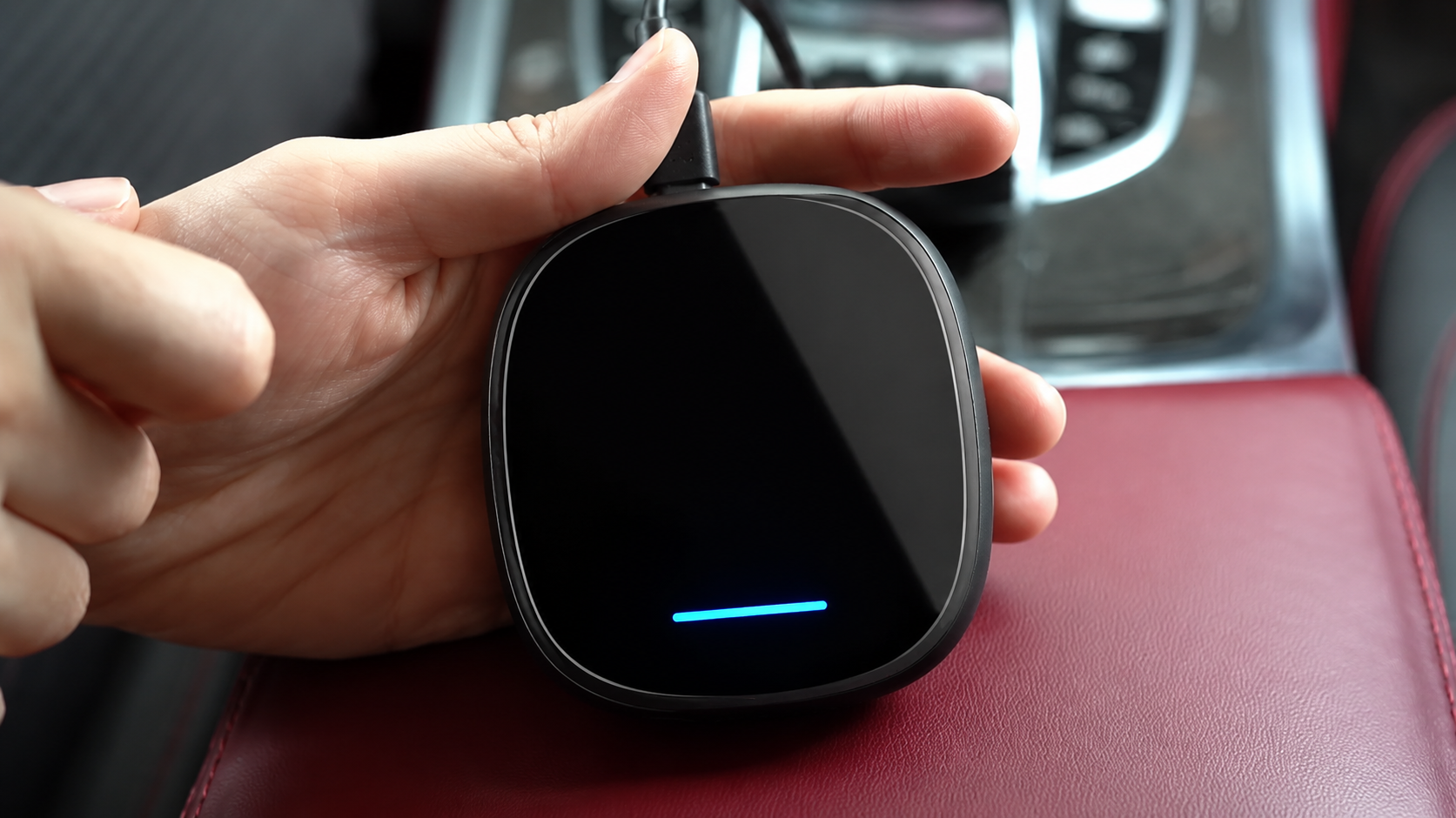
Our BMW Multimedia AI Box is built specifically for BMW iDrive 6 (NBT EVO), iDrive 7, iDrive 8, ID8.5, and OS9 systems. That covers the full F48 X1 range from 2018 through 2022. It preserves the factory screen, iDrive controller, steering wheel buttons, and reverse camera. There's no coding, no permanent modification, and no impact on warranty. Setup takes about five minutes at the USB port.
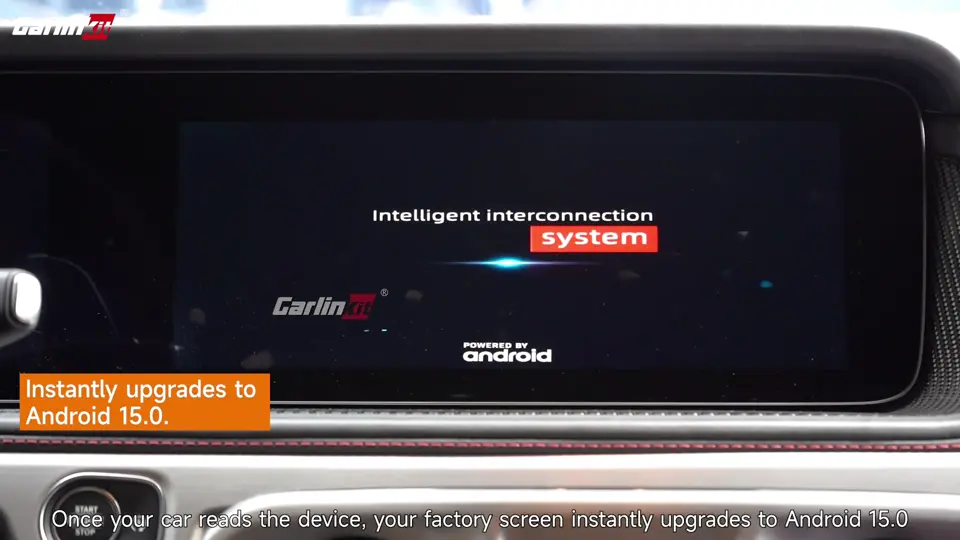
Once installed, wireless Android Auto and CarPlay both run through the box's own local handshake rather than the factory wireless stack. That means the Android 16 permission bug, iDrive session glitches, and battery optimisation quirks stop mattering. If year-specific compatibility ever comes up for your X1 configuration, our support team can confirm before you order.
Frequently Asked Questions
What causes my BMW to lose connection with Android Auto?
Aggressive battery optimisation on your phone, iDrive treating your phone's WiFi switching as a session drop, and the March 2026 Android Auto app update that broke WiFi Direct permissions on Android 16 phones cause disconnections in the majority of cases. Software fixes work for many owners but usually need to be redone after every major Android or iOS update.
Does the 2021 BMW X1 come with factory wireless Android Auto?
No. The 2021 X1 is the F48 generation running iDrive 6 NBT EVO. BMW's 2020 wireless Android Auto rollout was limited to iDrive 7 vehicles, so the F48 X1 never received factory wireless Android Auto. Most F48 owners use wired Android Auto through the USB port, or add wireless Android Auto with an aftermarket adapter.
Why does my Android Auto constantly close after establishing connection?
If Android Auto connects and then closes within seconds, the Nearby devices permission is usually being revoked by Android 16, or a battery optimisation setting is killing the app in the background. Set Android Auto and Google Play services to Unrestricted under App battery usage, reconnect, and then work through Fix 3 to disable Intelligent WiFi if it still closes.
Does this concern BMW X2, X3, X5, and 3 Series too?
Yes. The same disconnection pattern shows up across the BMW range, and we've seen it reported on 2020 BMW X3, X5, X2, and 330i models. The Android Auto app update affects every BMW iDrive version, and iDrive 6 through iDrive 9 all show the same wireless handshake sensitivity. The fixes in this guide apply across the range.
Would switching to iPhone and CarPlay resolve the issue?
Not reliably. iOS has similar wireless CarPlay disconnection issues on BMW, and switching phones is an expensive fix that might not solve the underlying problem. If you were already planning to upgrade phones, updating to the latest Android security patch may help. If you weren't, a dedicated adapter is a cheaper and more effective route.
Would using an aftermarket adapter void the warranty of my BMW in Australia?
No. Under Australian Consumer Law, a plug-and-play adapter that connects through the factory USB port doesn't void your BMW warranty. There's no coding, no wiring changes, and the adapter is fully removable. Because it doesn't modify the vehicle, it can't be the basis for a rejected warranty claim on unrelated components.
Does wired Android Auto provide a more stable connection than wireless?
Yes, but only if your USB cable is a certified data cable and the port itself is healthy. Wired Android Auto isn't affected by the Android 16 WiFi Direct bug or by iDrive's wireless handshake quirks. The trade-off is having to plug in every trip, which is why most F48 X1 owners prefer wireless for daily use and treat an aftermarket adapter as the best compromise between cable-free convenience and connection stability.