
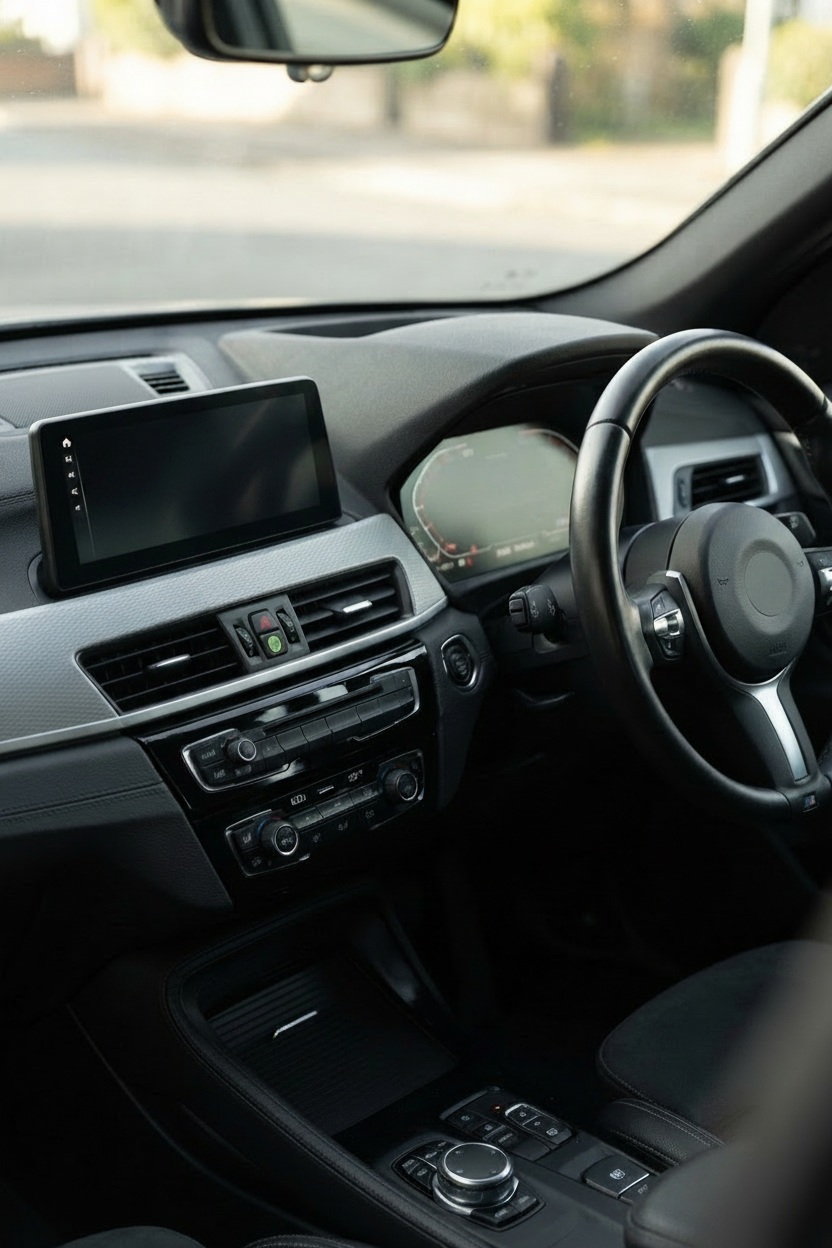
2022 BMW X1 Android Auto: What Works and What Doesn't
The 2022 BMW X1 Android Auto question has a short answer: no factory support, wired or wireless. This generation, the F48, doesn't ship with Android Auto in any form, and BMW never issued an update to add it. You can still add Android Auto to a 2022 X1 in Australia, but only through the aftermarket. This guide walks through what your car actually supports, why BMW left this generation out, and the two realistic paths that work.
- No 2022 BMW X1 shipped with factory Android Auto, wired or wireless, from any dealer worldwide.
- The F48 X1 Android Auto gap traces to BMW's iDrive 6 NBT EVO cutoff. The 2020 wireless rollout only covered iDrive 7 vehicles.
- Two aftermarket paths exist: a plug-and-play AI box that runs through factory wireless CarPlay, or a full head-unit swap.
2022 BMW X1 Android Auto: The Factory Answer
No, the 2022 BMW X1 does not have factory Android Auto, wired or wireless. Every 2022 X1 is an F48 generation vehicle running BMW iDrive 6 NBT EVO. BMW never added Android Auto to this generation, and no dealer coding option exists.
The 2022 X1 is the final model year of the F48 generation, and every F48 X1 ran BMW iDrive 6 NBT EVO. Android Auto was never included, offered as an option, or added through a service update.
This surprises many owners because Apple CarPlay was available on the same cars as part of the Connectivity Package, and BMW added factory wireless Android Auto to other models around the same time. The X1 and its sibling X2 sat outside that rollout. Motor Biscuit specifically flagged both models as BMW's Android Auto blind spot in August 2022, right when the last F48s were rolling off the line.
If you connect an Android phone to the USB port on a 2022 X1, nothing happens on the iDrive screen. Wired Android Auto isn't just missing on this generation. It was never part of the F48 architecture at all.
Why BMW Never Closed the F48 Android Auto Gap
The technical explanation traces to BMW's decision in 2020 to add wireless Android Auto only to iDrive 7 vehicles. That rollout required a specific 5 GHz Wi-Fi Direct hardware stack and a gateway module update that BMW iDrive 6 NBT EVO didn't have. The F48 X1 was already several years into production on the older platform and never received a mid-cycle jump to iDrive 7.
BMW rolled out wireless Android Auto to iDrive 7 models via a July 2020 over-the-air update, which XDA Developers documented at the time. That update reached the G20 3 Series, the G05 X5, and other newer chassis. It did not extend backwards to any NBT EVO car. BMW's public compatibility guidance confirmed the iDrive 7 gate, and no later firmware ever changed that.
So a 2022 F48 X1, even though it left the factory the same year as the U11 replacement, was already a generation behind on infotainment hardware. No BMW software fix exists that will add Android Auto to your car, and the dealer can't code it in either.
Before You Buy Anything: Check What Your 2022 X1 Actually Has
The right aftermarket solution depends on which infotainment configuration your specific 2022 X1 was ordered with. Even within the same model year, there are three possible states:
- Factory wireless Apple CarPlay (most common on 2022 builds with the Connectivity Package). Your iDrive screen has an Apple CarPlay tile, and pairing is done over Wi-Fi rather than USB.
- Factory wired Apple CarPlay only (rare on 2022 builds, more common on 2018 to 2019 F48s). CarPlay works but requires a USB cable.
- No CarPlay at all (very early F48s or cars ordered without the Connectivity Package). No CarPlay tile appears in the iDrive menu.
To check: press the iDrive Menu button, go to Settings, then System, then About. Look at the software version and the list of installed options. If wireless CarPlay is present, you'll see it explicitly listed and there will be a CarPlay tile on the main iDrive home screen. If you're not sure, the dealer service department can confirm from your VIN in a couple of minutes.
This matters because the plug-and-play adapter path requires 2022 BMW X1 wireless CarPlay to work. Owners without wireless CarPlay have a different upgrade path.
Your Two Realistic Aftermarket Options
Once you know what your car has, there are two paths that genuinely deliver Android Auto on a 2022 X1. Here's how they compare:
| AI box adapter | Head-unit replacement | |
|---|---|---|
| Requires factory wireless CarPlay | Yes | No |
| Keeps OEM screen and UI | Yes | No |
| Install time | Under 15 minutes | 1 to 2 hours |
| Reversible | Fully | No (screen removed) |
| Typical AUD range | $300 to $370 | $600 to $1,500 |
| Best for | 2022 X1s with factory wireless CarPlay | F48s without any CarPlay |
The AI box is the cleaner path for most 2022 X1s in Australia, because most were sold with the Connectivity Package that included wireless CarPlay. It plugs into the factory USB port, uses the wireless CarPlay channel as a data bridge, and runs Android 13 on top. Nothing is coded. Nothing is cut. The box can be unplugged at any time.
The head-unit replacement is the honest answer for the smaller group of F48 owners whose car was ordered without CarPlay at all. Companies like PEMP and SMARTY Trend build drop-in Linux or Android displays that fit the F48 dashboard, add wireless CarPlay and Android Auto together, and keep some factory functions. The trade-off is a longer install, permanent screen replacement, and loss of some OEM UI elements.
For the wired-CarPlay-only case (unusual on 2022 builds but possible), the AI box still needs the wireless CarPlay channel to activate. Contacting the seller with your VIN before ordering is worth doing.
How the BMW X1 Android Auto Adapter Actually Works
The mechanic is worth understanding, because it explains what the box can and can't do. Your 2022 X1's factory USB port isn't a data port for infotainment in the way a modern car's USB-C is. It carries power, and it announces a wireless CarPlay handshake to compatible devices. When the Carlinkit BMW Multimedia Box is plugged in, the box pretends to be an iPhone. It initiates the CarPlay handshake with your iDrive, and once the connection is established, it takes over the screen.
Inside the box is a Qualcomm Snapdragon SDM6125 octa-core processor running Android 13, with 8 GB of RAM and 128 GB of internal storage, expandable to 256 GB via a TF card. That Android system pipes into the CarPlay display channel, so what you see on your iDrive screen is the Android interface, or the Android Auto interface if you launch it from within the box. Your phone then connects to the box over Bluetooth and Wi-Fi Direct, which is a separate handshake from the one between the box and the car.
The reason this matters: the box needs factory wireless CarPlay in your car to initiate that first handshake. Without it, the USB port is just power, and there's no channel for the box to pipe Android onto your screen. That's why the "just use USB" solution doesn't exist for the F48. There is no wired Android Auto path at all, factory or aftermarket, on this generation.
What you get in practice is Google Maps, Waze, Spotify, YouTube Music, WhatsApp, and any other Android Auto compatible app running on the factory iDrive display. You also get a full Android layer for streaming apps like Netflix and YouTube that Android Auto itself blocks. The iDrive knob and steering wheel controls keep working.
Setup Walk-through After the Adapter Arrives
Once the box arrives, setup takes under 15 minutes. Here's the exact sequence:
- Start your 2022 X1 and let iDrive fully boot.
- Plug the AI box into the factory USB port under the armrest or dashboard (the same port you'd use for CarPlay).
- Wait about 30 seconds. The box powers up, and iDrive displays a wireless CarPlay pairing prompt.
- Accept the pairing on iDrive. The box's Android home screen appears on your factory display.
- On the box's home screen, tap the Android Auto tile.
- Pair your Android phone to the box via Bluetooth (not to the car directly), then confirm the Android Auto prompt on your phone.
- Android Auto is now running on your iDrive screen.
From that point on, the box remembers your phone and reconnects automatically each time you start the car. If you want to switch between the box's built-in Android layer and Android Auto from your phone, there's a toggle in the box's home screen.
If Android Auto Drops After Setup
Some 2022 X1 owners see Android Auto disconnect mid-drive after everything is set up. Almost all of these disconnects trace to a specific March 2026 update to the Android Auto app that changed how Wi-Fi Direct permissions are handled on Android 16.
Companion article: There are workable software fixes, and a walkthrough of every one of them is in our companion piece, BMW X1 Android Auto keeps dropping: here's the real fix. That article covers the F48 specifically, including the 2022 model year subset.
Frequently Asked Questions
Does the 2022 BMW X1 have wireless Android Auto?
No. No F48 X1, from 2016 through the final 2022 model year, ever received factory Android Auto in wired or wireless form. BMW's 2020 wireless Android Auto rollout was limited to iDrive 7 vehicles, and the F48 stayed on BMW iDrive 6 NBT EVO until the U11 replaced it in 2023.
Can a BMW dealer activate Android Auto on my 2022 X1?
No. The dealer has no software or coding option to add 2022 BMW X1 Android Auto support. Some third-party retrofit shops advertise "OEM Android Auto activation," but this claim is misleading for the F48, because no BMW-approved firmware exists that adds the feature. The only paths that work are aftermarket hardware.
Does adding an adapter void my BMW warranty in Australia?
Adding a plug-and-play AI box that connects only through the factory USB port shouldn't void your BMW warranty on its own, because it makes no permanent electrical changes. Australian Consumer Law also protects consumers against blanket warranty voiding for reversible aftermarket additions. Head-unit replacement is a different story and generally does affect infotainment warranty coverage.
Will the BMW X1 Android Auto adapter work if my 2022 X1 only has wired CarPlay?
The AI box needs the wireless CarPlay channel to initiate its connection, so a wired-only CarPlay configuration typically won't work. Since 2022 was the last F48 build year, most cars shipped with wireless CarPlay, but if yours is the wired-only variant, contact the seller with your VIN before ordering.
Which phones work with the Carlinkit BMW Multimedia Box?
Any Android phone running Android 11 or later works with the box's Android Auto layer. Any iPhone running iOS 14 or later works with the CarPlay layer. The box holds both, and you can switch between them by toggling on its home screen.
The Practical Answer on 2022 BMW X1 Android Auto
The 2022 BMW X1 Android Auto question has one honest answer: BMW never included it, and never will. For the majority of Australian 2022 X1s ordered with the Connectivity Package, the Carlinkit BMW Multimedia Box plugs in through the factory USB and adds Android Auto plus a full Android 13 layer in under 15 minutes, with no coding and no permanent changes. If your F48 was ordered without factory CarPlay, a head-unit replacement is the honest answer instead. Either way, 2022 BMW X1 Android Auto is no longer out of reach for owners who want it.
Add Android Auto to Your 2022 BMW X1
The Carlinkit BMW Multimedia Box: Android 13, Google Play, wireless Android Auto and CarPlay. Fits any BMW 2018 to 2025 with factory CarPlay. Australian shipping and support.
View the BMW Multimedia Box