
Wireless
Android Auto
for BMW F10
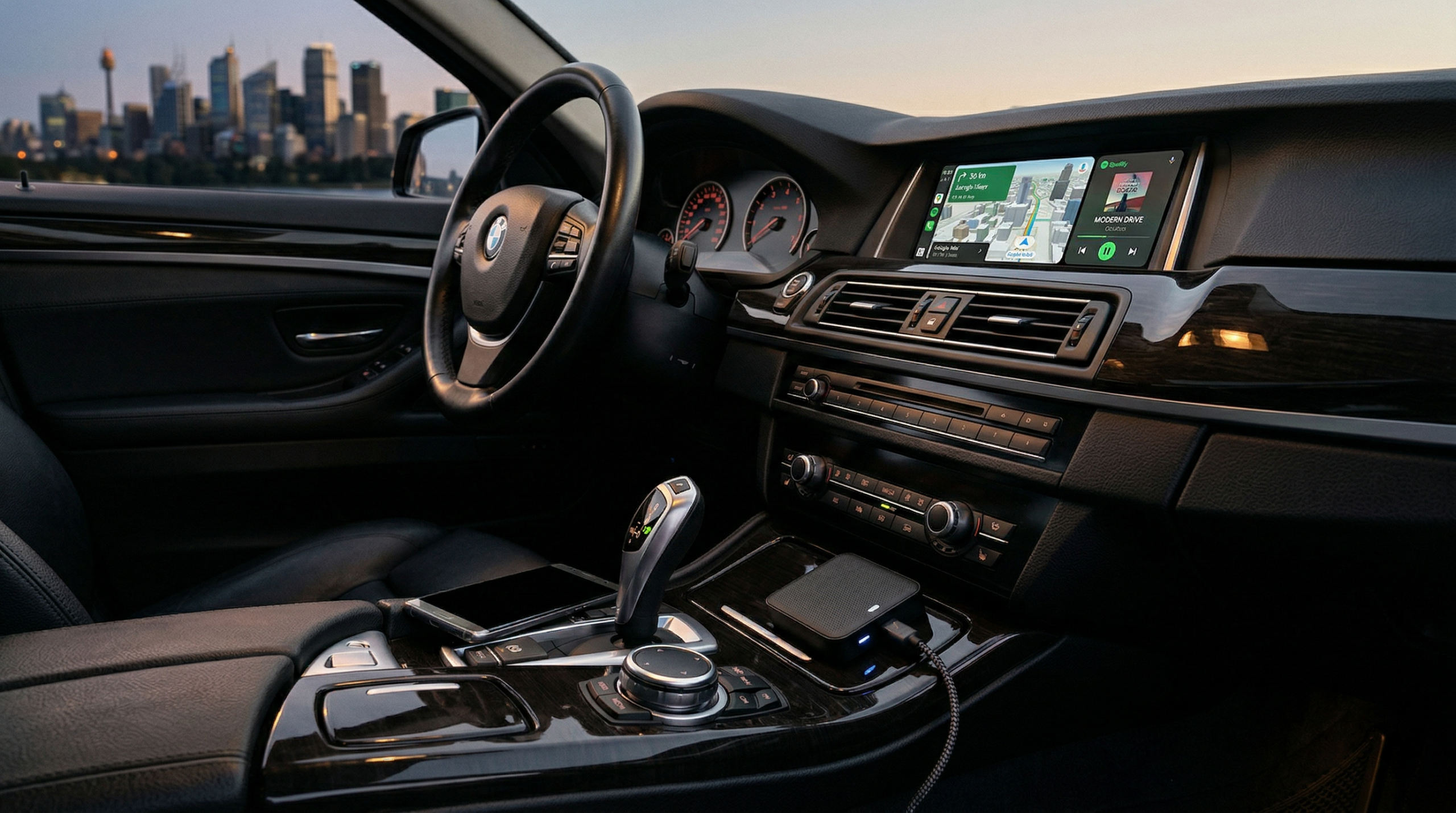
The BMW TBox retrofit brings Android 13, 8GB RAM, and wireless connectivity to your F10 5 Series — plug-and-play, no coding, 15 minutes.
Your F10 Deserves Better
If you own a BMW F10 5 Series (2010–2017), you know the feeling. The original iDrive NBT system looks sharp and feels premium, yet it lacks wireless Android Auto. No Google Maps on the big screen. No quick Waze alerts. And forget about YouTube or Netflix on long drives.
In 2026, wireless connectivity is standard. You want smooth navigation, streaming music, and apps without cables or phone holders. That's why the BMW TBox retrofit has become the favourite fix for F10 drivers.
What Is BMW TBox?
The BMW TBox (Multimedia Android iOS Box) is a compact dongle that transforms your existing BMW screen into a full Android hub — while keeping every factory feature intact.
- ✦Wireless Android Auto + CarPlay — connect without any cable
- ✦Bluetooth + Wi-Fi + 4G SIM — standalone internet support
- ✦Android 13 Play Store — Netflix, Spotify, YouTube
- ✦Zero factory feature loss — steering wheel buttons, iDrive knob, reverse cam all intact
- ✦Fully reversible — unplug anytime with zero trace
TBox vs. Old Methods
15-Minute Plug & Play
No tools. No mechanic. No coding. Just the TBox dongle, your phone, and 15 minutes.
Find the factory CarPlay USB port in your F10 centre console.
Insert until you hear a firm click and the blue indicator light flashes steadily.
Start the engine — the box boots automatically without any input needed.
Enable Bluetooth and Wi-Fi on your phone, then follow the on-screen pairing prompt.
Use the iDrive controller or touchscreen to switch into Android Auto mode. Done.
Wireless Performance on F10
Tested daily across highway runs, city traffic, and long motorway drives on an NBT setup mirroring a typical F10.
Connectivity Speed
Wireless link-up every single time. Signal held strong through highway runs and city traffic without a single dropout.
Entertainment
Full-screen Android Auto with split-screen: Google Maps on one side while YouTube plays. Netflix, Prime Video, and Spotify stream without hiccups.
Navigation
Google Maps and Waze stay smooth even on a 4G hotspot. Steering-wheel controls and the iDrive knob work perfectly with Android Auto.
The split-screen navigation plus Spotify combo made my morning commute feel completely modern. I couldn't believe how simple the install was — clicked in and it just worked.
Pros & Cons
Advantages
- ✔Real wireless Android Auto and CarPlay
- ✔8GB RAM + Android 13 for fast, smooth multitasking
- ✔Keeps every original iDrive and safety feature
- ✔30-day money-back guarantee + 2-year warranty
- ✔Lifetime firmware updates and direct technician support
Limitations
- ✖Requires factory CarPlay USB port (not every early F10 has it)
- ✖Video playback is powerful — use responsibly when parked
- ✖Slightly higher investment than basic dongles (~$338.99 AUD)
TBox vs. Other Options
How the BMW TBox stacks up against BimmerTech / GTA kits and a factory OEM upgrade.
| Feature | BMW TBox ★ | BimmerTech / GTA | Factory Upgrade |
|---|---|---|---|
| Wireless Android Auto | Yes | Yes | No |
| Coding Required | No | Sometimes | N/A |
| Android OS + App Store | Android 13 | Limited | None |
| Installation Time | 15 min | 1–2 hours | Dealer only |
| Video While Driving | Yes | Limited | Blocked |
| Approx. Price (AUD) | ~$339 | $400–600 | $2,000+ |
Common Questions
Ready to Upgrade Your F10?
Bring your BMW 5 Series into the wireless age — 15-minute install, no coding, every factory feature intact.
Shop BMW TBox Now