
I am raw html block.
Click edit button to change this html
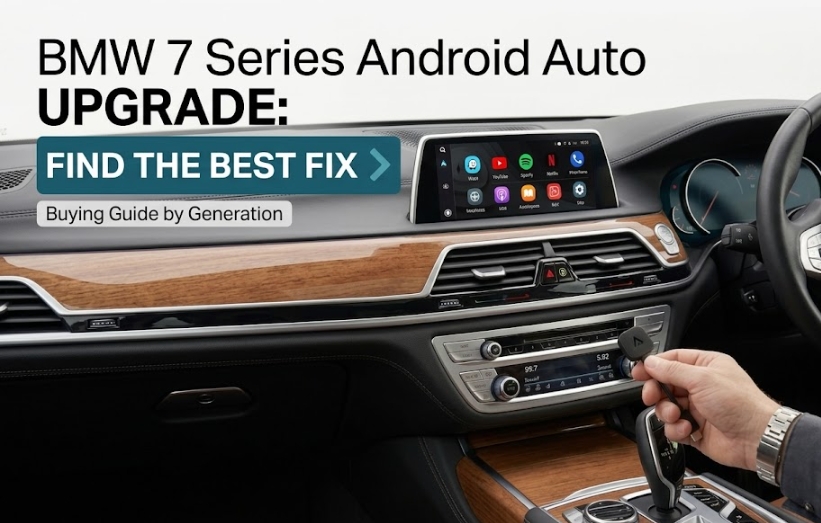
BMW 7 Series Android Auto Upgrade: Best Fix for Every Generation
The right product depends on your generation. Here's exactly which one to buy.
Ready to add BMW 7 Series Android Auto to your car, but not sure which product actually fits? That depends entirely on which generation you're driving.
Buy the wrong solution and you'll either waste money on hardware that can't connect, or overpay for a full screen replacement when a plug-and-play box would've done the job.
This guide tells you exactly which upgrade path to buy based on your generation, what each one costs to get right, and what to check before you order.
Why There's No Single Product That Fits Every 7 Series
The 7 Series has been built across three distinct chassis generations, each needing a different upgrade path. That's why a one-size-fits-all product doesn't exist.
Predates smartphone integration entirely.
Launched on one system, then got a mid-life update.
Ships with BMW's newest curved-display iDrive.
Ever assumed a flagship price tag guarantees flagship connectivity? It doesn't, not automatically. Confirm your generation first, then check which product actually matches it below.
Step 1 — Identify Your 7 Series Generation
Your chassis code determines everything else in this guide. Here's how each generation actually stacks up.
F01/F02 (2008–2015) — The Pre-CarPlay Era
This generation ran BMW's CIC system, built years before CarPlay or Android Auto existed as automotive standards.
There's no factory CarPlay or Android Auto foundation here at all. Any solution for this generation has to build that foundation from the ground up.
G11/G12 (2015–2022) — The Split Generation
This is the messiest case, and the one we get asked about most. Early G11/G12 cars shipped from the factory on NBT / iDrive 6, while later production units — generally from the 2019/2020 model year onward — shipped standard with iDrive 7 instead.
This isn't a case of one car being "upgraded" from 6 to 7 over time — it's about which system your specific car had installed when it was built. BMW's wireless Android Auto rollout reached iDrive 7 vehicles from July 2020. Whether your G11/G12 has that system at all comes down to its exact build date, not just the model year on paper.
G70 (2022–Present) — The Curved Display Generation
The newest generation runs iDrive 8, standard with wireless CarPlay and Android Auto straight from the factory.
Both are listed as standard infotainment features on current G70 builds. It's still worth confirming ongoing feature access isn't tied to an active ConnectedDrive subscription for your specific trim.
F01/F02 Owners — What to Buy
Software alone won't get you there, so don't waste money on an adapter first. This generation needs a hardware purchase, because there's no CarPlay channel underneath for anything to plug into.
"The oldest 7 Series generation is the one case where a plug-and-play adapter genuinely can't help — there's no existing wireless handshake for it to borrow." — worth knowing before you spend a cent on anything.
Your two purchase options:
- Aftermarket Android screen replacement — the full upgrade, highest cost, most involved installation
- Retrofit decoder module — lower cost, adds CarPlay/Android Auto behind the factory screen instead
For most F01/F02 owners, the decoder module is the more cost-effective starting point unless you also want a larger screen.
G11/G12 Owners — Confirm This Before You Buy
Two settings determine whether the plug-and-play box is even worth ordering. Check both before you spend anything.
- Confirm your iDrive version: go to iDrive → Settings → General → System Information and look for iDrive 6 or iDrive 7
- Confirm wireless CarPlay is active: go to iDrive → Settings → General → Additional Services and check whether Apple CarPlay appears — and whether it's genuinely wireless
In our own testing on a 2019 G12 at a Melbourne workshop, the most common mix-up wasn't the iDrive version at all — it was owners assuming a factory CarPlay icon meant wireless, when their build was actually wired-only.
If you want the full walkthrough on telling these systems apart, our guide on whether your BMW supports Android Auto on iDrive 6 vs iDrive 7 covers this exact distinction in detail.
G70 Owners — What's Different on the Curved Display
Your car almost certainly has wireless CarPlay standard. Android Auto access is the part actually worth double-checking.
- Confirm whether Android Auto shows as a built-in menu option, not just CarPlay
- If you're adding aftermarket hardware, confirm it scales correctly to the curved display's resolution — a mismatched aspect ratio is the most common complaint we hear on G70 installs
- Check whether any features are gated behind an active ConnectedDrive subscription
The Universal Fix — How an AI Box Works Across All Three Generations
One type of device works the same way regardless of which generation you own — provided wireless CarPlay is already active.
An AI Box rides on your existing wireless CarPlay connection to run a complete, independent Android environment on your factory screen.
- It doesn't unlock or hack BMW's built-in Android Auto
- It adds a separate Android system alongside whatever you already have
- The only real requirement is an active wireless CarPlay connection — which rules out F01/F02 entirely
Worth flagging: on G11/G12 units built between 2018 and 2019, the adapter needs to be plugged into the front console USB-A port specifically, not the armrest one, or the car simply won't register it.
For the installation walkthrough itself, our guide on adding wireless Android Auto to your BMW covers the setup process step by step.
Confirmed Wireless CarPlay? Here's What to Buy
The Multimedia Android IOS Box for BMW is built specifically to work across BMW's iDrive 6 through OS9 range — covering both G11/G12 and G70 7 Series.
- Plug-and-play through your existing factory USB port — no coding, no dealer visit
- Manually verified against your vehicle before shipping
- Backed by a money-back guarantee if it doesn't suit your build
Quick Generation Reference Table
| Generation | Years | System | Factory Android Auto |
|---|---|---|---|
| F01/F02 | 2008–2015 | CIC | Never available |
| G11/G12 | 2015–2022 | iDrive 6 (early) / iDrive 7 (2019/2020+) | Depends on build date |
| G70 | 2022–present | iDrive 8 | Standard — confirm ConnectedDrive status |
Frequently Asked Questions
F01/F02 owners need a screen replacement or decoder module. G11/G12 and G70 owners with confirmed wireless CarPlay should go straight to the Multimedia Android IOS Box.
Yes — confirm your iDrive version and wireless CarPlay status first. Ordering the wrong product for your generation means a return or a non-functioning setup.
Non-destructive, USB-connected solutions generally don't affect your factory warranty, but confirm with your dealer.
Most current solutions scale correctly to it, but our team manually verifies compatibility with your build before shipping.
You'll need to enable wireless CarPlay first — usually through dealer coding — before ordering any AI Box solution.
Final Verdict
Buying the right BMW 7 Series Android Auto upgrade comes down to one question: which generation and iDrive system is under your dashboard.
Confirm your generation, check for wireless CarPlay, and you'll know exactly which product to order — no guesswork, no wasted money.
Multimedia Android IOS Box for BMW
Works across BMW's iDrive 6 through OS9 range — including G11/G12 and G70 7 Series with active wireless CarPlay. Plug-and-play through your factory USB port, verified against your vehicle before it ships.
Shop This Product →