
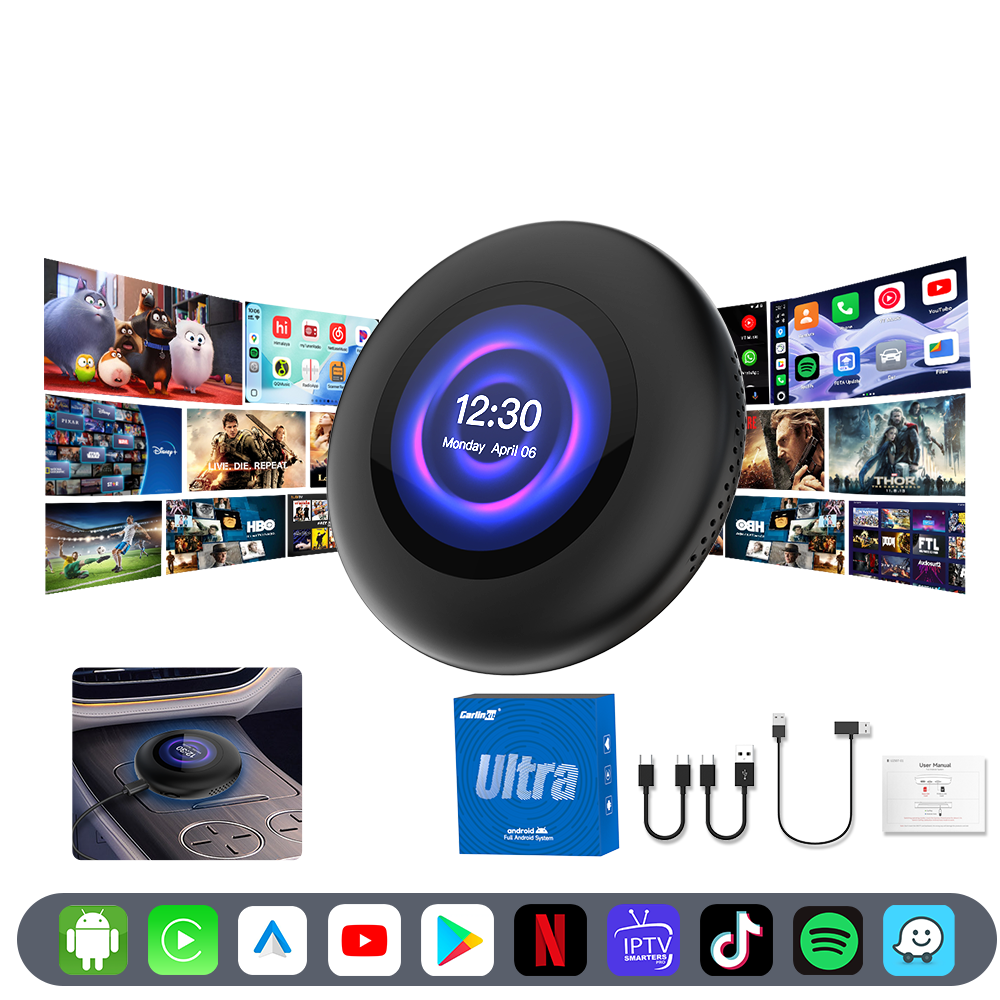
Carlinkit Tbox Ultra 3 Review. The upgrade worth buying.
A plug-in AI box that reaches its Android 15 home screen in 28 seconds flat, independently tested, with wireless CarPlay, wired CarPlay, and wired Android Auto in one device.
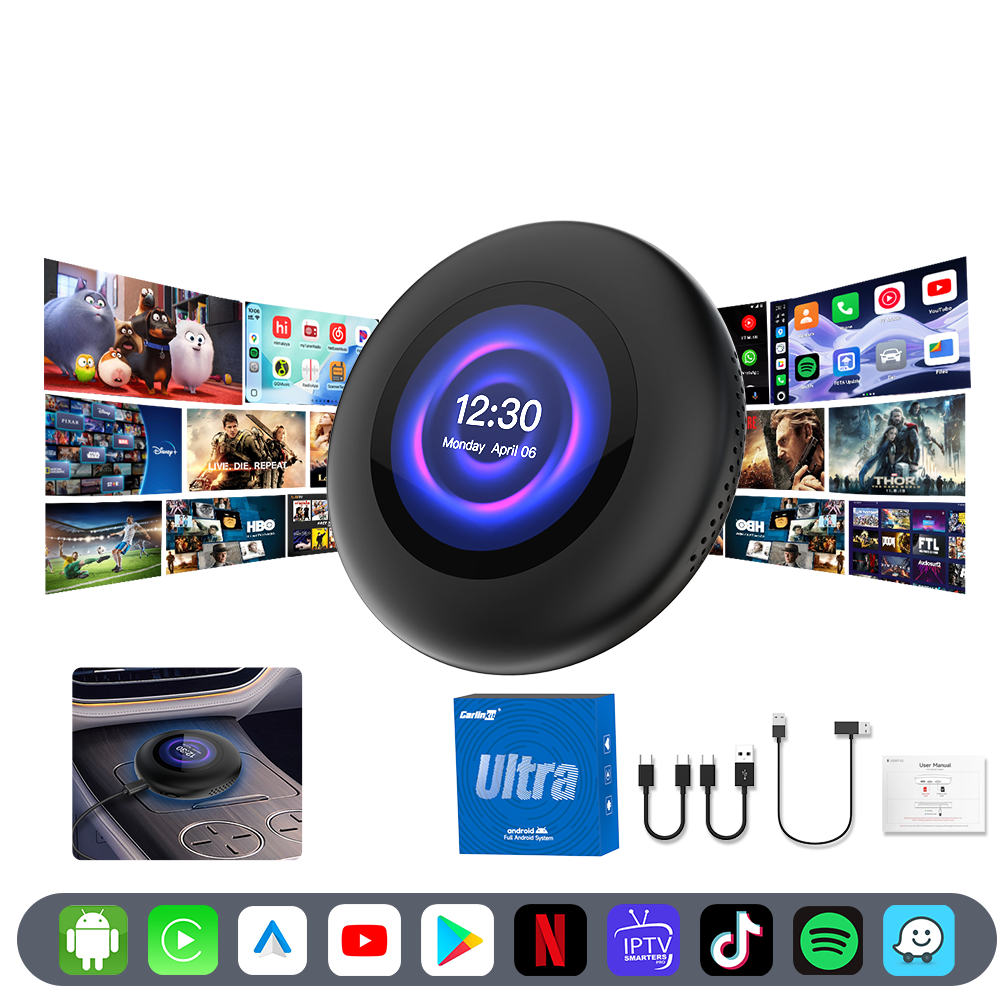
Plug in. Drive off.
This Carlinkit Tbox Ultra 3 review comes down to one number: 28 seconds, independently measured from power-on to a working Android 15 launcher, faster than most boxes in this category.
It also covers what a spec sheet won't: how the wireless CarPlay handoff feels, what the LCD is for, and where it falls short. If you already have factory wired or wireless CarPlay and want more, start here.
Three things actually changed from Carlinkit's older Ultra boxes:
Add it up, and this is the one box in the range built to work in cars other AI boxes simply can't support.
Four things worth knowing
What Is the Carlinkit Tbox Ultra 3, and Who Is This Review For
The Tbox Ultra 3 is Carlinkit's flagship AI box. It's a small unit that plugs into your car's existing CarPlay USB port. It adds a Qualcomm SM6350 chip, 8GB of RAM, and 128GB of storage, running Android 15 on top of your factory screen.
It's not a replacement head unit, and it won't touch your car's wiring or void your warranty. It's built for drivers who already use factory CarPlay or Android Auto and want Netflix, YouTube, Spotify, and the rest of the Play Store on that same screen. No mirroring everything through a phone.
You get in the car, and your phone hasn't reconnected yet, so you wait, or you dig into Bluetooth settings again. On a long drive, the kids in the back ask for something to watch, and there's nothing to give them. In a BMW with factory iDrive, wireless CarPlay was always technically possible, just never actually switched on, and Carlinkit built the Ultra 3 to unlock it properly rather than bolt it on as an afterthought.
The First Boot: What Our Video Shows, Plus Independent Test Data
Boot speed is the first thing you notice, and it's the strongest part of this review unit. In our video demo, the Ultra 3 is plugged into the car's USB-C port. As soon as the ignition is on, it powers on by itself, no button press required. Its own onboard LCD lights up with a working clock interface within about 4 seconds of being connected.
The car screen briefly holds on the factory CarPlay interface while the box is detected, then hands off to the Android 15 home screen. Chrome, Play Store, Gmail, YouTube, and Bluetooth Phone are already installed and ready to tap.

Independent testing by CarPlay Life clocked the Ultra 3 reaching its Android launcher in 28 seconds from power-on. That matches Carlinkit's own published guidance, which puts entry into Android, CarPlay, or Android Auto at usually under 30 seconds, depending on your factory head unit and cable length.
The Built-In LCD Touch Screen: Not Just a Status Light
The first time we saw the small circular screen on the unit, we assumed it was just a status display. It does two real jobs.
Tap it to switch connection modes, wireless CarPlay, wired CarPlay, or wired Android Auto, without digging through the car's main menu. Or turn on Mouse Mode, and the whole LCD becomes a trackpad for the main screen, useful in larger SUVs where the display sits far from the driver, or cars where the main display doesn't support touch at all. It's point-and-click only, no scrolling, so it's built for quick actions rather than browsing.
Brightness adjusts from the System menu, so it stays readable in bright sun or a dark car park. Software updates install automatically once you're connected.
What Buyers Are Sharing
Real footage submitted by customers who bought the Tbox Ultra 3, unedited.
Wireless CarPlay and Android Auto: How the Handoff Feels
Wireless pairing works with both ecosystems from the same unit. In our video, an iPhone connects by selecting the Ultra 3 from the CarPlay device list.
A separate Android phone pairs through Bluetooth settings and shows up as a connected device within seconds. Both land on their respective home screens without a cable in sight. Carlinkit specifies iPhone 6 or later on iOS 10.0+, and Android 11.0 or later for wireless Android Auto.
BMW drivers get particular attention here. The Ultra 3 is built to unlock or extend factory wireless CarPlay on iDrive 6.0 through 9.0. It doesn't just treat BMW as another compatible brand, which is why it's part of our BMW wireless CarPlay lineup.
Third-party reviewers testing the Ultra 3 generally rate its wireless Android Auto as one of its strongest features. Some note that switching between Android, CarPlay, and Android Auto isn't always seamless, and prefer the on-device LCD or the physical button over digging through car menus.
Android 15 Everyday Use: Play Store, Split Screen, and Streaming
Once you're on the Android 15 home screen, it feels like a regular Android tablet. Play Store opens directly, letting you search and install apps like on a phone, with a standard on-screen keyboard.
YouTube, Netflix, and Spotify install and play normally. In our video, an 8K nature video runs smoothly, no stutter.
Split screen is where multitasking shines. Run navigation and video side by side, then drag the divider to resize either pane. The Adreno 619 GPU also handles casual gaming without lag, as shown in our footage.
5G LTE, Dual-Band GPS, and Not Needing Your Phone
The Ultra 3 has its own SIM slot with 5G LTE, so it can get online independently of your phone. It falls back to 4G where 5G isn't available.
Prefer not to run a second SIM? Your phone's hotspot or the car's Wi-Fi works just as well, as shown in our video. The 5G module doesn't support US SIM cards, so US drivers should plan on hotspot or Wi-Fi instead.
Dual-band GPS (L1+L5) cross-references GPS, BeiDou, GLONASS, and Galileo for steadier positioning in built-up areas, where single-band GPS tends to drift.
Specs at a Glance
| Chipset | Qualcomm SM6350 octa-core |
|---|---|
| GPU | Adreno 619 |
| Memory / Storage | 8GB LPDDR4 + 128GB |
| OS | Android 15.0 |
| Connectivity | 5G LTE + Wi-Fi hotspot |
| GPS | Dual-band L1+L5 |
| CarPlay / AA modes | Wireless + wired CarPlay, wired AA |
| Display | Built-in LCD touch screen |
| Warranty | 2-year manufacturer |
| Price | $415.99 AUD on the product page |
Want the full picture?
Photos, GPS accuracy, and every spec across the range, side by side.
The Full Picture
What Stands Out
- The Ultra 3's SM6350 chip and 8GB RAM make navigation, streaming, and app switching noticeably smoother than older 6225 or 6125-based boxes.
- The Ultra 3's built-in 5G and dual-band GPS cut your reliance on your phone for navigation and connectivity.
- The Ultra 3's touch LCD is a genuinely useful control surface most competing AI boxes don't have.
Worth Knowing
- The wireless-only mode for cars with no wired port, some BMW, MINI, and BYD models, wasn't tested in a real compatible vehicle by CarPlay Life. Confirm your model with Carlinkit first.
- A handful of vehicles, certain Toyota models in particular, need the included dual-USB power cable for a clean boot. It ships in the box, so there's nothing extra to buy.
- The 5G module doesn't support US SIM cards, which doesn't affect AU drivers.
- Mouse Mode covers tapping and selecting well, just not scrolling, so it's built for quick actions rather than browsing a long list.
Our Carlinkit Tbox Ultra 3 Review Conclusion
This Carlinkit Tbox Ultra 3 review comes down to three strengths: fast boot, three-protocol flexibility, and hardware that finally matches a modern phone.
It's confirmed compatible with 800+ vehicle models, backed by a 2-year warranty and free AU shipping.
Common questions
How long does the Tbox Ultra 3 take to boot?+
Independent testing by CarPlay Life measured the Ultra 3 reaching its Android launcher in 28 seconds from power-on, and Carlinkit's own guidance puts entry into Android, CarPlay, or Android Auto at usually under 30 seconds, depending on your factory head unit and cable length.
Does the Tbox Ultra 3 work with BMW factory wireless CarPlay?+
Yes. The Ultra 3 is specifically tuned to unlock or extend factory wireless CarPlay on BMW iDrive 6.0 through 9.0 systems. It also works with wired CarPlay and wired Android Auto on other vehicle brands.
What's the difference between Tbox Ultra 2 and Ultra 3?+
Both share the same Qualcomm SM6350 chip, Android 15, and 8GB RAM. The Ultra 3 adds a built-in LCD touch screen for mode switching, upgrades to 5G LTE, and supports all three connection modes rather than just wireless CarPlay and Android Auto.
Do I need a SIM card for the Tbox Ultra 3?+
No. A SIM card gives the box its own independent 5G or 4G connection, but as this Carlinkit Tbox Ultra 3 review shows, it works just as well connecting through your phone's personal hotspot or the car's Wi-Fi.