
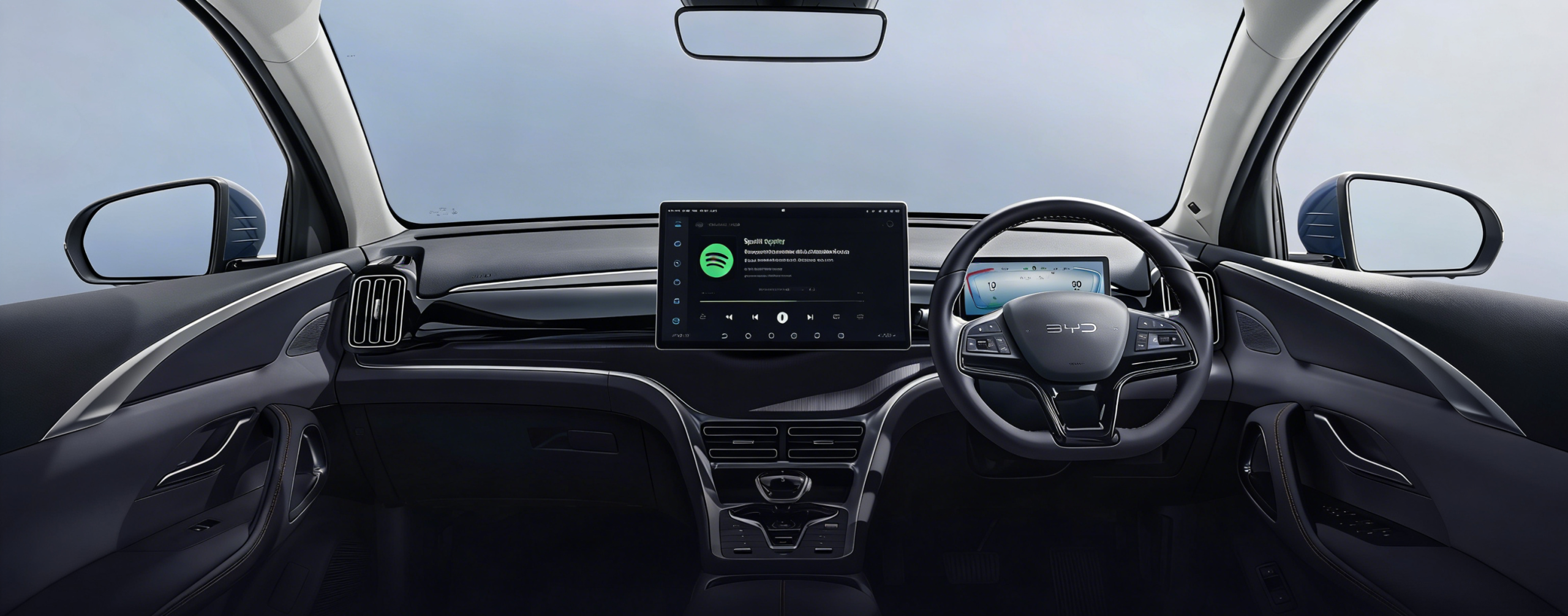
If you’ve just picked up a BYD — or you’re about to — and you’re wondering “does BYD have Apple CarPlay?”, you’re not alone. It’s one of the most searched questions from Australian BYD owners, and the answer isn’t a simple yes or no.
The good news? Most BYD models sold in Australia do support Apple CarPlay. The details around wired, wireless, and what to do if your car doesn’t have it at all — that’s what this guide is here for.
What Is Apple CarPlay and Why Do BYD Owners Care?
Apple CarPlay mirrors your iPhone onto your car’s touchscreen, giving you access to Apple Maps, Spotify, Messages, Podcasts, and more — all without touching your phone.
BYD’s native infotainment system, DiLink, runs on Android. That’s great for Android Auto users, but iPhone users need CarPlay to get a native iOS experience. Without it, you’re stuck using a third-party interface that doesn’t talk to your Apple ecosystem.
Which BYD Models Have Apple CarPlay in Australia?
All BYD vehicles offered in Australia — including the Atto 3, Seal, Dolphin, Sealion 6, and Sealion 7 — now have wireless Apple CarPlay. Carlinkitfactory Here’s a quick model breakdown:
| BYD Model | Wired CarPlay | Wireless CarPlay |
|---|---|---|
| Atto 3 (2025) | ✅ | ✅ |
| Seal (2025) | ✅ | ✅ |
| Dolphin (2025) | ✅ | ✅ |
| Sealion 6 PHEV | ✅ | ✅ |
| Sealion 7 | ✅ | ✅ |
| Atto 2 | ✅ | ✅ |
| Atto 1 | ✅ | ✅ |
Important: Older build-date vehicles (pre-2024 OTA update) may have shipped with wired CarPlay only. A free software update (V1.8.0) unlocked wireless CarPlay for eligible models.
What About Older BYD Models?
Before the OTA update, the Atto 3, Dolphin, and Seal only had a wired version of Apple CarPlay that required plugging in your iPhone via USB cable. Carlinkitfactory If you bought one of these cars before mid-2024 and haven’t updated the software, wireless CarPlay may not be active yet.
To check your software version: Go to Settings → System → Software Update on your BYD’s touchscreen.
Wired vs Wireless CarPlay on BYD — What’s the Difference?
Wired CarPlay
- Connect via USB-A or USB-C cable
- Reliable and lag-free
- Charges your phone while connected
- Works on all CarPlay-equipped BYD models
Wireless CarPlay
- No cable needed — connect over Wi-Fi + Bluetooth
- Cleaner cabin, fewer cables to manage
- On models like the Sealion 6, both CarPlay and Android Auto work wired or wirelessly. Carlinkitfactory
- First-time setup requires a one-off Bluetooth pairing
Still on Wired? How to Go Wireless Without Buying a New Car
If your BYD only supports wired CarPlay, a wireless CarPlay adapter is the simplest fix. Plug it into your USB port and your phone connects automatically every time — no cable, no hassle.
The Carlinkit Wireless CarPlay Adapter is plug-and-play compatible with BYD’s USB port and takes under two minutes to set up.
My BYD Doesn’t Have CarPlay — Can I Add It?
Some earlier models or privately imported Chinese-spec BYDs run the DiLink system without CarPlay at all. Don’t panic — there are two solid upgrade paths.
Option 1 — Wireless CarPlay Adapter (Best for Wired CarPlay Owners)
- Plugs directly into your BYD’s factory USB port
- Converts wired CarPlay to wireless instantly
- No modifications, no warranty risk
- Best for: Atto 3 / Seal / Dolphin owners on older software
Option 2 — AI Box (Best for Wireless Carplay Owners)
If you want to break free from the limitations of the factory system, the AI Box is the ultimate plug-and-play upgrade. It transforms your rotating touchscreen into a high-performance Android multimedia center.
-
Cinema on Wheels: Watch YouTube, Netflix, and Disney+ directly on your BYD screen while parked or charging.
-
Powerful Hardware: Equipped with a Qualcomm 8-core chip and up to 8GB RAM for a smooth, lag-free experience.
-
Full App Freedom: Access the Google Play Store to download any app, from Spotify to TikTok.
-
Original Control: Maintains full support for steering wheel buttons, voice commands, and screen rotation.
-
Stay Connected: Supports independent 4G SIM cards and features built-in GPS for precise navigation.
Which Option Is Right for You?
- ✅ Have wired CarPlay? → Get a Wireless CarPlay Adapter
- ✅ Have wireless CarPlay? → Get an AI Box
Does Adding CarPlay to BYD Void the Warranty?
This is the question we get asked most. The short answer: no — if you use a plug-and-play device.
Both the Carlinkit adapter and the AI Box connect via the factory USB port. Nothing is permanently altered. Unplug it, and your BYD is exactly as it left the factory. BYD’s DiLink infotainment system supports over-the-air (OTA) updates Carlinkitfactory, which continue to work normally with the adapter in use.
Frequently Asked Questions
Does the BYD Atto 3 have Apple CarPlay? Yes. The Atto 3 includes wireless Apple CarPlay and Android Auto with its 15.6-inch rotating touchscreen. Carlinkitfactory
Does BYD Seal have wireless CarPlay? Yes — all 2025 Seal models gained wireless Apple CarPlay and wireless Android Auto Carlinkitfactory as part of a model-year update.
Can I add Apple CarPlay to a BYD with DiLink but no CarPlay? Yes. A Carlinkit AI Box overlays Android 13 onto your factory screen, adding full CarPlay support without modifying your car.
Is BYD CarPlay compatible with iPhone 15 / 16? Fully compatible. CarPlay is an Apple protocol and works with all iPhones running iOS 7.1 or later — including the latest models.
Does the BYD Dolphin have Apple CarPlay? Yes — the BYD Dolphin’s 12.8-inch rotating touchscreen supports wireless Apple CarPlay. Carlinkitfactory
What’s the difference between CarPlay and Android Auto on BYD? CarPlay mirrors your iPhone; Android Auto mirrors your Android phone. BYD supports both — choose based on your device.
Final Verdict
Does BYD have Apple CarPlay? In Australia — yes, across the full current lineup. All BYD vehicles offered locally now have wireless Apple CarPlay Carlinkitfactory, and older models that shipped with wired-only CarPlay received a free OTA update.
If you’re on an older build or a grey-import BYD without CarPlay, the fix is straightforward:
- Wireless adapter for a quick wired-to-wireless upgrade
- Carlinkit AI Box for a full CarPlay installation on non-CarPlay models
Either way, you don’t need to replace your head unit, pay a workshop, or void your warranty. Just plug in and drive.