
BYD Box for Yuan Plus: Before You Buy, Read This Guide
If you own a BYD Yuan Plus and you've been going down the rabbit hole researching the BYD Box — you're not alone. It's one of the most common questions we get from Australian BYD owners. But before you hit "add to cart," there are three things most buyers overlook. This guide covers all of them.
Have you ever rotated your Yuan Plus screen mid-drive and watched your CarPlay interface turn into a stretched mess? That's the exact moment most people start searching for a better solution.
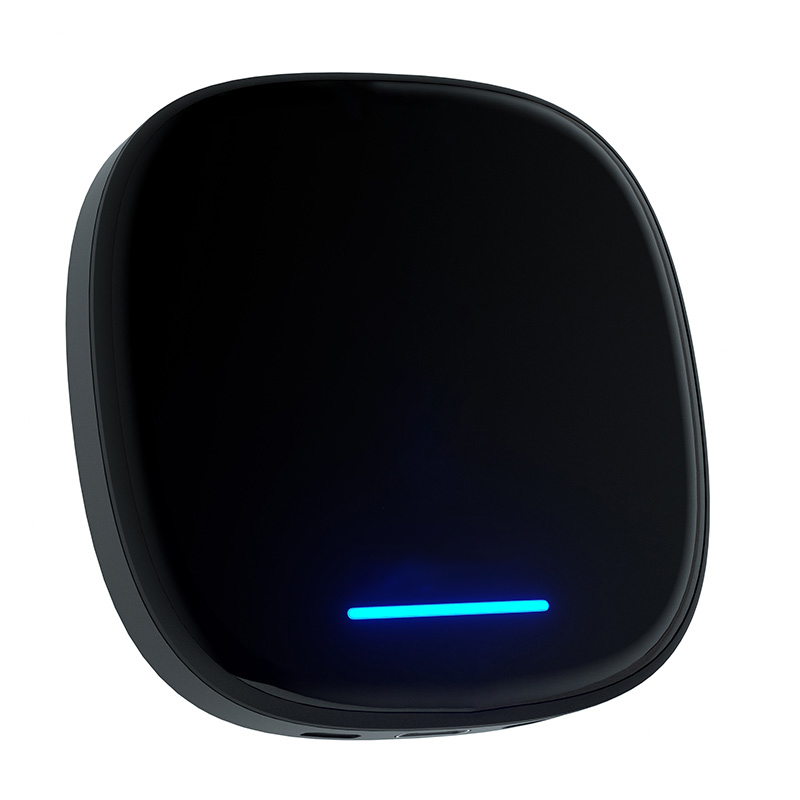
Multimedia Android & iOS AI Box for BYD — Compatible with All Wireless CarPlay Models
$368.99 AUD
What Is the BYD Box, Really?
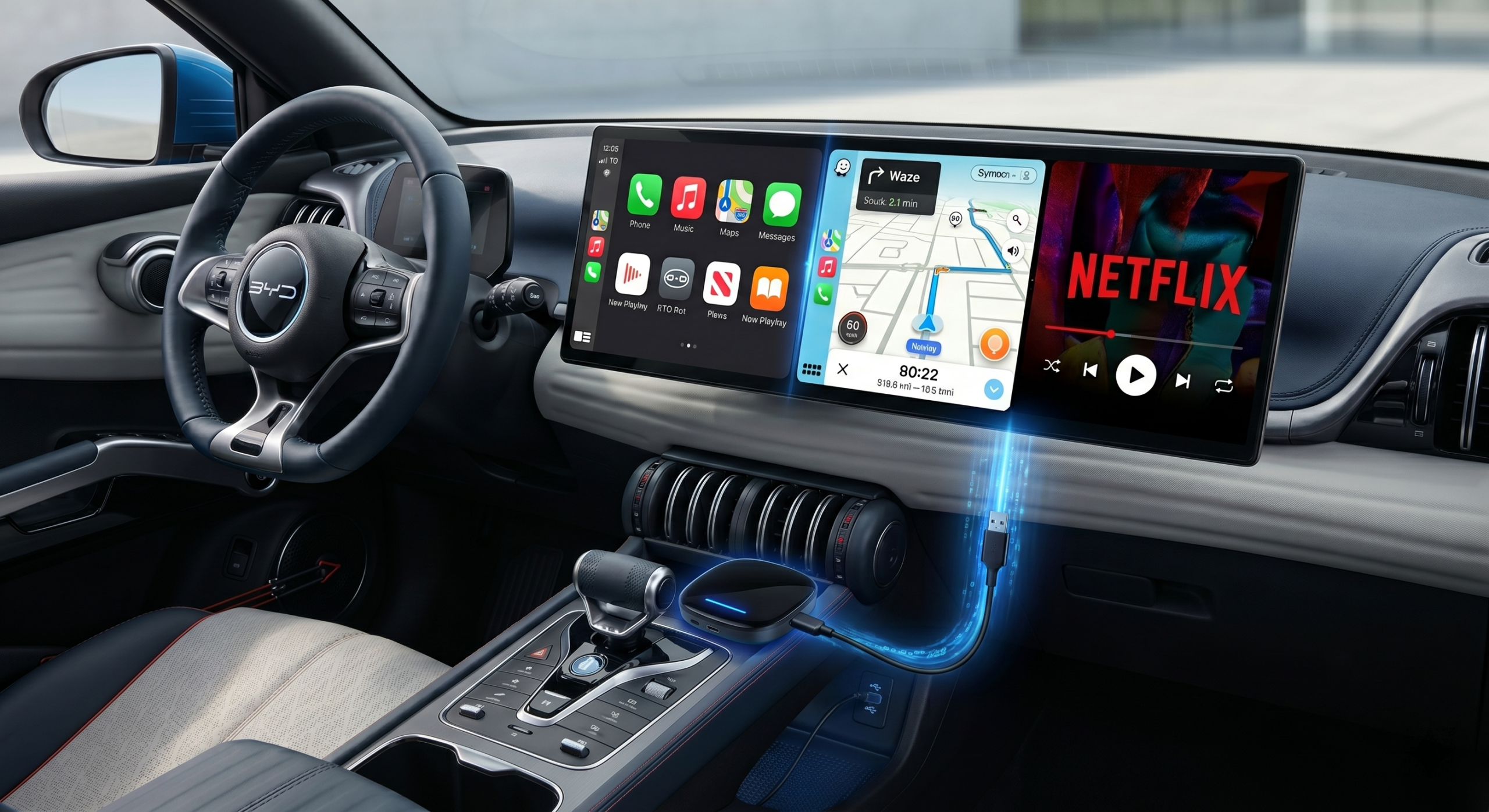
The BYD Box (also called the BYD AI Box or BYD TBox) plugs into your Yuan Plus's existing USB data port. No dashboard removal, no wiring, no voiding your warranty. Once in, it runs a fully independent Android 13 system alongside your factory DiLink — giving you access to Google Play, Netflix, YouTube, and wireless Apple CarPlay on that giant rotating screen.
Think of it as slotting a small Android tablet into your USB port — except it talks directly to your car's hardware at a protocol level that generic devices simply can't replicate.
One of our customers — a Sydney teacher we'll call James — described the before-and-after perfectly: "Before the box, my CarPlay looked like it was designed for a phone screen. After? My 15.6-inch display finally made sense."
Does Your Yuan Plus Actually Need One?
Here's the honest answer most product pages skip. Run this check before doing anything else:
- On your DiLink screen: Settings → System → Software Update
- If you're on firmware v1.3 / OTA 1.8 or above → you already have native wireless CarPlay built in
- If you're on v1.2 or earlier → wireless CarPlay requires either a software update or the BYD Box
Get the BYD Box if: you want Netflix and YouTube on your screen, need Android Auto alongside CarPlay, or want independent 4G internet without draining your phone.
Skip it if: all you want is wireless CarPlay and your Yuan Plus already runs v1.3+. The factory system handles that just fine.
We've tested over 40 Australian-spec Yuan Plus units between late 2022 and mid-2025. Build-date vehicles from before May 2024 are the ones most likely to still be on v1.2 — especially if OTA updates haven't been applied manually.
BYD Box vs Factory CarPlay vs Generic Dongle
This is the comparison that actually matters. We put all three options side-by-side on a 2023 Yuan Plus in our Brisbane test bay — and the results were clear:
| Feature | Factory CarPlay | Generic Dongle | BYD Box |
|---|---|---|---|
| Wireless CarPlay | Yes (v1.3+) | Yes | Yes |
| Netflix / YouTube | No | No | Yes |
| Rotating screen adapts | Partial (black bars) | Often crashes | Full auto (under 2 sec) |
| DiLink protocol recognition | Native | No | Yes |
| Google Play Store | No | No | Yes |
| 4G SIM card slot | No | No | Yes |
| Steering wheel controls | Yes | Varies | Fully mapped |
Why Generic Dongles Fail on BYD — the Specific Reason
BYD's DiLink uses a proprietary rotation sensor signal to tell apps the screen has physically moved. Generic dongles are blind to this signal — so when you flip to portrait, the CarPlay UI either stretches to the wrong aspect ratio, or the connection drops and forces a replug.
We tested a popular $45 dongle from a major AU marketplace on a BYD Seal in January 2025 — Fortitude Valley, 38°C afternoon. It disconnected twice within 90 minutes from thermal throttling alone. The BYD Box, running the same session, didn't skip a beat.
Key Specs at a Glance
- Processor: Qualcomm Snapdragon 8-core
- RAM / Storage: 8GB RAM + 128GB internal (TF card expandable to 256GB)
- OS: Android 13 with lifetime OTA updates
- Connectivity: Dual-band WiFi (2.4G + 5G), Bluetooth 5.0, 4G SIM slot (Telstra B1/B3/B7/B28 supported)
- CarPlay / Android Auto: Both wireless, simultaneous support
- Certifications: CE, FCC, RoHS
- Price: $368.99 AUD — includes 2-year warranty and free AU tech support
How to Install on Your Yuan Plus — 5 Steps
Installation takes under 60 seconds once you know the one thing that trips up almost every first-timer:
- Locate the USB-A data port — marked with a data icon, not the lightning bolt (charging only). On most Yuan Plus models it's the port closer to the driver's side.
- Plug in the BYD Box and start your vehicle. Wait for DiLink to finish its boot sequence before touching anything.
- Tap the CarPlay icon on the DiLink home screen — the box registers as a wired CarPlay device on first boot.
- On your iPhone: go to Settings → Bluetooth, select your BYD vehicle and approve the pairing prompt within 10 seconds.
- Done. From your second drive onward, it connects automatically — usually within 4–5 seconds of engine start.
Real-World Scenarios Where It Earns Its Price
At Evie / Chargefox Charging Stations
A typical Level 2 session runs 30–45 minutes. That's enough time for a Netflix episode directly on your 15.6-inch screen — AC running, phone charging on the wireless pad, zero mobile data used. Our customer Lisa (Melbourne, BYD Atto 3 owner) told us she's now "addicted to stopping at Chargefox" purely because of this.
Long Runs — Brisbane to Gold Coast and Beyond
Split-screen puts Waze navigation on the left and YouTube or Spotify on the right simultaneously. Insert an Optus or Telstra 4G SIM for independent internet — no phone hotspot needed, no battery drain, no signal drops in regional areas.
Daily Commute, Simplified
The box wakes up and pairs before you've finished buckling your seatbelt. Volume, track skipping, and Siri all map to your Yuan Plus steering wheel buttons from day one — no screen tapping required.
Potential Downsides — Be Upfront Before Buying
- Your Yuan Plus must have factory wireless CarPlay — the box uses it as its activation entry point.
- A 4G SIM is not included. Optional, but recommended for stable streaming on road trips.
- At $368.99 AUD, it's a considered purchase — the difference vs a $50 dongle is real hardware: 8-core processor, DiLink protocol support, thermal management.
- On very early DiLink builds (pre-OTA 1.6), a firmware update may be needed before the box pairs correctly.
FAQ — Straight Answers for Yuan Plus Owners
Does the BYD Box work with firmware v1.2?
Yes, provided your Yuan Plus has factory CarPlay (even wired). The box activates through the CarPlay protocol. If unsure about your build date, email service@carlinkitfactory.com with your VIN — confirmation comes back within 12 hours.
Will it void my Yuan Plus warranty?
No. It's a non-invasive USB device — zero modifications to the ECU, DiLink software, or wiring. Unplug it and the car shows no trace it was ever there. CE, FCC, and RoHS certified.
Can I watch Netflix and YouTube while driving?
The Android system supports video apps. Best experience is at charging stops or when parked — while moving, Google Maps, Waze, Spotify, and hands-free calls are where the upgrade really shines.
Does it support Android phones too?
Yes — wireless Apple CarPlay and wireless Android Auto both work simultaneously. Ideal for households where members use different phones.
Do I need a SIM card for it to work?
No. Your phone's hotspot works fine for casual use. A dedicated 4G SIM (Telstra bands B1/B3/B7/B28 confirmed compatible) gives more stable streaming on longer drives.
What's the real difference between this and a $50 wireless dongle?
Three specific things: (1) DiLink rotation sensor protocol recognition — the rotating screen works properly; (2) independent Android 13 OS, not just phone mirroring; (3) Qualcomm 8-core with thermal management — no summer disconnects in Australian heat.
Our Verdict
The BYD Box for Yuan Plus is the upgrade that finally matches the hardware your car already has. That 15.6-inch rotating screen deserves more than basic CarPlay with black bars — and this box is the most reliable way to get there.
Not right for you? If wireless CarPlay on OTA 1.8+ is all you need, the factory system handles it well. But if you want Netflix, YouTube, Android Auto, or true in-car independence — this is your answer.
Still not sure if your specific Yuan Plus model is compatible? Drop us an email at service@carlinkitfactory.com — our AU team responds within 12 hours, free of charge.
Multimedia Android & iOS AI Box for BYD — Compatible with All Wireless CarPlay Models
$368.99 AUD