
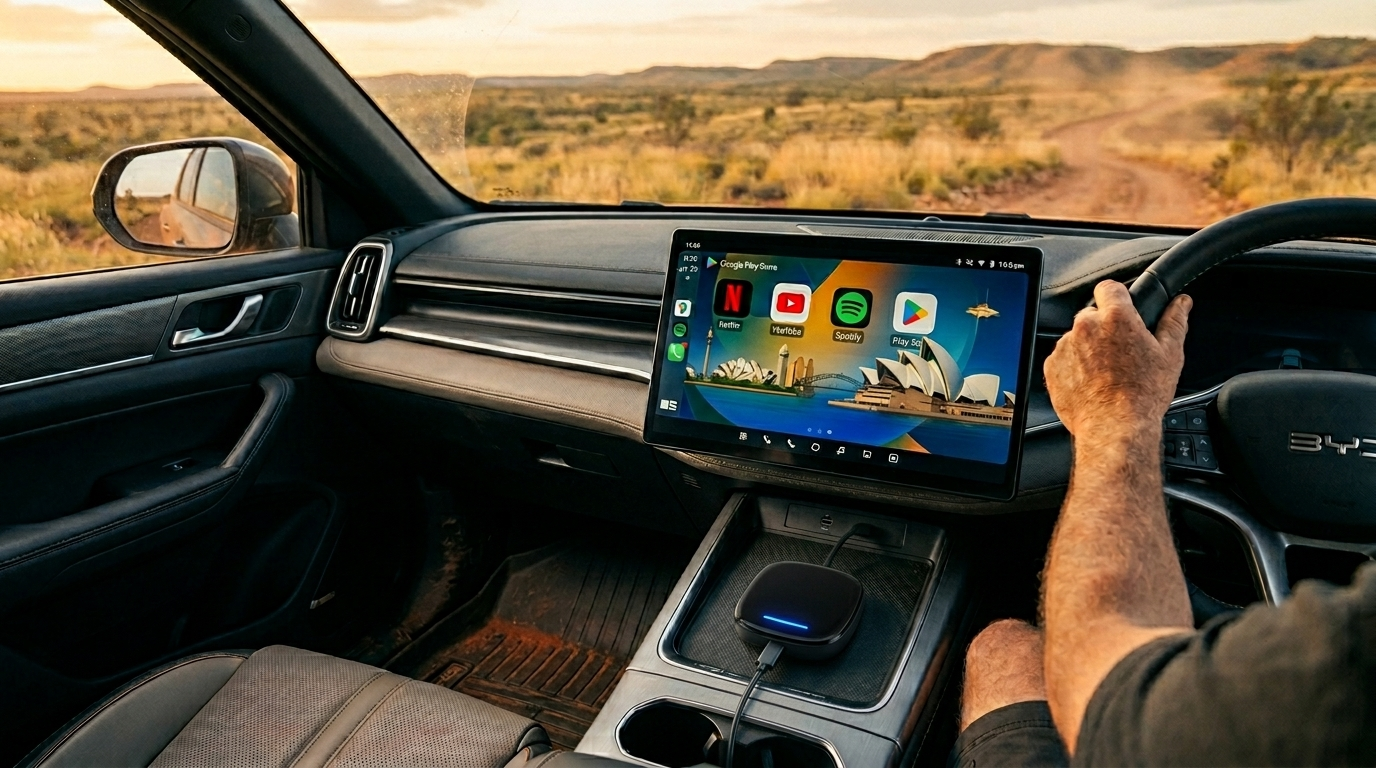
Must-Have BYD Shark 6 Accessories & Setup Guide
From bush-ready protection to tech upgrades that unlock your 15.6" screen — everything you actually need.
The BYD Shark 6 has officially shaken up the Aussie dual-cab market. As the first high-performance plug-in hybrid ute to land Down Under, it's a brilliant mix of 4x4 grit and EV smarts.
But as any ute owner knows, "stock is just the starting point." To truly get the most out of this beast—whether you're trekking through the Simpson Desert or killing time at a DC fast charger—you need the right accessories. In this guide, I'll share the essential gear we've actually put to the test.
Exterior & Utility Accessories for the Rugged Ute
The Shark 6 is built for the bush, but the Australian sun and dust are relentless. If you don't protect it early, you'll regret it later.
Protective Bed Liners and Tonneau Covers
A Shark 6 owner in Perth left his high-end power tools in the tub during a sudden coastal downpour because he hadn't installed a cover yet. Don't make the same mistake.
- Retractable Roller Covers: Don't settle for cheap soft covers. Go for the electric retractable versions that lock with your key fob.
- Heavy-Duty Bed Mats: Essential for keeping your gear from sliding and protecting that factory paint from "red dirt" scratches.
V2L (Vehicle-to-Load) Camping Kits
The 3.3kW V2L feature is the Shark 6's secret weapon.
- Dedicated V2L Adapters: Always carry a high-quality IP66-rated outdoor adapter.
Pack a 15-metre heavy-duty extension lead. It gives you the freedom to set up your coffee machine or air fryer in the shade of a tree, away from the vehicle's heat.
Tech Upgrade: Unlocking the Full Potential of the 15.6" Screen
That massive rotating screen is the crown jewel of the interior. But let's be honest: are you frustrated by the native DiLink system's restrictions?
Why the Standard DiLink Needs an Upgrade?
Have you ever been stuck at a charging station for 30 minutes, staring at a gorgeous 15.6-inch screen that can't play Netflix, YouTube, or Kayo Sports? Because of regional safety locks, the factory system is often a walled garden.
Dave from Brisbane used to struggle with sideloading APKs via ADB — a process that is buggy and risks bricking the system. He switched to a plug-and-play box and told us, "It's like finally getting the iPad-for-cars I was promised."
The Gold Standard Tech Upgrade
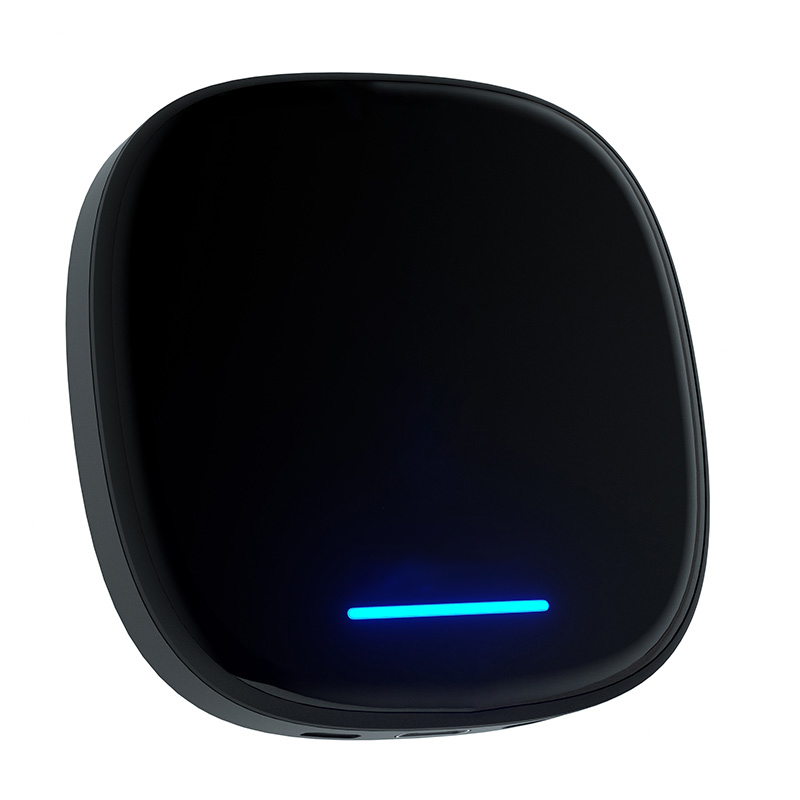
- Android 13 OS — full Google Play Store access
- 8-Core chip — zero lag even at 40°C Adelaide heat
- Rotation Ready — perfect portrait/landscape flip
- Built-in 4G SIM slot for outback coverage
- Zero warranty risk — just unplug at service
- Steering wheel buttons fully mapped
Step-by-Step Setup Guide: Installing Your Multimedia Box
Don't let the "tech" label intimidate you. We've simplified the setup into three minutes.
Physical Connection
Plug the box into the main USB data port (located in the storage area under the floating center console). Use the provided high-speed cable — standard phone charging cables often cause connection drops due to insufficient data bandwidth.
Booting the Interface
The BYD screen will prompt you to "Enable Apple CarPlay." Tap Yes. Within 20 seconds, the Carlinkit Android 13 dashboard will override the factory menu.
Getting Online
Best Method: Slide a local 4G SIM (Telstra works best for outback coverage) into the box's hidden slot — creates an independent Wi-Fi bubble without draining your phone battery. Alternatively, link it to your phone's personal hotspot.
Interior Protection for Australian Conditions
All-Weather Floor Mats & Seat Covers
- TPE Floor Liners: Skip the carpet. You want something you can pull out and hose down after a day at the beach.
- Neoprene Covers: Essential for protecting that premium BYD upholstery from sweat and saltwater.
Screen Protectors for the Rotating Display
A 15.6-inch glass panel is a massive mirror for the Australian sun — most people miss this.
Buy a matte-finish screen protector. It doesn't just stop fingerprints — it kills the glare from the sunroof, making your maps visible even at high noon.
FAQ: Everything You Need to Know About Shark 6 Upgrades
Build Your Ultimate BYD Shark 6
The BYD Shark 6 is already a powerhouse, but the right accessories turn it into a high-tech fortress. From robust tub protection to the game-changing Carlinkit Multimedia Box, these upgrades ensure your ute is the envy of the campsite.
Shop the Carlinkit BYD Collection →Use code SHARK2026 at checkout