
By Chloé, Product Team
Due to an industry-wide chip shortage, the Tbox Ultra 3 is currently sold out.
If that's what brought you here, take a look at the all-new Tbox Max Ultra!
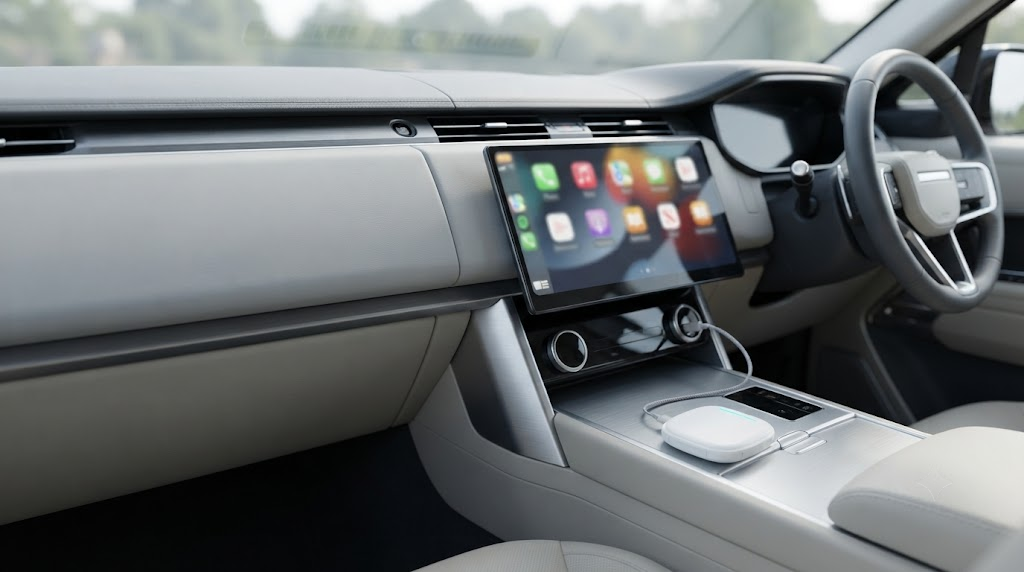
The short version: the Tbox Max Ultra runs on the same Snapdragon 6350 chip and the same Android 15 system as the Ultra 3, with the same 5G support. Plug this CarPlay AI box into your car's factory wired CarPlay or Android Auto port and the screen you already have becomes an Android 15 smart display.
It also packs 8GB RAM + 128GB storage and its own 5G SIM slot, so it gets online without your phone.
Wondering exactly what carries over from the Tbox Ultra 3? We cover it point by point in a dedicated section below.
Price in Australia: A$409.11 (was A$439.11), in stock now. See the Tbox Max Ultra on our store
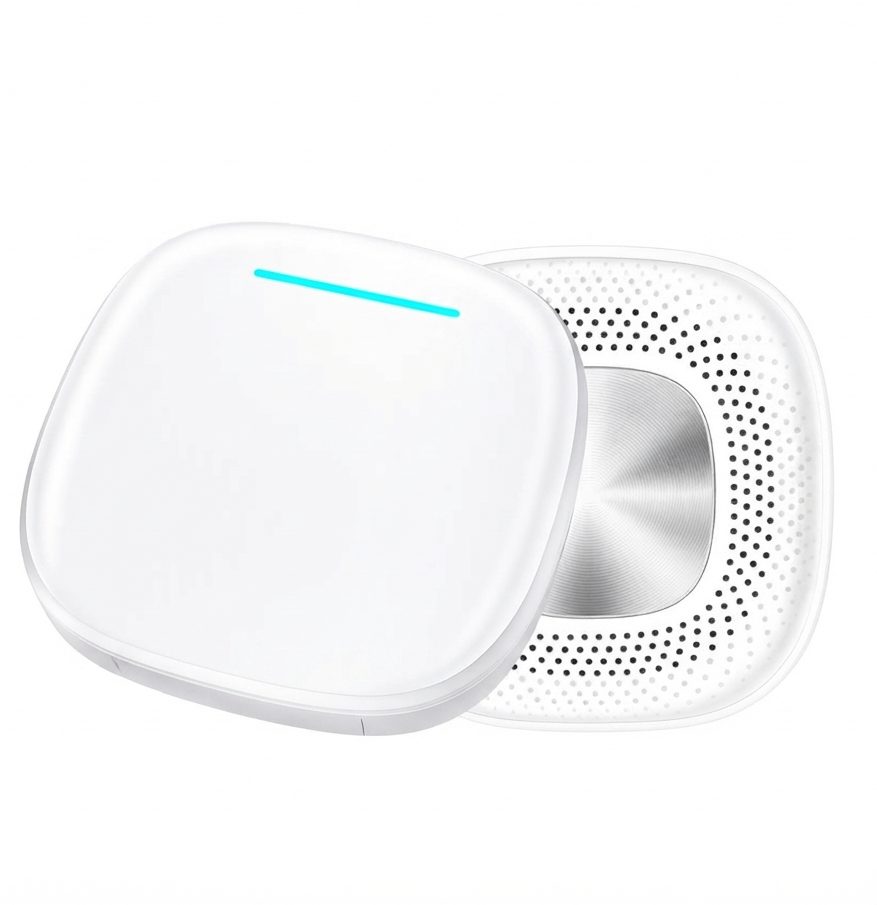
What Is the Tbox Max Ultra?
One box, three jobs: Android, wireless CarPlay, wireless Android Auto
The Tbox Max Ultra (sold as the "Max Ultra AI Box") is a dual-channel upgrade. It works whether your car came with wired CarPlay or wired Android Auto. Once it's plugged in, you get:
- Wireless CarPlay for iPhone
- Wireless Android Auto for Android phones
- A full Android 15 system running on the car screen, with its own apps
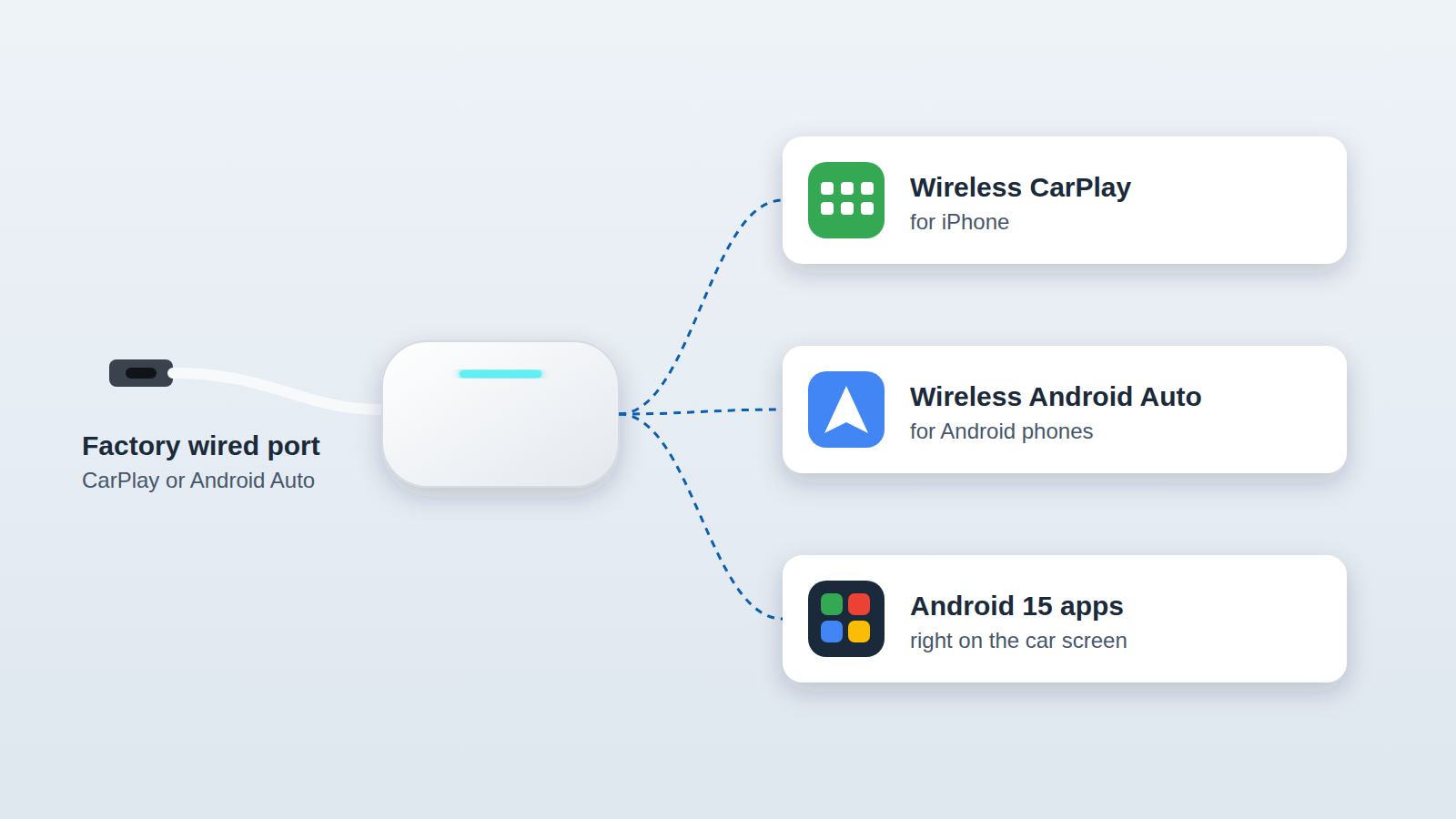
The cable stays in the car, your phone stays in your pocket, and the head unit gains an app library it never had. Just like the Ultra 3, one box handles all three.
Not the older Tbox Max: how to tell them apart
The names are easy to mix up. The earlier Tbox Max ran Android 13. The Tbox Max Ultra runs Android 15 on the Snapdragon 6350, the same generation and the same chip as the Ultra 3. If a listing or video doesn't mention Android 15 and the 6350 chip, it's describing a different box.
Tbox Max Ultra Specs at a Glance
| Specification | Tbox Max Ultra |
|---|---|
| Processor | Qualcomm Snapdragon 6350 (octa-core), same as Ultra 3 |
| Operating system | Android 15, same as Ultra 3 |
| Memory / storage | 8GB RAM + 128GB, same as Ultra 3 |
| Expandable storage | TF (microSD) card, up to 256GB |
| Mobile network | SIM slot, 5G / 4G / 3G / 2G |
| Wi-Fi | 2.4GHz + 5GHz dual band |
| Bluetooth | 5.1 (BR/EDR/BLE) |
| Positioning | GPS, BeiDou, GLONASS, Galileo, QZSS, SBAS |
| Updates | OTA (online) firmware upgrades |
| Video output | Micro HDMI |
| Phone support | iPhone 6 or newer (iOS 10+); Android 11 or later |
| Working voltage | 3.5V–4.4V |
| Working temperature | -30°C to +75°C |
| In the box | Type-C to C cable, Type-C to A cable, power cable, user manual |
Specs taken from the product page and the official specification sheet.
Chip, system and memory, the core hardware behind everyday performance, are identical to the Ultra 3.
What You Can Actually Do With It
Stream Netflix, YouTube and more from the built-in Play Store
This is the big difference from a basic wireless CarPlay adapter. The Google Play Store is built in, so you can download the apps you already use on a tablet, such as YouTube, Netflix, Spotify or Waze, and run them straight on the car display. Same Android 15 apps and streaming as the Ultra 3!
Keep video for when you're parked or for passengers. Follow Australian road rules on screens visible to the driver.
5G SIM: no more phone hotspot
Pop a SIM card into the slot and the box connects on its own over 5G, 4G, 3G or 2G, depending on your plan and coverage. Your phone battery stays out of it, and apps keep streaming when your phone leaves the car. The same standalone 5G connection you'd get with the Ultra 3!
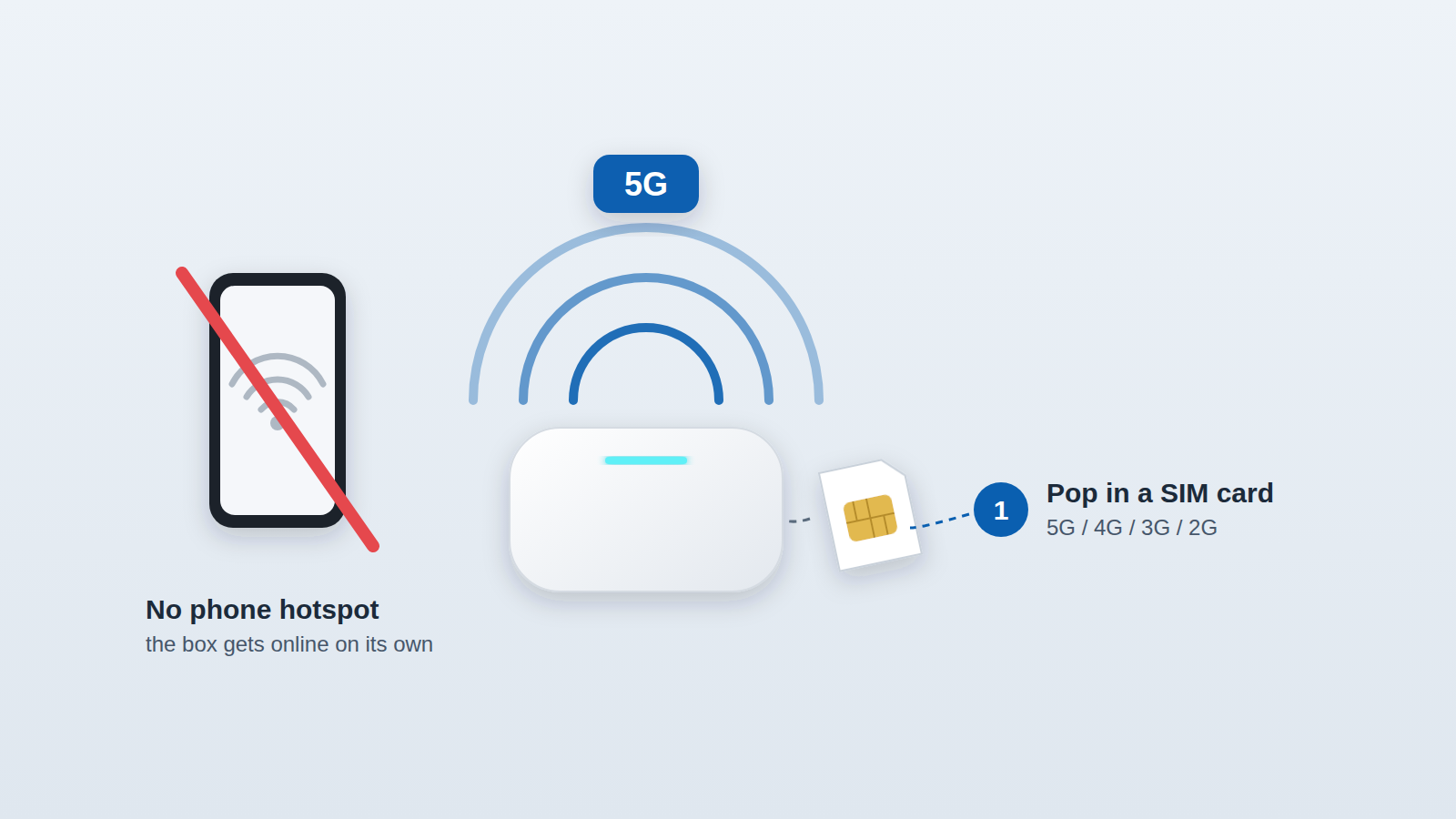
Tip from the manual: turn off the SIM card's PIN lock first (do it in any phone). The box can't enter a PIN, so a locked SIM leaves you with a black screen.
Prefer not to add a data plan? Connect the box to a Wi-Fi hotspot instead.
Split screen: maps and media side by side
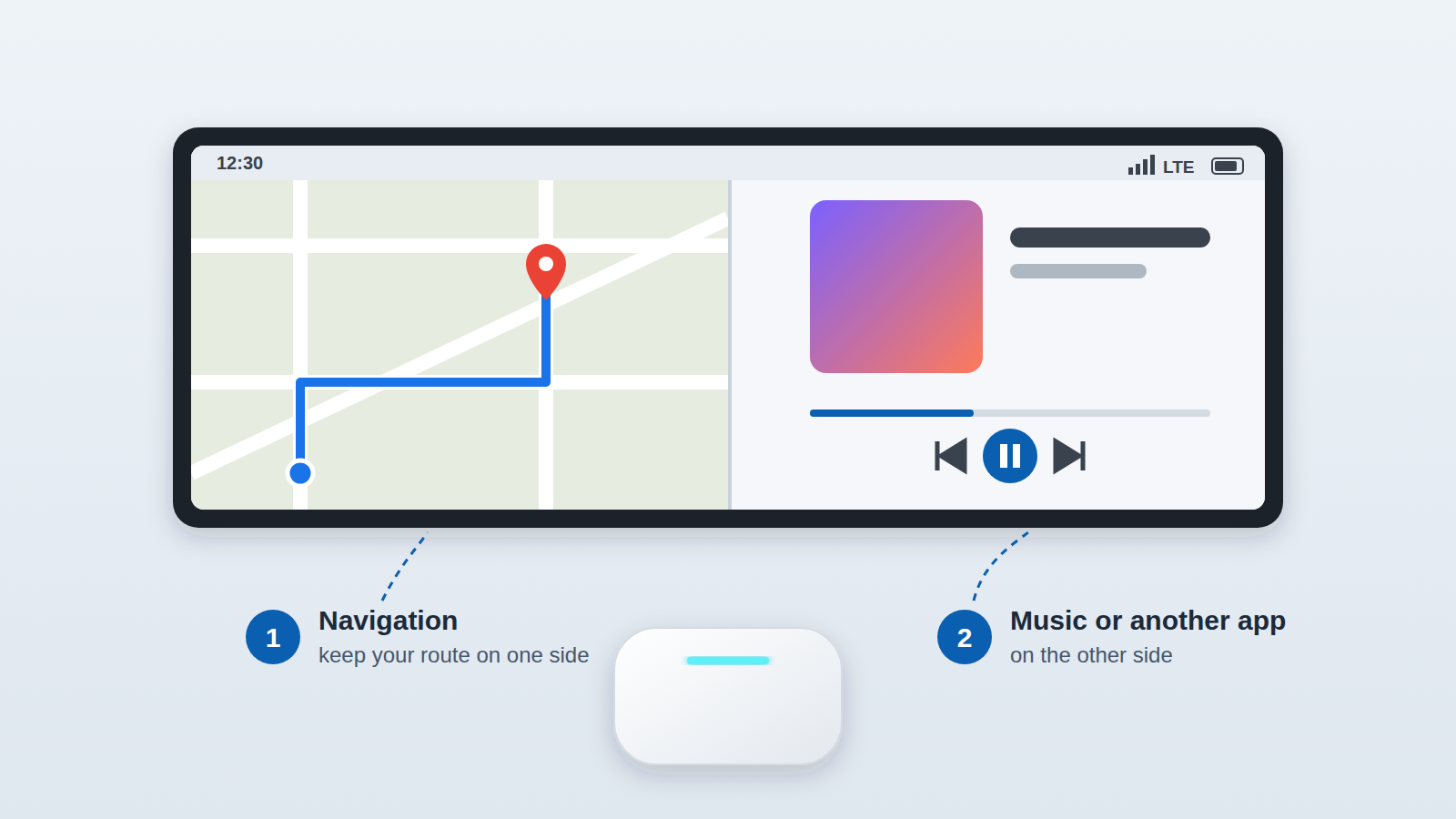
With the smart split screen feature, you can keep navigation on one side and music or another app on the other. No more flipping back and forth at every turn. It runs on the same 8GB RAM as the Ultra 3.
Built-in multi-GNSS positioning
The box has its own positioning hardware covering GPS, BeiDou, GLONASS, Galileo, QZSS and SBAS. Like the Ultra 3, that includes GPS, BeiDou, GLONASS and Galileo. Navigation apps running on the box don't need your phone's GPS. The manufacturer's stated aims are faster location fixes and a steadier signal.
OTA online updates
Just like the Ultra 3, the Tbox Max Ultra supports OTA firmware upgrades. When new features and fixes are released, you update online, with no computer and no unplugging.
Extras: headrest screen output and gaming when parked
There's also a Micro HDMI port if you want to mirror the dashboard screen to a headrest monitor for the back seat. And because it's a full Android system, you can download game apps to play while parked or waiting.
Our Hands-On: Tbox Max Ultra in a Mercedes MBUX Cockpit
We filmed a Tbox Max Ultra in a Mercedes-Benz with the factory MBUX widescreen. The setup was exactly what the box promises:
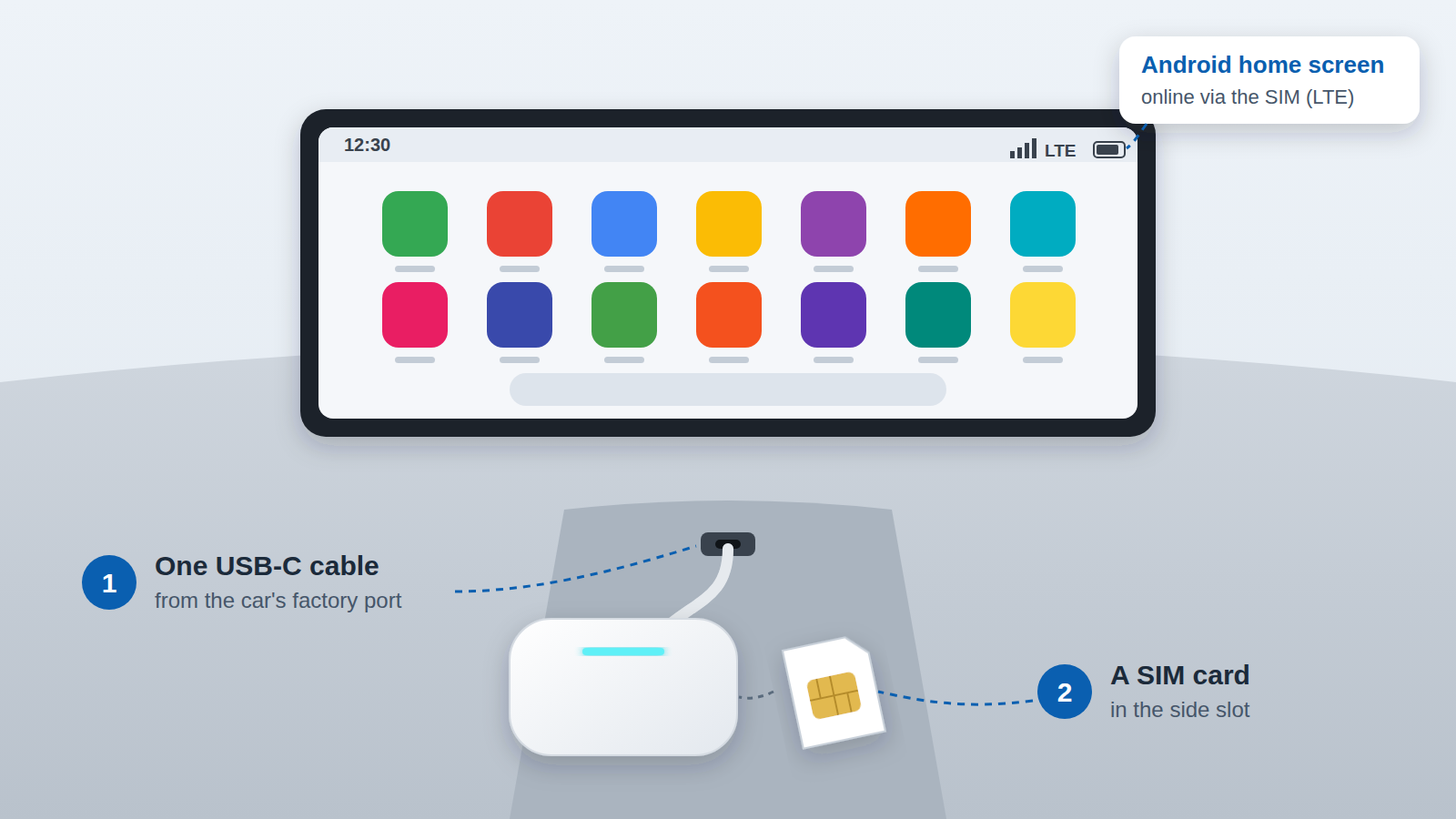
- One USB-C cable from the car's factory port to the box
- A SIM card in the side slot
Once it started up, the car's screen showed a complete Android home screen, and the status bar showed a mobile data (LTE) connection from the SIM. That means it was online without any phone tethering.
The car's own touchscreen and controls still ran everything. The product page lists full steering wheel and factory control integration, so you control the box the way you already control your head unit.
What stood out to us: nothing on the car was modified. Unplug the cable and the car goes back to exactly how it was.
Will the Tbox Max Ultra Work in Your Car?
The one requirement: factory wired CarPlay or wired Android Auto
The manufacturer states 98% car compatibility, with one condition: your car must have factory wired Apple CarPlay or wired Android Auto. The box connects through that existing system. It doesn't replace your head unit.
30-second self-check before you buy
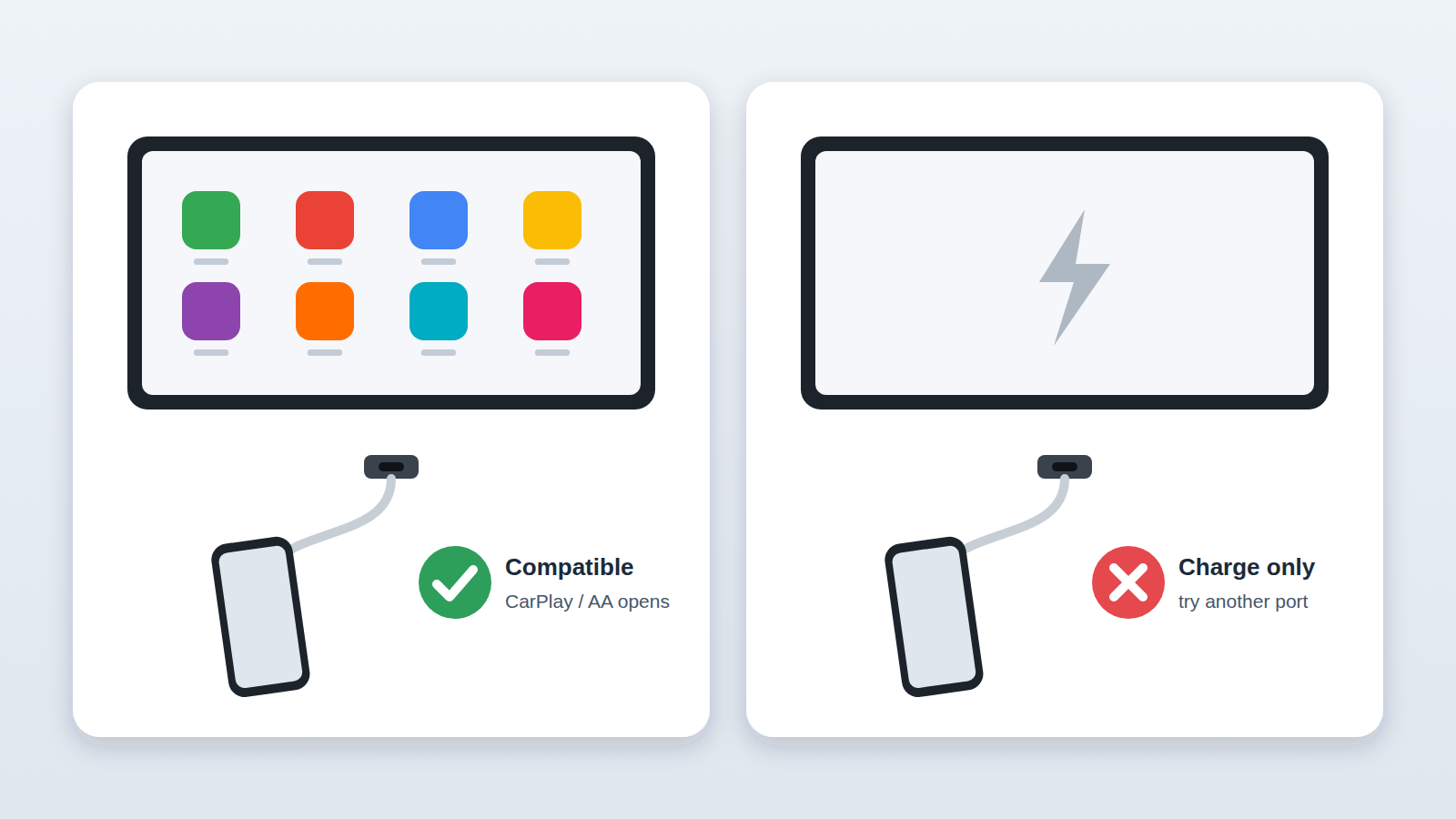
- Plug your phone into the car's USB port with a cable. If CarPlay or Android Auto opens on the screen, your car meets the requirement.
- Use the port that launches CarPlay/Android Auto. Some cars have charge-only USB ports.
If you've already installed the box and nothing appears, check these in order:
- Re-confirm the phone test above
- Check the box's LED light bar shows it's working
- Exit any CarPlay or Android Auto session already active on the head unit
Cars it doesn't support
To save you a return, here's where the Tbox Max Ultra won't work:
- Tesla models (no factory CarPlay)
- BMW models
- Cars with wireless-only CarPlay and no wired CarPlay/Android Auto connection
Driving a BMW? Look at our dedicated BMW multimedia box instead, which is built for BMW systems.
Looking for the Tbox Ultra 3? Why the Max Ultra Is Worth Buying Now
What the official note says
The Tbox Ultra 3 is currently sold out on our store. Its product page carries this official note (checked September 2026):
"Sold Out (Chip Shortage, Industry-Wide). Same core functions, Snapdragon 6350 chip & 5G available in Max Ultra (different form factor)."
Core specs side by side: they match
| Tbox Max Ultra | Tbox Ultra 3 | |
|---|---|---|
| Processor | Snapdragon 6350 (octa-core) | Snapdragon 6350 (octa-core) |
| Operating system | Android 15 | Android 15 |
| Memory / storage | 8GB + 128GB | 8GB + 128GB |
| 5G connectivity | ✓ | ✓ |
| Wireless CarPlay / Android Auto | ✓ | ✓ |
| Android apps like Netflix and YouTube | ✓ | ✓ |
| GPS / BeiDou / GLONASS / Galileo | ✓ | ✓ |
| OTA updates | ✓ | ✓ |
| Phone support | iPhone 6+ / Android 11+ | iPhone 6+ / Android 11+ |
| Manufacturer warranty | 2 years | 2 years |
| 30-day money-back guarantee | ✓ | ✓ |
"Is the Max Ultra a downgrade?"
No. The core hardware behind an AI box's performance is its chip, memory and operating system, and on all three the two are identical: the same Snapdragon 6350, the same 8GB + 128GB, the same Android 15. The only difference the official note names is the form factor.
"Should I wait for the Ultra 3 to come back?"
The Ultra 3 is out because of an industry-wide chip shortage, and its product page gives no restock date. Waiting means more time plugging a cable in for CarPlay. The Max Ultra is in stock now with the same core experience, so you can start using it as soon as it arrives.
"What if it doesn't suit me?"
Run the 30-second phone test above before you order. After it arrives, you're still covered by:
- A 30-day money-back guarantee
- A 2-year manufacturer warranty
That's the same protection you'd get buying the Ultra 3.
"What about price?"
The Max Ultra is A$409.11 (was A$439.11). You get the same chip, system, memory and 5G for A$6.88 less than the Ultra 3's listed price of A$415.99 (both prices as listed on our Australian store in September 2026).
Price, Warranty and What's in the Box (Australia)
- Price: A$409.11 (regular price A$439.11)
- Shipping: free worldwide shipping
- Peace of mind: 30-day money-back guarantee
- Warranty: 2-year manufacturer warranty
- In the box: the Tbox Max Ultra, Type-C to C cable, Type-C to A cable, power cable and user manual
Ready to upgrade? Get the Tbox Max Ultra for A$409.11. Run the 30-second phone test first, and you'll know it fits.
Tbox Max Ultra FAQ
Does the Tbox Max Ultra need my phone to go online?
No. Insert a 5G, 4G, 3G or 2G SIM card and the box connects on its own, or join it to a Wi-Fi hotspot. Your phone is only needed for wireless CarPlay or Android Auto. The Android apps can run online without it.
Will the Tbox Max Ultra work with my Tesla or BMW?
No. The Tbox Max Ultra doesn't support Tesla or BMW models. BMW owners should look at our dedicated BMW multimedia box. For other brands, the requirement is factory wired CarPlay or wired Android Auto. Run the 30-second phone test before ordering to confirm your car qualifies.
My car only has wireless CarPlay. Can I use it?
Not if your car has wireless-only CarPlay. The Tbox Max Ultra needs a factory wired CarPlay or wired Android Auto connection to work. Test it by plugging your phone in with a cable: if CarPlay or Android Auto opens, you're good to go.
Why is my screen black after inserting a SIM card?
The SIM card most likely has its PIN lock switched on. The box can't enter a PIN, so the screen stays black. Put the SIM in any phone, turn off the PIN lock in settings, then put it back in the box.
I plugged it in and nothing happens. What should I check?
First, plug your phone in directly to confirm the car supports wired CarPlay or Android Auto on that port. Next, check the box's LED light bar. Finally, exit any CarPlay or Android Auto connection already active on the head unit and reconnect.
Is the Tbox Max Ultra as fast as the Tbox Ultra 3?
They share the same Qualcomm Snapdragon 6350 chip, the same 8GB + 128GB and the same Android 15, and both support 5G. The official note on the Ultra 3 product page describes the Max Ultra as having the same core functions, in a different form factor.
Is the Tbox Max Ultra Right for You?
The Tbox Max Ultra makes the most sense if you:
- Have factory wired CarPlay or Android Auto and want to go wireless
- Had your eye on the Ultra 3 and want the same Snapdragon 6350, Android 15 and 5G without waiting for a restock
- Want streaming and Android apps on the car screen for passengers and parked time
- Don't want to tether your phone, because a 5G SIM keeps the box online on its own
It doesn't touch your car's wiring, shares the Ultra 3's core specs, and it's in stock now. Check out the Tbox Max Ultra here.