
I am raw html block.
Click edit button to change this html
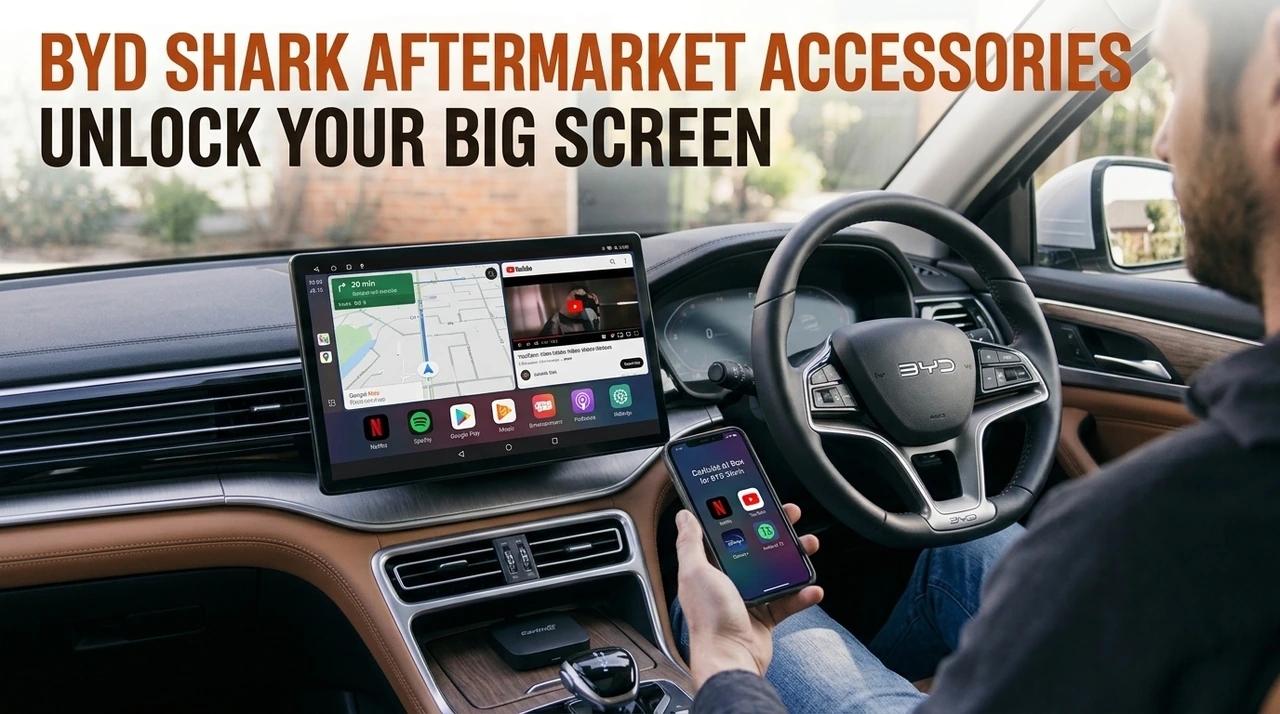
BYD Shark Aftermarket Accessories: Unlock Your Big Screen
Turning that 15.6" rotating screen into more than just a factory display.
Have you just picked up your very own BYD Shark from the showroom? You're probably already impressed by the off-road capability and that monstrous 15.6-inch rotating touchscreen sitting front and centre in the cabin.
But here's the thing: the factory configuration can feel a little limiting once the weekend trips start rolling in. To actually get the most out of this vehicle, choosing the right BYD Shark aftermarket accessory becomes genuinely important.
During testing in May with our local Aussie partner in Sydney, one thing became clear fast: adding the right cabin technology changes how you interact with the vehicle entirely. It's not a cosmetic upgrade — it changes what the screen is actually capable of doing.
This guide walks through exactly what the factory system can't do, what the Carlinkit AI Box changes about that, and what to expect once it's installed.
"A high-end hybrid truck like the Shark needs intelligent upgrades that connect two worlds — utility and technology."
The Ultimate Tech Upgrade: Unlocking the 15.6" Rotating Screen
The best way to unleash your BYD Shark's 15.6-inch rotating screen is by adding a plug-and-play Android AI Box.
The Limitations of the Factory DiLink System
How does a high-end electric pick-up truck end up denying you access to your favourite shows while parked at a charge station? It comes down to a few built-in limits of the factory DiLink system.
- No Native App Store: You can't install Netflix or Disney+ directly on the factory system.
- Wasted Down-Time: That big, beautiful screen sits unused while you're parked or camping.
- Unwanted Cables: Constantly using a phone charger cable looks messy and undercuts the futuristic centre console look.
The Solution: Carlinkit Special AI Multimedia Box for BYD
The Carlinkit AI Box works by using your Shark's existing CarPlay connection to boot a fully unrestricted Android 13 system on your factory screen — no app-store limits, no cables left dangling.
Installation Tip: When installing, connect your device to the blue-coloured USB-A port in the centre console. If you plug it into one of the other charging-only USB ports, the car won't detect the device.
- Smooth Orientation: The interface auto-optimises for either portrait or landscape, depending on how your screen is rotated.
- Google Play Freedom: Download whatever you actually want — Netflix, YouTube, or off-road mapping apps — straight from Google Play.
- Dedicated 4G Connectivity: Insert a local SIM into the box and run apps and GPS without draining your phone's battery.
You can check out the Carlinkit BYD Wireless CarPlay Android Box on our site — it's built for BYD models with factory wireless CarPlay, Shark included.
What's Actually Under the Hood
It's worth knowing what you're getting before it lands on your doorstep. Here's the spec sheet, stripped of marketing fluff:
| Spec | What it means for you |
|---|---|
| Android 13 system | Full access to Google Play, not a locked-down app list |
| Requires factory wireless CarPlay | Confirm your Shark has this before ordering — happy to check for you |
| 4G connectivity | Independent internet via SIM card, no phone hotspot needed |
| Plug & Play via factory USB port | No wiring, no dismantling the dash |
| Lifetime OTA firmware updates | The box keeps improving after you buy it, not just on day one |
| 2-year warranty (1-year extension optional) | Backed well beyond a typical accessory purchase |
| 30-day money-back guarantee | Room to actually test it in your own Shark before committing |
| Free express shipping | No extra cost tacked on at checkout |
| CE / FCC / RoHS certified | Meets recognised safety and electronics standards |
Where This Actually Comes In Handy
On paper, "streaming apps on your dash" sounds like a nice-to-have. In practice, it tends to show up in a few specific moments:
- Charging stops: Fifteen, twenty minutes at a fast charger stops being dead time and turns into a chance to catch up on a show
- Camping trips: Parked at a remote site with no reception, the 15.6" screen becomes the biggest entertainment option for miles
- Tradie downtime: Waiting on a job site or a delivery window is a lot more bearable with YouTube or a podcast up on the big screen
- Family road trips: Keeps the back seat occupied with cartoons while the driver still has full access to navigation and controls
Wrapping Up
Upgrading your hybrid truck with the right accessory can turn an already impressive vehicle into a genuine touring machine.
Quick Fix: If you run into a "CarPlay Failed" message while pairing your AI Box, try temporarily switching off your phone's personal Wi-Fi hotspot during the initial pairing process.
Frequently Asked Questions
Not at all. The Carlinkit AI Box is a non-invasive USB accessory that plugs straight into the factory port — no wire cutting, no software flashing required.
Yes, this version is built for Sharks with factory wireless CarPlay already active. If you're not sure whether yours has it, send us your model and year and we'll confirm before you order.
Yes. Our specialised BYD firmware is built to detect screen rotation and instantly adjust the Android interface layout to match.
No — for safety, video streaming through the player is only available while the vehicle is stationary or parked.
Yes, you'll need to insert your own local SIM into the box. Once it's in, streaming and navigation run independently of your phone's data or battery.
The AI Box comes with a 30-day money-back guarantee, plus a 2-year warranty (with an optional 1-year extension), so there's plenty of room to test it properly in your own Shark first.
Ready to unlock what that 15.6" screen can actually do? The BYD AI Box turns your Shark's cabin into the smart, connected space it was always meant to be.