
Buying guideAustraliaCarPlay AI Box
Carlinkit TBox Ambient AU: Is It Worth Buying in 2026?
Short answer: yes, if your car already has factory wired Apple CarPlay and you want the cheapest way into a full Android AI box. No, if you are buying it for the lighting.
The Carlinkit TBox Ambient — sold as the TBox Max (Ambient), and previously as the AI TV Box LED Plus — is an Android 13 CarPlay AI box priced from $279.99 to $309.99 AUD. It turns your factory CarPlay screen into an Android tablet: Netflix, YouTube, Google Maps, split screen, and its own 4G SIM slot.
The LED strip on its casing gives the model its name, and it is the least important thing about it. Here is what actually matters.
What Is the Carlinkit TBox Ambient?
“Ambient”, “Max” and “LED Plus” — clearing up the names
One product, three names. Carlinkit launched it as the AI TV Box LED Plus, then renamed it the TBox Max (Ambient). Older reviews under either name describe the same hardware.
More importantly: “Ambient” is a model name, not a car feature. This box does not connect to or control your vehicle’s factory ambient lighting — the LED is on the box itself. If you came here to change your dashboard mood lighting, this is not it.
What it does is take over your factory CarPlay session: plug it into the USB port that normally runs wired CarPlay, and your screen shows Android instead — with wireless CarPlay and Android Auto still available on top.
What the LED actually does
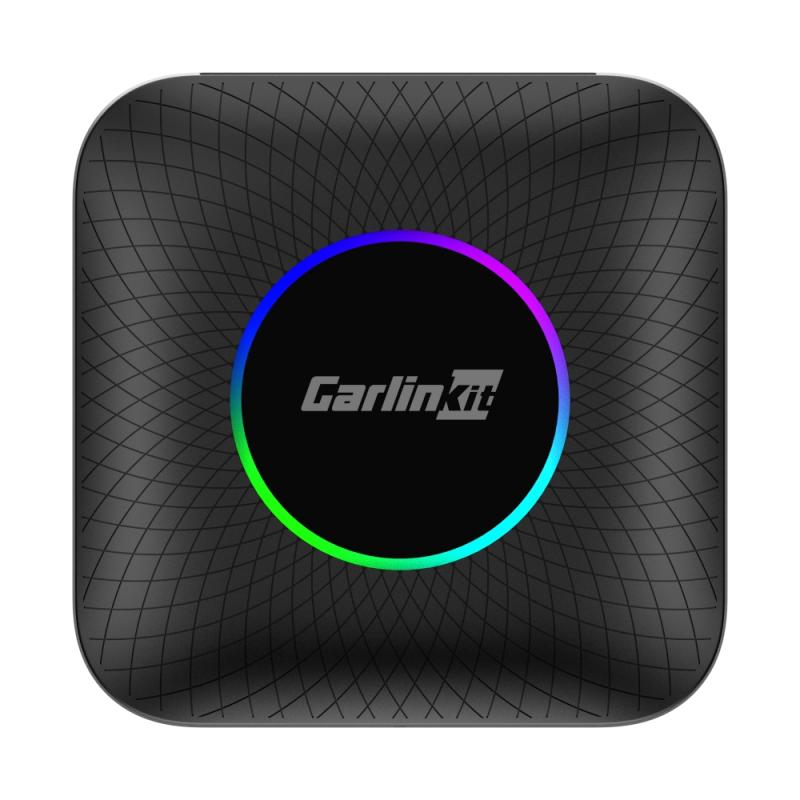
The LED sits on the top casing of the box — not on your dash, not in your door cards — and you adjust it from the device’s own settings menu. The palette is short: in his hands-on review, Mike at CarPlay Lab found the colour options “quite few” and “quite limited compared to other adapters that have an RGB lighting option”.
Most people also hide an AI box in the glovebox or under the dash, and installed that way you never see it. Treat it as a design accent, not the reason to buy.
Specs at a glance
| Component | Specification |
|---|---|
| Processor | Qualcomm SM6225 octa-core (Snapdragon 6225) |
| Operating system | Android 13, with FOTA updates |
| Memory | 4GB+64GB or 8GB+128GB |
| Storage expansion | microSD up to 256GB |
| Mobile data | 4G SIM slot |
| Wi-Fi | Dual-band 2.4GHz + 5.8GHz |
| Bluetooth | 4.2 + 5.0 |
| Navigation | GPS + BeiDou + GLONASS |
| Price | $279.99 – $309.99 AUD |
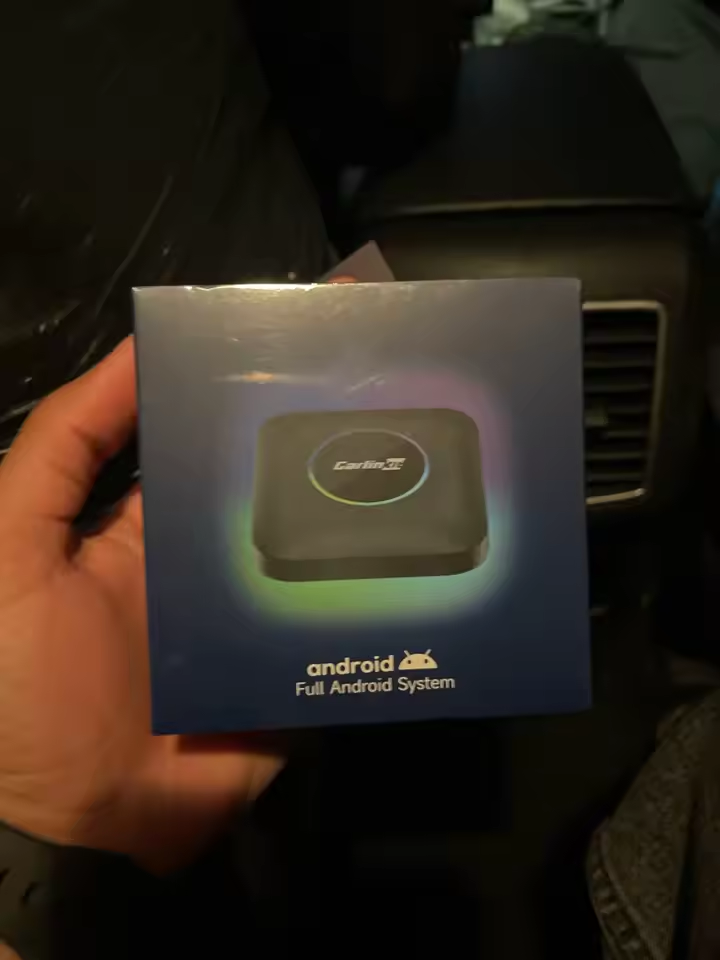
Check current pricing and configurations on the TBox Ambient product page
What Australian Owners Say
Long enough on sale here for a real review record, not launch-week impressions:
out of 5
reviews
five stars
Installed my Carlinkit with ExplorOz, and everything loaded perfectly. It was my first time using an Android device, so I had to learn a few tricks, but everything worked great.
That review carries both halves of the honest answer. ExplorOz is an Australian outback trip-planning app, not a demo — and it loaded and ran properly. That is the real test for anyone buying this for touring rather than streaming in the driveway.
The other half is the learning curve. If you have never used Android, expect your first drive to be spent working out where things live. Short, but real.
Will the TBox Ambient Work in Your Car?
This is where most disappointed buyers go wrong. Run these four checks first.
Your car must have factory wired Apple CarPlay
Non-negotiable. The TBox Ambient does not add CarPlay to a car that never had it — it replaces the CarPlay session your car already runs.
Plug your iPhone into your car’s USB port. If CarPlay launches on the factory screen, you are compatible. If nothing happens, this box will not work for you.
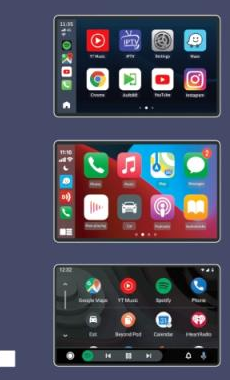
Tesla and BMW are not supported
Neither brand works with this adapter. BMW owners have a dedicated Multimedia AI Box for BMW that handles iDrive properly. Tesla’s infotainment is closed, with no CarPlay session to take over.
Driving a BYD? Read BYD TBox Apple CarPlay: Does BYD Support It? first.
It needs internet for the fun parts
Netflix, YouTube, Spotify and app updates all need data — from a SIM in the box’s own slot, an eSIM, or your phone’s hotspot.
Hotspot works, but you have to switch it on every time you get in the car. A cheap Australian prepaid data SIM left permanently in the box fixes that.
It will not flatten your battery
Common worry, simple answer. The box draws power from the head-unit USB port, which cuts with the ignition on virtually every vehicle. Park for a fortnight and the box sleeps with it.
Real-World Performance
Boot and connection speed
In independent testing, CarPlay Lab measured a cold start of 30–31 seconds from power-on to the main menu, after which wireless CarPlay takes a further 10 seconds to establish a connection.
It is not instant, but on any normal commute you will not notice.
Streaming, split screen and audio
Netflix and YouTube play with properly synced audio through the car’s speakers — the thing cheaper boxes get wrong. Split screen runs navigation beside media, which is what most owners use daily.
Video content is for stationary and passenger use. The Australian Road Rules, adopted in every state and territory — see Rule 299, Television receivers and visual display units in vehicles (NSW Road Rules 2014) — prohibit a driver from operating a visual display unit where the image is visible to them while the vehicle is moving or stationary but not parked. Use it in the car park, on the ferry, or for the kids in the back.
Where it will annoy you
The interface is dated and barely customisable — CarPlay Lab called both menu styles “quite dated now” and asked Carlinkit to modernise them. The persistent dock has no back button, so switching apps means detouring through the home screen. There is no casting support.
None of it is a dealbreaker at this price, but worth knowing first.
TBox Ambient vs UHD vs Ultra 2: Which Should You Buy?
The Australian price ladder
| Model | Price (AUD) | What the extra money buys |
|---|---|---|
| TBox Ambient (Max) | $279.99 – $309.99 | Entry point — Android 13, Qualcomm SM6225, LED |
| TBox UHD | $308.99 | HDMI output for rear-seat screens |
| TBox Ultra 2 | $409.11 | Android 15, Qualcomm SM6350, 5G LTE |
| TBox Ultra 3 | $415.99 | Built-in LCD touchscreen, the flagship of the range |
Prices in AUD, checked 31 August 2026. Note the overlap: the UHD’s single $308.99 configuration sits between the Ambient’s two, so the Ambient is the cheapest way into the range on its $279.99 4GB+64GB trim, not on every trim. Compare like for like on memory before you compare on price.
LED accent lighting on the casing. The entry point to the range.
HDMI output for a second screen, so passengers in the back get their own display.
5G LTE, dual-sided cooling and split screen. Built for long daily use.
Built-in LCD touchscreen and 5G LTE. The flagship of the range.
The platform behind each model. Prices are in the table above.
The comparison that actually matters
If you have been weighing the Ambient against the TBox Plus, that decision is already made: the Plus has been discontinued. The Ambient now holds that place in the range — same Android 13 platform, same entry pricing, still in production and still getting firmware updates. If the Plus was on your shortlist, the Ambient is what you buy instead.
That leaves one comparison worth having: Ambient against Ultra 2.
Against the Ultra 2 the gap is generational: Android 15 rather than 13, the faster Qualcomm SM6350, and 5G rather than 4G. At $409.11 it is $129 more than the $279.99 Ambient — $99 more if you compare it against the Ambient’s $309.99 8GB+128GB trim — and what that buys is a longer update life.
Buy it, or skip it
Still deciding? Compare every model in Carlinkit TBox Series: Which Model Is Right for You?
Buying the TBox Ambient in Australia
The TBox Ambient can be ordered from our Australian store in both configurations — 4GB+64GB and 8GB+128GB — priced in AUD. Standard delivery to Australia and New Zealand typically takes 1–2 weeks.
Disclosure: Carlinkit Factory Australia sells the product reviewed on this page, so treat this as a manufacturer-side review and read the independent coverage we link to as well. Specifications are taken from the manufacturer listing; the ratings below come from verified purchases on this store; the boot and connection times are measured by CarPlay Lab, not by us. Prices in AUD, checked 31 August 2026, and subject to change.
- ✓Free Worldwide Shipping
- ✓30-Day Money-Back Guarantee — if your car turns out to be incompatible, send it back
- ✓2-Year Manufacturer’s Warranty, with an optional 12-month extension available, on top of your rights under the Australian Consumer Law
- ✓Rated 4.7 / 5 by 60 verified Australian buyers
Frequently Asked Questions
Is the Carlinkit TBox Ambient the same as the TBox Max?
Yes. “Ambient” is the LED version of the TBox Max, previously sold as the AI TV Box LED Plus. Any review under those names describes identical hardware.
Does the ambient lighting connect to my car’s interior lights?
No. The LED is built into the box’s own casing and has no connection to your vehicle’s factory ambient lighting. It cannot control, sync with, or replace your car’s interior lighting.
Does the TBox Ambient need an internet connection?
For streaming and app updates, yes. Wireless CarPlay and Android Auto work without it, but Netflix and YouTube need data — from the 4G SIM slot, an eSIM, or a phone hotspot.
Will the TBox Ambient work in a Tesla or BMW?
No. Neither brand is supported. BMW owners should use Carlinkit’s dedicated Multimedia AI Box for BMW instead.
Does it support Android Auto as well as Apple CarPlay?
Yes, both, wirelessly, on top of the Android system. Passengers can swap between iPhone and Android without rewiring anything.
Will it drain my car battery when parked?
No. It draws power from the head-unit USB port, which cuts with the ignition on virtually all vehicles.
How much does the Carlinkit TBox Ambient cost in Australia?
$279.99 to $309.99 AUD depending on configuration — 4GB+64GB or 8GB+128GB. That gives it the lowest starting price in the TBox range.
Can I still buy the Carlinkit TBox Plus?
No. The TBox Plus has been discontinued. The TBox Ambient replaces it at the entry level — same Android 13 platform, same price bracket, with the LED accent added.
What do I do if my TBox is not recognised?
Usually a cable, port or firmware issue rather than a faulty unit. Work through our TBox not recognised troubleshooting guide, and update the firmware if you have not already.
The Verdict
The Carlinkit TBox Ambient is worth buying in 2026 for one reason, and it is not the lighting. At $279.99 it is the cheapest honest way to turn a factory CarPlay screen into full Android, and the Qualcomm SM6225 is quick enough that you will not resent the saving.
- Buy it if your car has factory wired CarPlay and your budget stops around $300.
- Spend more on the Ultra 2 if you want Android 15, 5G and a longer support life.
- Buy something else if you drive a Tesla or BMW, or if wireless CarPlay is all you need.